If your group often moves active CAD projects between computers or regularly copies larger folders, a portable SSD is an obvious choice. For a large archive that is less time-sensitive, an external HDD could also be suitable. In either case, plan for a separate backup that you check regularly, and test that CAD references, connections and file systems work on the computers involved before handing the drive over.
Who is this storage for?
People responsible for group backups
If you need to be able to restore CAD projects after a drive failure, plan storage capacity, your backup routine and a restore test together. Germany’s Federal Office for Information Security recommends backing up data regularly.
Members who work in different locations
If you take active projects between computers, compatible connections and working file references matter. Autodesk explains that external references can be missing if paths cannot be resolved on another computer.
People responsible for a large project archive
If you keep lots of completed projects and versions, transfer time may matter less than it does when you regularly share active files. PC-WELT still recommends HDDs as an option for regularly backing up large amounts of data.
What should your group look for?
Consider backups, file sharing, computer compatibility and access protection as separate requirements.
Portable external SSD
Suitable if: Members often take active projects with them or regularly copy larger folders.
Bear in mind: Advertised maximum speeds require a compatible computer connection and suitable cable.
Portable external HDD
Suitable if: You’re transferring a large archive or an extra copy where speed is less important.
Bear in mind: An SSD’s speed advantage matters when you regularly transfer active projects and time is tight.
| Consideration |
What to look for when buying |
Who it matters most to |
| Restorable backup |
Check folder sizes, including the versions you need; allow space for separate copies and a restore test. |
If we need to retrieve projects after a drive failure, a tested backup process matters. Around 33% of consumers put a restorable backup first. |
| Mobile file sharing |
Check how often you transfer files and how large they are, as well as the connections and cables on the computers you actually use. Samsung notes that T7 Shield performance depends on the computer configuration and cable. |
If we regularly copy active projects between workstations, we want to avoid unnecessary waiting. Around 27% of consumers prioritise sharing projects on the move. |
| Compatibility and CAD references |
Check the file systems and connections on all the computers; copy a complete project folder and test its references. Autodesk describes issues with external references when paths depend on the computer. |
If we open the same projects on different computers, linked files must remain accessible too. Around 20% of consumers put cross-computer compatibility first. |
| Confidential files |
Check what the files contain and who needs access. If necessary, plan encryption and access for members and backup managers together. The European Data Protection Board describes security measures that are appropriate to the risk. |
If project folders contain personal or other confidential information, we want to control access. Around 20% of consumers prioritise confidential file storage. |
Common selection mistakes
-
Keeping the only copy of a project on one drive
Calling a drive a backup drive doesn’t make it a separate, tested backup.
Keep an additional copy separately and test your recovery process regularly.
-
Expecting every group computer to reach an SSD’s maximum transfer speed
Samsung says that the T7 Shield’s performance depends on the computer configuration and cable.
Before choosing an SSD based on its maximum speed, compare its interfaces with the connections and cables on your computers.
-
Copying only the main CAD file
External references may be missing on another computer if they aren’t included in the transferred project folder or their paths don’t work there.
Transfer the complete project folder and test a copy on a second computer.
Missing project files can cost you time, as you’ll need to put them back together before you can continue working.
Brands and product ranges to consider
Samsung
The portable T7 Shield SSD is worth considering if your group often takes active projects with them.
- Samsung lists USB 3.2 Gen 2 and AES-256 hardware encryption for this range.
- Samsung states that the drive is IP65-rated based on its own internal tests. Maximum sequential speeds depend on factors including the computer and cable.
Crucial
The portable X9 Pro is another SSD option for groups that take drives between workstations.
- Under test conditions, Crucial lists read and write speeds of up to 1.050 MB/s, as well as support for BitLocker To Go and FileVault.
- According to Crucial, performance and compatibility depend on the device, connection and formatting.
Western Digital
The portable My Passport HDD could be suitable for a project archive you can take with you, or as an additional backup.
- The manufacturer’s data sheet lists a 2-TB version and a USB-A cable.
- Operating system compatibility depends on the configuration and file system.
Seagate
The Expansion Portable is a USB-powered HDD option for archives and copies that are less time-sensitive.
- Seagate’s data sheet lists the 2-TB version STKM2000400 and a USB 3.0 cable.
- Seagate notes that the data recovery service listed isn’t available in every country; it doesn’t replace an additional backup.
Toshiba
The Canvio Basics is a portable HDD option if your group checks the formatting requirements for its computers carefully.
- For the 2-TB version HDTB420EK3AA, the EMEA product sheet lists USB 3.2 Gen 1 and NTFS for Windows.
- Toshiba says the drive needs to be reformatted for the macOS versions listed. Back up any existing data before formatting.
Joybuy products for CAD projects
This selection includes WD Elements HDDs for portable file storage and desktop project archives.
 No image available
WD Elements Portable 5TB USB-C
For portable project storage if you’re looking for a portable HDD with 5 TB of storage and a USB-C connection.
View at Joybuy
No image available
WD Elements Portable 4TB USB-C
For portable project storage if you’re looking for a portable HDD with 4 TB of storage and a USB-C connection.
View at Joybuy
 No image available
WD Elements 2TB Portable External Hard Drive
For portable storage with 2 TB of capacity, if USB-C and the stated exFAT formatting suit your group’s computers.
USB 3.2 Gen 1; 2.5-inch; exFAT.
View at Joybuy
 No image available
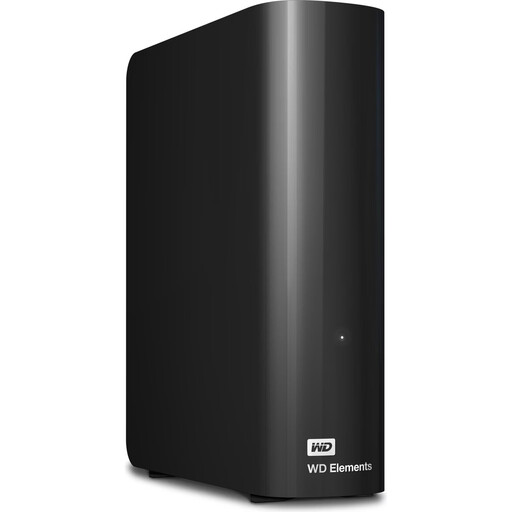
WD Elements 10TB Desktop External Hard Drive
For a desktop archive if you need 10 TB of storage and plan to use the drive at a fixed workstation.
USB 3.2 Gen 1; 3.5-inch; NTFS.
An external power supply is required. According to the product information, the drive needs to be reformatted for macOS.
View at Joybuy
 No image available
WD Elements 8TB Desktop External Hard Drive
For a desktop archive if you need 8 TB of storage and plan to use the drive at a fixed workstation.
USB 3.0; 3.5-inch; NTFS.
An external power supply is required. According to the product information, the drive needs to be reformatted for macOS.
View at Joybuy
Frequently asked questions
Is an external hard drive enough as the only place to store our CAD projects?
No. If it contains the only copy, a drive failure leaves you without a restorable version. Set up a regular backup routine and test that you can actually restore a project. Germany’s Federal Office for Information Security recommends doing this too.
What should we test after copying a CAD project to another computer?
Open a copy of the complete project folder and check the external references. Autodesk explains that references can be missing because paths are specific to a computer or user, and recommends relative paths for affected drawings.
Can every group member use an external HDD formatted for Windows on a Mac without changing anything?
That can’t be guaranteed for every drive. Toshiba lists NTFS as the file system for the Canvio Basics range and says the drive needs to be reformatted for the macOS versions specified. Check the exact model before buying, and back up any existing data before formatting.
Are encryption and a particular type of hard drive legally required for groups in Germany?
The data protection requirements described here don’t establish a blanket rule that you must use an SSD rather than an HDD. If your group processes personal data, your technical and organisational security measures must be appropriate to the risk. The European Data Protection Board lists encryption as one possible measure, but it doesn’t automatically replace other safeguards.
Are data recovery services and manufacturer warranties a substitute for backups?
No. Seagate notes that the data recovery service listed in its data sheet isn’t available in every country. Make an additional copy regardless, and check the terms of the specific offer.


