For scanned stage design templates, start by choosing a laptop for your 2D workflow. A more powerful graphics setup only becomes important when your specific planning software and the effects you want to use require it. For 2D work, check the display and colour workflow, memory and storage. For 3D, also check the software and GPU requirements. If you’ll be working on site, consider the weight and available ports too.
Who works with stage design scans
Designers working from scanned templates
You edit scanned drawings and turn them into stage design concepts or print-ready files. Output size, room for working files and your colour workflow are all important factors when choosing a laptop. Adobe provides guidance on the requirements for Photoshop and print workflows.
Designers working with 3D models
You add spatial stage views to your drawings, so it’s important to match the hardware to the specific 3D software you use. For certain PBR textures and lighting effects, SketchUp recommends a modern GPU with at least 8 GB VRAM.
Mobile stage design teams
You take your laptop to on-site meetings and need to weigh up screen space, weight and connectivity together. The model and configuration determine which display options and connections are available; Notebookcheck and Apple provide details of specific device variants.
What to consider when choosing a laptop
Start by working out which programmes and output formats you actually use. Then you can decide more easily whether 2D editing is enough, or whether 3D requirements and regular on-site meetings affect your choice.
| Consideration |
What to check before buying |
Who it matters most to |
| Scans and 2D output |
Check the display and colour workflow, memory and space for working files. Adobe recommends 16 GB RAM or more for Photoshop 27.x; scan resolution depends on the original and output sizes. |
If I’m editing scanned drawings and preparing them for presentations or print, I want to plan for the scan and output together. Around 33% of consumers put scanning and 2D output first. |
| 3D models and previews |
Check that the operating system, GPU and graphics memory match the software version and display features you want to use. SketchUp’s recommendation of at least 8 GB VRAM applies to certain PBR and lighting effects. |
If I want to create spatial stage views, I need a setup that suits the 3D application I actually use. Around 25% of consumers prioritise 3D planning. |
| Software compatibility |
Compare the official requirements for your software and versions with the operating system, processor architecture and graphics hardware of the specific device. |
Once I know which design programmes and file formats I’ll be using, my laptop needs to support them before display or portability becomes the deciding factor. Around 25% of consumers prioritise compatibility with their existing software. |
| Portability and connections |
Check the weight, display options and connections on the specific configuration, as well as the equipment you’ll use on site. |
If I regularly take designs to rehearsals or meetings, portability and connecting to the equipment already available both matter. Around 17% of consumers prioritise on-site meetings. |
Pitfalls when buying for scan and stage design work
-
Confusing a sharp display with a good scan
Print results depend on the size of the original, the enlargement and the output requirements. A high-resolution display can’t add detail that isn’t present in the scan.
Set the final size and check the print requirements before deciding on the scan resolution. Adobe explains how the original size, output size and output resolution relate to one another.
-
Assuming every stage design project needs a powerful GPU
Graphics recommendations for 3D applications apply to their specific workflows and display features. They aren’t automatically required for editing 2D scans.
First, compare your programmes, versions and planned effects with their respective system requirements. Then decide whether you need a device geared towards 2D or 3D work.
-
Assuming colour accuracy from the display name alone
One display feature alone doesn’t determine how a print will look. Adobe explains that a printer profile describes colours for the specific combination of ink and paper.
Check which output profile your print provider needs and factor in the entire colour workflow when choosing a laptop.
Differences between your design and the final output can mean extra proof prints or corrections.
Brands to consider
Lenovo
The ThinkPad P1 range offers configurable Windows workstations for workflows that use CAD or 3D software.
- Lenovo lists professional graphics options for the P1 range; specifications depend on the configuration you choose.
- Notebookcheck reports that the optional Tandem OLED display shortens battery life on the ThinkPad P1 Gen 8 it tested.
ASUS
The ProArt P16 H7606 range is designed for Windows creator workflows, from image design to more graphics-intensive projects, depending on the configuration.
- For the H7606 configuration shown, the German ASUS shop lists a 16-inch OLED touchscreen, 32 GB of soldered memory and a GeForce RTX 4060 Laptop GPU.
- The fan noise noted in a Notebookcheck review of a different P16 configuration with an RTX 5090 shouldn’t be assumed to apply to this configuration.
Apple
The MacBook Pro 14 with M5 is worth considering if your software and files are compatible with macOS and you’d prefer a more compact device.
- For the M5 model compared, Apple Germany lists a 14.2-inch Liquid Retina XDR display and a choice of memory configurations.
- These details don’t confirm compatibility with any specific CAD or scanning application.
HP
HP positions its ZBook mobile workstations, including the ZBook 8 models, for workflows such as entry-level 3D and 2D work.
- The recommendations for graphic design, photography and entry-level 3D tasks come from HP.
- For larger 3D scenes, check the GPU and specifications of the specific model separately.
Dell
The Dell Pro Precision 5 16-inch is a configurable Windows workstation alternative.
- The German product page shows a range of processor and operating system options.
- The range of options doesn’t mean that every configuration offers the same graphics performance or connections.
Joybuy products for 2D editing
The following Joybuy product options are suited to editing scanned drawings and related 2D workflows. Before choosing, check that the operating system, memory and connections are compatible with your programmes and equipment.
 Image unavailable
Microsoft Surface Laptop 8 Core Ultra 5, 24 GB, 1 TB, Platinum
Could suit editing scanned templates if Windows 11 Pro and the specific application fit your workflow.
13-inch touchscreen with 1920 × 1280 pixels and pen support; 24 GB RAM and 1 TB SSD according to the product description.
View at Joybuy
 Image unavailable
HP OmniBook Ultra Flip 14-fh0670ng, Core Ultra 7 258V, 32 GB, 1 TB
The 2-in-1 design could suit you if you want to view scanned templates on the touchscreen and use your laptop in other modes too.
14-inch OLED touchscreen with 2880 × 1800 pixels and 100% DCI-P3; 32 GB RAM and 1 TB SSD according to the product description.
View at Joybuy
 Image unavailable
Microsoft Surface Pro 11 for Business, Core Ultra 7 266V, 16 GB, 512 GB
Could suit mobile scanning and design work if the 2-in-1 format and Windows 11 Pro work with your programmes and workflow.
13-inch OLED display with 2880 × 1920 pixels; 16 GB RAM, 512 GB SSD and two Thunderbolt 4 USB-C ports according to the product description.
View at Joybuy
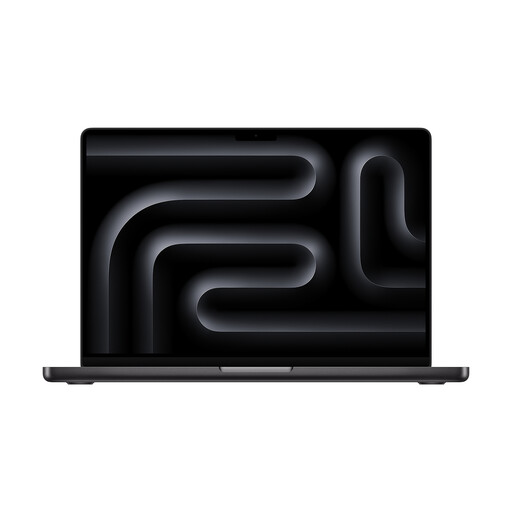 Image unavailable
Apple MacBook Pro 14 M5, 24 GB, 1 TB, Space Black
Could suit scan and design work if the programmes and files you need are compatible with macOS.
14-inch Liquid Retina XDR display, 24 GB memory and 1 TB SSD according to the product description. A power adapter is not included according to the product description and may need to be purchased separately.
View at Joybuy
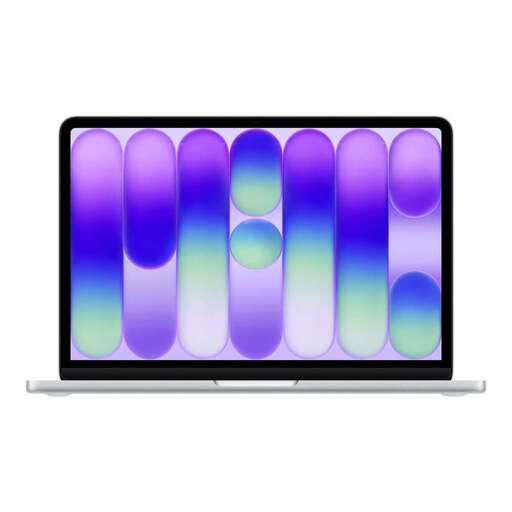 Image unavailable
Apple MacBook Neo A18 Pro, 8 GB, 512 GB, English QWERTY keyboard
Could suit mobile design work if its specifications match the applications you use and the way you want to work.
13-inch Liquid Retina display with 2408 × 1506 pixels and 512 GB SSD according to the product description. The stated 8 GB RAM is below Adobe’s recommendation of 16 GB or more for Photoshop 27.x.
View at Joybuy
Frequently asked questions
How do I choose a scan resolution for a template that will be enlarged later?
First, work out the dimensions of the original and the planned output. Adobe explains how the size ratio and required output resolution are used to calculate the scan resolution. Check the specific printing method and requirements with your print provider too. Your laptop’s display resolution doesn’t replace this planning.
Do I definitely need a dedicated graphics card for stage design?
No, not just because you’re working on stage design. For a specific SketchUp workflow on Windows, SketchUp includes a dedicated graphics card in its hardware recommendations; the requirements for certain PBR and lighting features are more specific still. For 2D work only, check the requirements of your 2D applications first.
What should I check before connecting a scanner or presentation display?
Check that the required connections and operating system drivers are compatible with the specific laptop configuration and the devices you already have. Product ranges can differ in their specifications, so consider whether you might need an adapter when choosing.
What are my rights when buying a laptop online in Germany?
When you buy as a consumer online, you generally have a 14-day right to cancel. For goods, the period normally starts when you receive them, provided you have been given the correct information. The Baden-Württemberg consumer portal also explains your statutory rights if goods are faulty when bought from a trader; for new goods, these rights generally expire two years after receipt. A voluntary manufacturer’s guarantee is separate, and consumer rights do not necessarily apply to business purchases.


