First, choose your catalogue software and check how it links to images and source files stored separately. Only then can you decide which operating system is right for you. For MICHELsoft Version 12, Schwaneberger Verlag lists Windows 10, 8 and 7, but does not confirm support for Windows 11 or macOS. You should also plan to back up the catalogue and source files together, and check the connection and drivers for your specific scanner.
Which features are right for you?
Collectors with linked source files
If catalogue entries link to separately stored photos, receipts or documents, remember to consider your folder structure and the way files are linked when you change computers. LibreOffice explains that relative links to local files require the document and target file to be on the same drive.
Users of specific catalogue software
If you want to use a particular stamp database, choose your laptop based on the operating systems it is confirmed to support. Schwaneberger Verlag lists Windows 10, 8 and 7 for MICHELsoft Version 12; this does not confirm compatibility with Windows 11 or macOS.
Collectors with a scanning set-up
If you use existing equipment to import images or documents, check both the connection and the driver for your chosen operating system. Having the right port does not, on its own, confirm that the scanner will work.
What should you consider when buying?
Windows laptop
A good fit if: your chosen catalogue software is confirmed to support the version of Windows on the device.
Keep in mind: The system requirements listed for MICHELsoft Version 12 do not confirm support for Windows 11. Microsoft ended regular support for Windows 10 on 14 October 2025.
macOS laptop
A good fit if: your file-based or web-based catalogue works with macOS and you do not rely on MICHELsoft.
Keep in mind: The published MICHELsoft system requirements do not confirm macOS support. Also check the scanner, drives and any adapters you might need for your specific device.
Browser-based catalogue
A good fit if: your chosen online solution supports the fields and workflows you need in a browser.
Keep in mind: Online access does not confirm that links to locally stored source files will remain intact when you move to a new computer. Check this feature separately.
| Consideration |
What to check before buying |
Who should consider this? |
| Catalogue software and file links |
Supported operating system, link type, and a test using the catalogue and a sample folder. |
I want my entries and source files to stay linked when I change computers. Around 28% of consumers prioritise software and link compatibility. |
| Space for images and how they look on screen |
Check file sizes and expected growth; compare the SSD capacity, screen size and resolution of the specific configuration. |
If I manage lots of my own images, I need enough storage and a screen that makes it easy to view images and catalogue entries. Around 22% of consumers prioritise image storage and screen quality. |
| Scanner and storage devices |
Check the connection type and driver support for your existing device on the intended operating system. |
I want to connect my existing scanner or storage device without confusing having the right port with having driver support. Around 17% of consumers prioritise scanner connectivity. |
| Backing up the catalogue and files |
Allow for enough backup storage and the right connection; back up the catalogue and linked folders together, then test that you can restore them. The German Federal Office for Information Security recommends planning for backups in case a device fails. |
I want to be able to restore not just the catalogue, but also the original images and receipts linked to it. Around 22% of consumers prioritise backing up their entire archive. |
| Working in different places |
Balance weight against screen size; check whether the catalogue works offline or needs an internet connection. |
If I catalogue my collection in different places, my device needs to be easy to carry and the chosen catalogue solution needs to work there. Around 11% of consumers prioritise cataloguing on the go. |
Common buying mistakes
-
Assuming older software requirements confirm compatibility with every new laptop
Schwaneberger Verlag’s page for MICHELsoft Version 12 lists Windows 10, 8 and 7, but does not specifically mention Windows 11. Microsoft ended regular support for Windows 10 on 14 October 2025.
Before you buy, ask the provider to confirm compatibility with your specific software version and intended operating system.
Choosing incompatible software could mean you need to use a different catalogue solution.
-
Backing up only the catalogue file
If photos, receipts or documents are stored separately, a copy of the catalogue alone will not automatically include those original files. File links may stop working if the target files are missing or their paths have changed.
Back up the catalogue and linked folders together. After a test restore, open a few linked files to check that they work.
Finding or relinking missing original files later can take extra time and effort.
-
Assuming the scanner is compatible because the laptop has the right port
A USB or Thunderbolt port does not prove that your existing scanner’s driver will work with the laptop’s operating system.
Check the connection type and whether drivers are available for your specific scanner model and chosen operating system.
Depending on your scanner, you may also need a suitable adapter or a different device.
Relevant brands at a glance
Lenovo
ThinkPad models are one Windows option for a workstation with peripherals. Specifications vary by model.
- Lenovo’s ThinkPad E14 Gen 7 specifications include USB-A and USB-C ports.
- These ports do not confirm driver support for a particular scanner or compatibility with your catalogue software.
Dell
The Dell 15 is a Windows option to consider if you prefer a larger built-in screen for working at your desk.
- For certain DC15250 configurations, Dell Germany lists a 15.6-inch FHD display and a 512 GB SSD.
- Memory specifications vary between configurations, so check the exact model. The product specifications do not demonstrate an advantage for any particular stamp-collecting software.
Apple
The MacBook Air M5 is a macOS option if your chosen file-based or web-based catalogue is confirmed to work with this operating system.
- For the 13-inch base configuration, Apple lists 16 GB of unified memory, a 512 GB SSD and two Thunderbolt 4/USB-C ports.
- Check connectivity and whether you need an adapter for existing USB-A devices. The published MICHELsoft system requirements do not confirm macOS support.
Joybuy products for cataloguing
The following devices are Windows options for cataloguing. Before you buy, check whether your specific catalogue software supports the operating system on each device. Schwaneberger Verlag does not confirm that MICHELsoft Version 12 is compatible with Windows 11.
 No image available
HP ProBook 4 16 G1i, Core Ultra 7 255U, 32 GB, 1 TB SSD
For a dedicated cataloguing workstation where you want to view catalogue entries and templates on a 16-inch screen.
Windows 11 Pro; Intel Core Ultra 7 255U; 32 GB RAM; 1 TB NVMe SSD; 16-inch IPS display with 1920 × 1200 pixels; Wi-Fi 7.
View at Joybuy
 No image available
HP ZBook Power 16, Ryzen 7 8845HS, 32 GB, 1 TB SSD
A Windows option for storing your catalogue locally, along with separate image or receipt files.
Windows 11 Pro; Ryzen 7 8845HS; 32 GB RAM; 1 TB SSD; 16-inch matte display with 1920 × 1200 pixels.
These specifications do not confirm compatibility with any particular catalogue software or existing scanner.
View at Joybuy
 No image available
Microsoft Surface Laptop 8, Core Ultra 5, 24 GB, 1 TB SSD, Platinum
For working with catalogue entries if you’re considering a Windows device with a touchscreen.
Windows 11 Pro; Core Ultra 5; 24 GB RAM; 1 TB SSD; 13-inch touchscreen with 1920 × 1280 pixels.
Check that your catalogue software supports Windows 11 before making your choice of device.
View at Joybuy
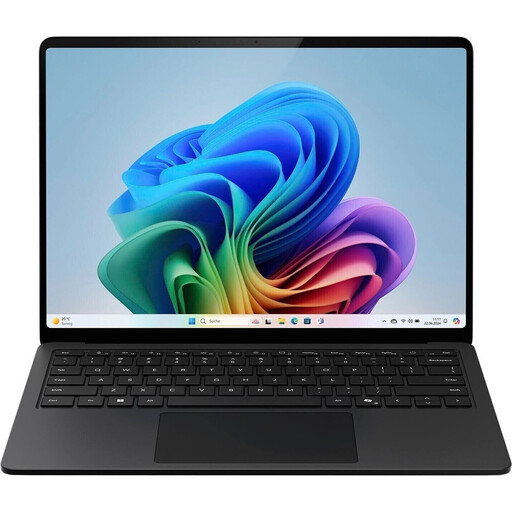 No image available
Microsoft Surface Laptop for Business, 7th Edition, Core Ultra 7 266V
A Windows option if you’d like to view your catalogue and templates on a 15-inch touchscreen.
Windows 11 Pro; Intel Core Ultra 7 266V; 16 GB RAM; 512 GB SSD; 15-inch touchscreen with 2496 × 1664 pixels; USB 4.
The display and connection specifications do not confirm compatibility with any particular catalogue software or scanner.
View at Joybuy
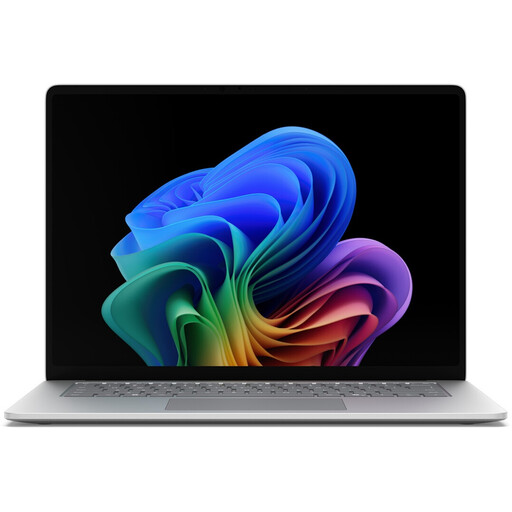 No image available
Microsoft Surface for Business, 8th Edition, Core Ultra 5 335
A Windows option with a touchscreen if you want to interact with catalogue entries and templates directly on screen.
Windows 11 Pro; Core Ultra 5 335; 16 GB RAM; 512 GB SSD; 15-inch touchscreen with 3270 × 2180 pixels and 120 Hz; Wi-Fi 7.
Before choosing, check that the form factor and operating system suit your catalogue software and workspace.
View at Joybuy
Frequently asked questions
Do I have to use a Windows laptop for MICHELsoft?
For MICHELsoft Version 12, Schwaneberger Verlag lists Windows 10, 8 and 7, as well as administrator rights for installation. This does not confirm that the software will run on a specific Windows 11 laptop, so check with the provider before you buy. Microsoft ended regular support for Windows 10 on 14 October 2025.
How can I stop links to scans from breaking when I change computers?
Back up the catalogue together with its source files, and check how your application handles links using sample files. LibreOffice explains that relative links to local files require the document and target file to be on the same drive. Also test that the links still open after moving the files.
What should I check for a scanning set-up besides the laptop?
Check the connection on your existing scanner and confirm that its drivers are available for the operating system on your specific laptop. Having the right USB or Thunderbolt port does not, on its own, prove that the scanner will work with the device.


