
Lieferung heute & morgen

Qualitätsgarantie

Willkommens-Angebote freischalten: KOSTENLOSE Lieferung | Bis zu 80 % RABATT | Kostenlose 30-Tage-JoyPlus-Testphase
App herunterladen
An electric standing desk can dramatically improve your work-from-home or gaming setup by enabling seamless transitions between sitting and standing. However, the market is flooded with models of widely varying quality. Many buyers invest in a desk only to find that it can't handle the demands of daily use after just a few months. Before you make a decision, it's crucial to know the most common pitfalls.
The three biggest mistakes when buying are:
To avoid a bad purchase, you should focus on three core parameters. These objective criteria will help you separate the good from the bad and find a model that remains stable and functional for the long term.
Stability is the most critical factor for any standing desk. It's primarily determined by the frame's material and construction.
The motor is the heart of any electric desk.
The work surface must fit your needs. A 140x60 cm computer desk is a popular size that provides enough space for two monitors and other work essentials. Look for a durable and easy-to-clean surface, such as melamine-coated particleboard. Integrated cable management solutions, like grommets or trays, are crucial for maintaining a tidy workspace.
Based on these objective criteria, we've identified a few models suitable for different user profiles and requirements.
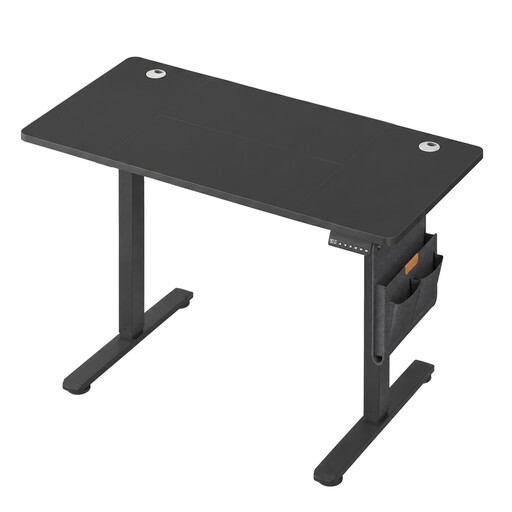
Why This Fits Their Persona: This model offers core features like electric height adjustment and four memory presets at an accessible price point. It's a solid choice for a first ergonomic workspace in a home office or for students.
The solid steel frame provides sufficient stability, while the motor operates quietly. This avoids the common pitfalls of loud or wobbly models.
Four height memory presets and an integrated storage bag offer convenience and organization that aren't standard in this price range.
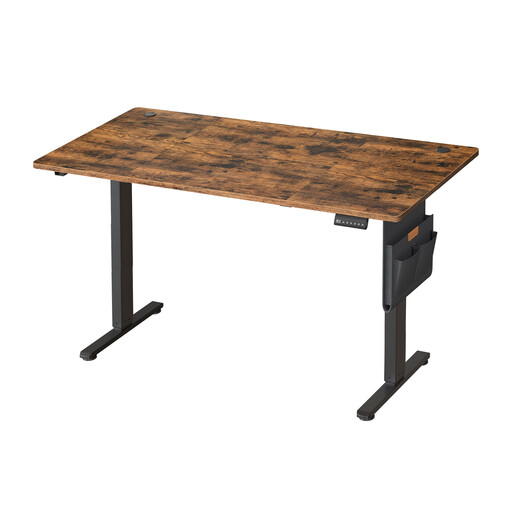
Why This Fits Their Persona: The generous 140x60 cm surface and USB-C port are ideal for users with multiple monitors and devices. This desk supports an efficient and tidy workflow in a professional home office.
The motor ensures quiet and swift adjustments, while the sturdy frame remains stable even when fully loaded. This bypasses the typical problems of loud or wobbly models.
The integrated USB-C port for charging devices and the thoughtful cable management with two grommets and hooks are clear advantages for an organized workspace.
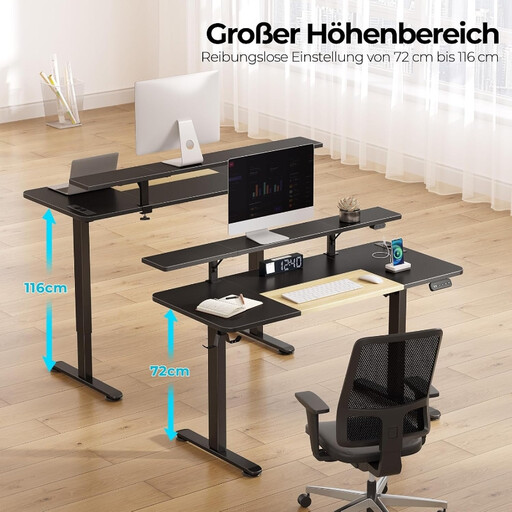
Why This Fits Their Persona: This height-adjustable gaming desk combines ergonomics with specific features for gamers, including RGB lighting, integrated power outlets, and a monitor stand for an immersive setup.
It offers useful extra features like power outlets and USB ports which, unlike pure gimmicks, simplify daily use and effectively reduce cable clutter.
The app-controlled RGB lighting with a music sync function and the integrated power supply for peripherals create a functional and atmospheric gaming environment.
For additional organization on your new workspace, we've curated a selection of products to help you stay tidy.
A motor's lifespan depends on its quality and frequency of use. Many manufacturers design their motors for several thousand cycles. Most models include an overheating protection feature that temporarily shuts off the motor during intensive use (e.g., more than 2 minutes of continuous operation) to ensure longevity.
Most models are designed for self-assembly. Thanks to numbered parts and detailed instructions, assembly is typically straightforward and can be completed by one person in under an hour. It is recommended to follow the instructions carefully, especially when wiring the control unit.
The power consumption is very low. In standby mode, most desks consume less than 0.5 watts. More energy is only briefly required during the active adjustment process, which lasts a few seconds. The annual electricity costs are therefore negligible.