For reviewing storyboards between client meetings, a compact tablet is a good choice if you mainly review individual pages on the go and have checked that the app and stylus input are suitable. A larger display gives you more room for sequences of images, but is less portable; a Windows 2-in-1 is worth considering if your specific desktop application runs on it. Manufacturer information from Apple, Samsung and Microsoft confirms device and input options, but not compatibility with every storyboard app.
Which tablet is right for you?
For reviewing storyboards on the go
If you often review sequences of images between appointments, a clear display and a format that’s easy to carry are key. Apple Germany lists the 11-inch Wi-Fi iPad Air as weighing 464 g; Samsung Germany lists the Galaxy Tab S12+ as having a 12.6-inch display.
For giving feedback with a stylus
If you mark up files or sketch corrections directly onto scenes, check that your app and stylus are compatible, and confirm what’s included with the specific version. Apple and Samsung list stylus options for certain models.
For desktop-based workflows
If you need to edit client materials in a particular Windows application, a Windows 2-in-1 could be a good option. Microsoft describes touch, keyboard and stylus input; check that your specific application is compatible before buying.
What should you look for when buying?
Compact tablet with a mobile operating system
A good fit if: You mainly review individual pages on the go and often hold the device in your hand.
The trade-off: The more compact format gives you less room for sequences of images; the app, stylus and file-sharing options all need to suit your workflow.
Larger Android tablet with a stylus
A good fit if: You want to view sequences of images together or use more screen space for reviews.
The trade-off: The larger format takes up more room when you’re travelling; check app compatibility, file format and sharing options.
Windows 2-in-1
A good fit if: Your workflow depends on a specific Windows desktop application.
The trade-off: Check compatibility with the specific configuration and factor in any keyboard or stylus input you’ll need.
| Buying consideration |
What to check before buying |
Who is this most important for? |
| Portability and screen space |
Compare the weight and dimensions of the exact version; check a typical storyboard page at your preferred viewing size. Apple Germany lists the 11-inch Wi-Fi iPad Air at 464 g; Samsung Germany lists the Galaxy Tab S12+ as having a 12.6-inch display. |
If I often take my tablet with me but still want to see the panels clearly, I need a good balance between size and readability. Around 36% of consumers in this comparison prioritise portability and easy-to-read sequences of images. |
| Stylus and app |
Open, annotate and export a storyboard file in the app you plan to use; check the stylus model and what’s included with the specific version. Adobe describes working with PDFs on mobile, but doesn’t confirm support for every proprietary format. |
If I want to add corrections directly to scenes, annotation needs to work with the actual file I use. Around 29% of consumers in this comparison prioritise precise feedback with a stylus. |
| Accessing files on the go |
Use an approved test file to check the offline workflow and subsequent syncing; compare the specific Wi-Fi or mobile data version if needed. |
Between visits, I need the right version of a file, even when Wi-Fi isn’t available. Around 21% of consumers in this comparison prioritise timely access to files. |
| Protecting client materials |
Check the screen lock and update support, and follow your organisation’s approved storage and sharing methods. The BSI recommends device locks and updates; the EDPB advises using technical and organisational measures appropriate to the risk when handling personal data. |
If I carry client documents with me, I want to lock them and share them only through approved channels. Around 14% of consumers in this comparison prioritise protecting these documents. |
Avoid common buying mistakes
-
Choosing based on screen size alone
More screen space can make it easier to review work together, but size and weight matter more when carrying a tablet between appointments.
Compare the exact Wi-Fi or mobile data version, and check a typical storyboard page on the display at your preferred viewing size.
-
Assuming stylus support means one is included
Compatibility, what’s included in the box and the accessories available as options are all different things.
Before ordering, check what’s included with the specific version, as well as which stylus model is compatible and what it can do in your app.
If you need an additional stylus or keyboard, factor it in as a separate accessory. Check which input devices your workflow actually requires.
-
Assuming cloud access guarantees an offline workflow
Access to cloud storage alone doesn’t mean you can work on the required version of a file without an internet connection.
Before an appointment, test opening, editing and syncing a shared sample file later, all without Wi-Fi.
Key brands at a glance
Apple
The iPad Air is an iPadOS option for mobile workflows, with compatible apps and stylus input.
- Apple Germany lists the 11-inch Wi-Fi model as weighing 464 g, with a fully laminated display and support for Apple Pencil Pro and Apple Pencil (USB-C).
- Check that your storyboard app is compatible and confirm what’s included; stylus support doesn’t automatically mean one comes with the tablet.
Samsung
The Galaxy Tab S range offers Android tablets with S Pen options; the Galaxy Tab S12+ is worth considering if you want a larger display.
- Samsung Germany lists the Galaxy Tab S12+ as having a 12.6-inch display, with Wi-Fi or 5G versions available.
- A larger display doesn’t automatically make a tablet easier to carry or guarantee compatibility with the client app you use.
Microsoft
The Surface Pro is a Windows 2-in-1 option if you need a compatible desktop workflow.
- Microsoft describes using the device with a keyboard, touch and a stylus.
- Keyboards and Slim Pen bundles are listed as optional configurations. Check that your application is compatible and confirm the specifications of the configuration you’re buying.
Lenovo
The Tab P12 is an Android option for viewing images on a larger display and using supported stylus input.
- Lenovo lists the Tab P12 as having a 12.7-inch display, as well as Tab Pen Plus and Nebo software.
- This information applies to the Tab P12 and doesn’t confirm that every storyboard file format will work.
Tablets for reviewing storyboards on the go
This selection includes tablets for reviewing work on the go and models with larger displays. Before buying, check that the app and file format work with the specific version and, if needed, that it supports your stylus.
 No image available
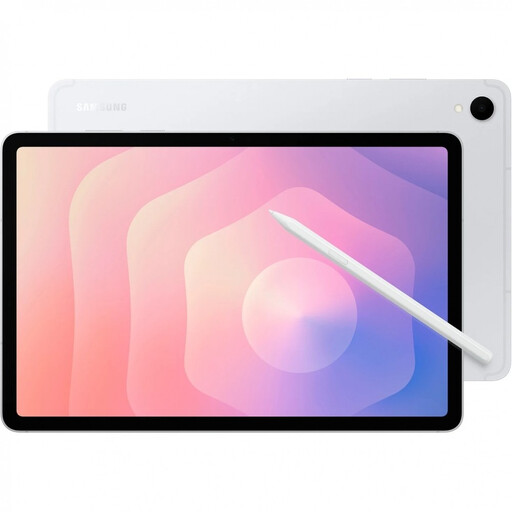
Samsung Galaxy Tab S11 X736 5G, 11-inch, 12 GB RAM, 128 GB, Silver
The 11-inch format could be a good choice if you review sequences of images on the go; check that your typical pages are easy to read.
5G; 12 GB RAM; 128 GB storage.
View at Joybuy
 No image available
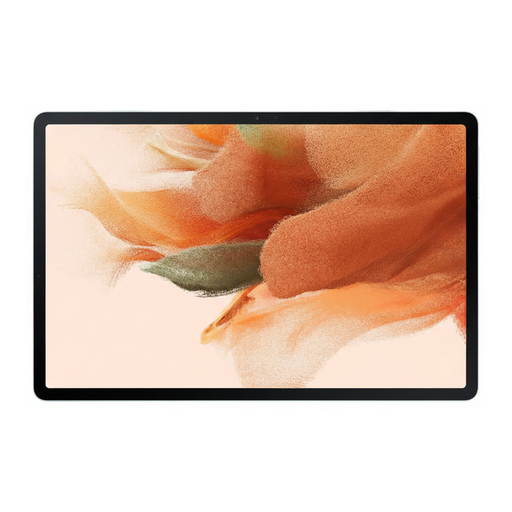
Samsung Galaxy Tab S7 FE, 64 GB, Wi-Fi, Green
If you’re considering a larger Android tablet, first check that your storyboard app and the stylus you need work with this specific version.
64 GB storage; Wi-Fi.
View at Joybuy
 No image available
TECLAST ArtPad Pro, 12.7-inch, 2K, 256 GB, with stylus, protective case and English Bluetooth keyboard
The large display and stylus input mentioned in the product title could be useful for annotating sequences of images; check that your file and app workflow is compatible.
2K display; 4096 pressure levels; 20 GB RAM (8 GB + 12 GB virtual); 256 GB storage. The title lists a T-Pen, a protective case and an English Bluetooth keyboard.
View at Joybuy
 No image available
Apple 11-inch iPad Air (M4, 2026), Wi-Fi, 128 GB, Blue
The 11-inch format is a compact option for reviewing work on the go. If you want to give feedback with a stylus, you’ll need to budget separately for a compatible Pencil.
M4; Wi-Fi; 128 GB storage. Apple Pencil isn’t included in the listed box contents.
View at Joybuy
 No image available
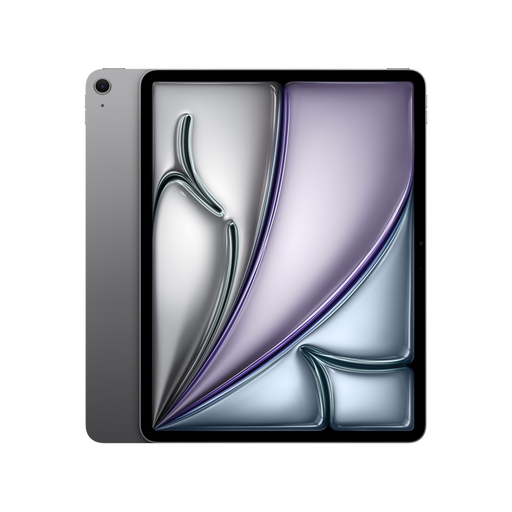
Apple 13-inch iPad Air (M4, 2026), Wi-Fi, 128 GB, Space Grey
The 13-inch display gives you more room to review work, but consider the larger format when travelling. If you want to give feedback with a stylus, you’ll need to budget separately for a compatible Pencil.
M4; Wi-Fi; 128 GB storage. Apple Pencil isn’t included in the listed box contents.
View at Joybuy
Frequently asked questions
How can I check that I’ll be able to annotate my storyboard on the tablet before an appointment?
Open a non-confidential sample file in the actual file format, add the annotations you need and check that you can export it to a second device. Adobe describes working with PDFs on iPad and Android; that doesn’t mean every storyboard project format is supported.
How should I set up my tablet for carrying client documents?
Turn on the screen lock and keep the operating system and apps up to date, as recommended by the German Federal Office for Information Security. If the files contain personal data, also follow the technical and organisational measures appropriate to the specific processing involved.
Does the tablet automatically come with a stylus and keyboard?
You can’t tell from stylus compatibility alone. Apple doesn’t list a Pencil in the stated box contents for the iPad Air, Microsoft lists keyboards and Slim Pen bundles as optional configurations, while Samsung lists an S Pen as included with the Galaxy Tab S12+. Always check what comes with the specific version.
What statutory rights apply when buying online in Germany?
For consumers buying online from a trader, the EU’s Your Europe portal explains that there is generally a minimum two-year legal guarantee for faulty goods and a 14-day right to cancel distance sales, subject to the applicable conditions and exceptions. These rules don’t necessarily apply in the same way to business purchases; check whether you’re buying as a private individual or a business before ordering.


