What should you consider when choosing a microphone?
For a storytelling session in a community hall, first decide which voice matters most and whether the speaker will stay in one place. The table below groups the options by the main priority.
| Priority |
What should you look for? |
Who is this important to? |
| Clear speech |
Check whether the storyteller can use a microphone at their speaking position, then listen to a test recording made from the planned location. |
If I want to capture every word clearly, even if there may be some room echo, I’ll pay attention to distance and positioning. Around 36% of consumers would prioritise speech clarity. |
| Freedom of movement |
Check how many transmitters there are, whether lapel microphones are included, the connection to the recording device and the wireless conditions at the venue. |
If I’m walking around the hall while telling a story, I don’t want to have to trail a cable behind me. Around 29% of consumers would make freedom of movement their top priority. |
| Multiple voices |
Count how many microphones need to be used at the same time and check the recorder’s inputs; distinguish between built-in microphones and external inputs. |
If I need to record several storytellers, or both a host and the audience, I want to plan the signal paths accordingly. Around 21% of consumers would prioritise recording multiple voices. |
| Easy set-up |
Check the entire signal path through to the saved file, including connections, power supply, storage media and playback. |
If I want to use as little extra equipment as possible for a storytelling session, I’ll plan the recording set-up in advance. Around 14% of consumers would put a straightforward set-up first. |
Joybuy products for recording a storytelling session
This selection includes microphones for fixed speaking positions, as well as lapel microphones and wireless systems for storytellers on the move or for recording several voices. Before buying, check that the connections and everything included are compatible with your recording device.
 No product image available
FIFINE K688CT USB/XLR podcast microphone kit
For a set-up at a fixed speaking position, with USB or XLR recording.
The dynamic cardioid microphone is described as coming with a microphone arm and mute function. The recommended distance for the specified optimal input level is 2–6 inches; an XLR cable isn’t included.
View at Joybuy
 No product image available
SYNCO S8 lavalier microphone
For a storyteller who wants to use a lapel microphone.
The product description lists a 3.5 mm connection and an omnidirectional pick-up pattern. Compatible devices include smartphones, PCs, laptops and cameras; check that the connection matches your specific device.
View at Joybuy
 No product image available
Wireless lavalier microphone set with two transmitters
For recording two people, each wearing a lapel microphone.
The set is described as having two transmitters, 2.4 GHz wireless connectivity and USB-C and Lightning connections. Check which connection suits your recording device, and test the wireless connection in the hall.
View at Joybuy
 No product image available
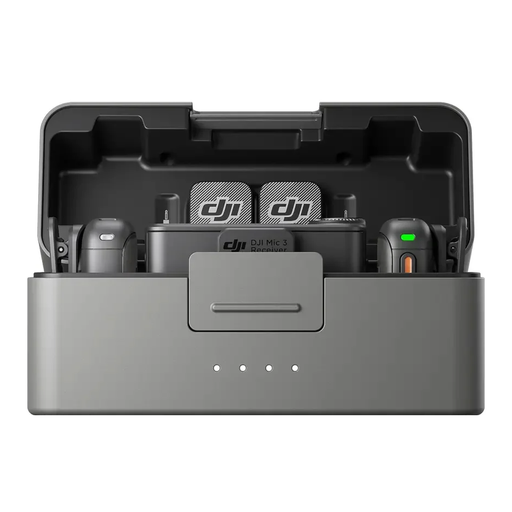
DJI Mic 3, 2 TX + 1 RX + Charging Case
For recording two speakers with microphones, using one receiver.
The product specifications list 8 GB of internal storage per transmitter, as well as USB-C, Lightning and 3.5 mm TRS connections. Check which connection suits your recording device.
View at Joybuy
 No product image available
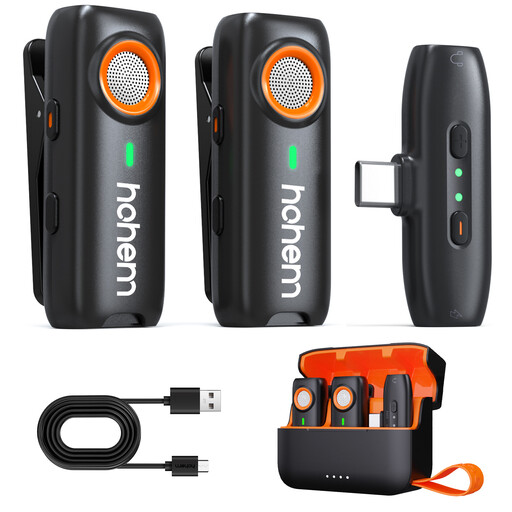
hohem wireless lavalier microphone
For recordings on the move using a wireless lapel microphone.
The product description lists clip and magnetic attachments, plus recording to a TF card as a backup. Compatible devices include smartphones, cameras, tablets and laptops; check the connection to your recording device in advance.
View at Joybuy
Frequently asked questions about recording in a community hall
Can I record an audio file directly with an XLR handheld microphone?
No, an XLR handheld microphone on its own can’t save an audio file. To use the Shure SM58 or Sennheiser e 835, you’ll need a suitable recording input, for example via a recorder, interface or mixing desk.
How should I prepare to record in a community hall?
Set up the microphone at the planned speaking position or attach it to the storyteller, check all the connections and listen back to a short test recording. If you’re recording several voices, test each input individually; built-in microphones and external inputs are different recording options.
Which additional items should I check before buying?
For your particular set-up, check whether you’ll need cables, a stand, storage media, a power supply or a suitable recording device. Also compare the warranty and service terms for your chosen model, as what’s included can vary.
Can I simply record stories and audience contributions in Germany?
You can’t assume that this is allowed simply because you’re using a community hall: Section 201 of the German Criminal Code (StGB) makes it a criminal offence to record another person’s non-public speech without authorisation. Before you begin, agree with everyone involved what will be recorded and, if applicable, published. Whether a particular statement counts as non-public and what other data protection requirements apply will depend on the circumstances.
Can I use any wireless microphone in Germany without checking anything else?
No, the term ‘wireless microphone’ doesn’t mean that every frequency variant can be used without checks. The Federal Network Agency publishes general frequency allocations and usage conditions; check the frequency variant of your specific system against the relevant requirements and assess the wireless conditions at the venue.


