Players with limited desk space
If space is limited, a 23.8-inch Full HD monitor is one possible starting point. AOC lists the 24G4XE as 23.8 inches; be sure to check the full dimensions of the screen and stand against your desk.


If desk space is limited, a compact 23.8-inch Full HD monitor is a sensible starting point; AOC lists this size and a resolution of 1920 × 1080 pixels for the 24G4XE. If a 27-inch monitor will fit and your PC can output WQHD, the 2560 × 1440 pixels specified by MSI and LG give you more pixels for maps and menus – although text scaling, connections and viewing distance also matter. A high refresh rate alone shouldn’t determine your choice for historical strategy games.
If space is limited, a 23.8-inch Full HD monitor is one possible starting point. AOC lists the 24G4XE as 23.8 inches; be sure to check the full dimensions of the screen and stand against your desk.
If you have room for a 27-inch monitor, compare WQHD for more pixels in maps and interfaces. MSI lists a resolution of 2560 × 1440 pixels for the G274QPFDE E2, as does LG for the 27G610A-B; also check text scaling in your game.
If you play other games or watch media as well as strategy games, weigh up the refresh rate, connections and panel type based on how you’ll use the monitor. For OLED, factor in care guidance and how text is displayed.
A good fit if: making the most of limited desk space is your priority. AOC lists the 24G4XE as 23.8 inches with a resolution of 1920 × 1080 pixels.
The trade-off: Full HD has fewer pixels than WQHD. How easy small menus are to read also depends on your viewing distance and the game’s scaling.
A good fit if: the screen and stand will fit comfortably and you want to display maps or control panels with more pixels. MSI and LG list a resolution of 2560 × 1440 pixels for the models mentioned.
The trade-off: you’ll need more desk space. The resolution and refresh rate must also work with your PC, cable and connection.
A good fit if: you’re considering OLED for other games or media too, and you’ve checked the care guidance and warranty terms.
The trade-off: burn-in remains a consideration when strategy menus stay on screen for long periods. MSI describes OLED Care 2.0 as reducing the risk; COMPUTER BILD criticised the text sharpness on the MPG 271QRXDE it tested.
| What matters | What to check before buying | Who it matters most to |
|---|---|---|
| Desk space | Compare the available width and depth with the manufacturer’s measurements, including the stand. | If my desk has limited space, I first check whether the screen and stand will really fit. Around 36% of consumers put space requirements first. |
| Readable maps and menus | Check the native resolution, viewing distance and UI scaling in the game you play. | If I want to read maps and menus easily from my usual sitting position, display clarity matters more to me than the highest possible refresh rate. Around 29% of consumers prioritise readability. |
| PC and connection | Check that the graphics output, monitor input and cable support your desired resolution and refresh rate. | If I want to keep using my existing PC, the display I want must be compatible with its output and the monitor’s input. Around 21% of consumers make compatibility their top buying priority. |
| Panel and care | Check text rendering, OLED care guidance and the warranty terms for the specific model. | If static interfaces stay on screen for long periods, or I also use the monitor for other content, I weigh up the panel type and care requirements together. Around 14% of consumers prioritise the panel and its care. |
On a shallow or narrow desk, the depth of the stand can matter more than the screen diagonal.
Measure the available space and compare it with the width and depth, including the stand, for the exact model variant.
If the stand doesn’t fit, you may need to buy a separate mount.
The available combination of resolution and refresh rate can vary by input. For the G2725D, Dell lists up to 180 Hz at WQHD over DisplayPort and up to 144 Hz at WQHD over HDMI in the specified TMDS mode. LG’s 720 Hz specification for the 27GX790B-B applies to HD; LG lists 540 Hz for QHD.
Check the specifications for the input and display mode you’ll actually use, as well as your graphics card’s output.
MSI describes OLED Care 2.0 as reducing the risk, not eliminating it. This is an important trade-off compared with IPS if strategy interfaces stay on screen for long periods.
Compare the care guidance, text rendering and specific warranty terms before choosing an OLED model.
The 24G4XE is a compact 23.8-inch Full HD option.
The G274QPFDE E2 is a 27-inch WQHD IPS model, while the MPG 271QRXDE QD-OLED offers an OLED alternative.
The G2725D shows why connection specifications matter for a 27-inch WQHD monitor.
The 27G610A-B is a 27-inch WQHD IPS option; the 27GX790B-B is an OLED model.
The Odyssey OLED G8 G81SF is a 27-inch 4K QD-OLED option.
The Joybuy listings featured here focus on compact monitors in the 24-inch class for space-conscious desks; features and specifications vary by model.
 No image available
A 24-inch monitor can be a good starting point if desk space is limited; check its actual footprint against your desk.
The product name lists Full HD, IPS, HDMI and VGA.
 No image available
A 24-inch monitor could suit a compact desk, provided the screen and stand fit in the available space.
The product name lists Full HD, IPS, 144 Hz, HDMI and DisplayPort.
 No image available
Its compact size could suit a small desk; check the dimensions of the variant and the space available.
The product name lists Full HD, 100 Hz, AdaptiveSync, 1920 × 1080 pixels and HDMI.
 No image available
The product name describes a 24-inch monitor. Check the actual stand dimensions and connections for the variant against your desk and PC.
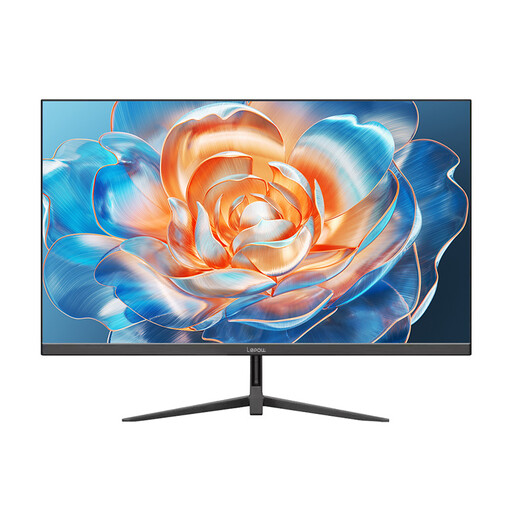 No image available
A 24-inch monitor could work well if space is limited; check its footprint, including the stand, against your desk.
Before choosing, check the resolution, connections and dimensions of the specific variant.
Full HD can be a good fit if you have limited space and can read the in-game text comfortably from where you sit. If a 27-inch monitor will fit and you’d like more pixels for maps and menus, compare WQHD and your games’ scaling options.
Before setting it up, compare the full dimensions, including the stand, with the available desk space. Adjust the height and tilt only as permitted by the specific model. Germany’s ASR A6 applies to workplaces and home-working environments, not private gaming use.
The specifications listed here don’t establish that strategy games require a minimum refresh rate of 200 Hz. If you want to use a particular resolution and refresh rate, check your graphics output, monitor input and cable; Dell lists different WQHD limits over DisplayPort and HDMI for the G2725D.
Check the care guidance for the specific OLED model and read the warranty terms relating to burn-in. MSI describes OLED Care 2.0 as reducing the risk, not eliminating it. According to Verbraucherzentrale, a voluntary warranty is separate from your statutory rights against the retailer.
For electronic displays, the European Commission describes an energy label with a scale from A to G. According to Verbraucherzentrale, a standard online consumer purchase usually comes with a 14-day right to cancel; the specific terms and any exceptions depend on the purchase. Your statutory rights for faulty goods are separate from voluntary warranties.