What should you look for when buying?
Nintendo Switch 2
A good fit if: Your strategy game is available as a compatible Switch 2 version. Nintendo says Civilization VII – Nintendo Switch 2 Edition supports mouse controls with Joy-Con 2.
Consider: Mouse controls aren't automatically available in other games. Nintendo quotes 2 to 6.5 hours of battery life, depending on the software and features used.
Steam Deck OLED
A good fit if: You want to play suitable strategy games from your Steam library and try the touchscreen or trackpads in the game you're playing.
Consider: Check Valve's compatibility rating for each title and make sure it starts offline. According to Valve, games that require an active connection or an external launcher won't run in offline mode.
Windows handheld
A good fit if: The PC game you want requires Windows and you can check its controls and launcher on the specific device.
Consider: Windows alone doesn't guarantee that a game will work offline or be easy to control for strategy games.
For passengers on road trips, the main things to check are whether a specific game is available and whether it starts without an internet connection. The figures show which concern comes first for each group.
| Purchase priority |
What to check before buying |
Who is this especially important to? |
| Suitable strategy games |
Game version and platform; for Steam, also check the compatibility rating. |
If I want to pick up a specific version of a strategy game while I'm out, I check the platform and controls first. Around 31% of consumers put finding the right games first. |
| Starting without internet |
Download the game and updates in advance, then test offline mode. Allow time for the initial download if you have a game-key card. |
If I expect to lose signal, I want to know that my prepared game will actually start. Around 25% of consumers prioritise being able to start offline. |
| Controlling maps and menus |
Check text size, zoom and in-game controls, including the touchscreen, trackpad or mouse controls. |
If I'm navigating lots of small map tiles or menus, having the right pointing controls matters to me. Around 25% of consumers put ease of use first. |
| Playing time away from a socket |
Compare the manufacturer's estimates with your journey time, and test how long your own game runs for. |
On longer stretches, I want to keep playing until I reach the next available charging point. Around 19% of consumers prioritise playing time away from a socket. |
Related products from Joybuy
The products below include a Windows handheld PC and portable retro consoles. For strategy games, check whether your specific title runs on each device. The retro models are described as having classic or pre-installed games.
 No image available
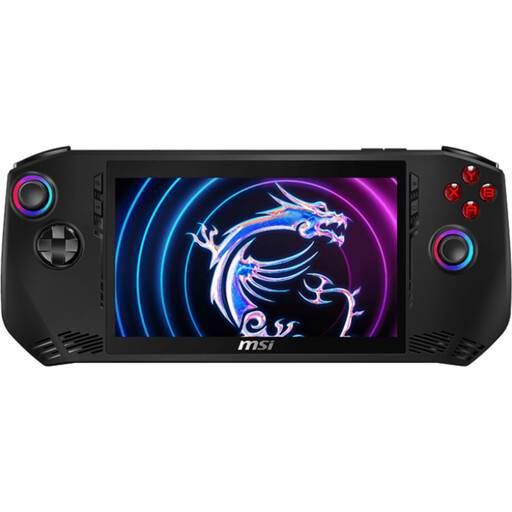
MSI Claw A1M-059
For passengers looking for a Windows handheld to play a specific PC strategy game. Check the game, launcher and offline start before you set off.
Intel Core Ultra 7 155H; 16 GB LPDDR5; 1 TB PCIe SSD; 7-inch FHD touchscreen with 120 Hz; Windows 11 Home.
Joybuy
 No image available
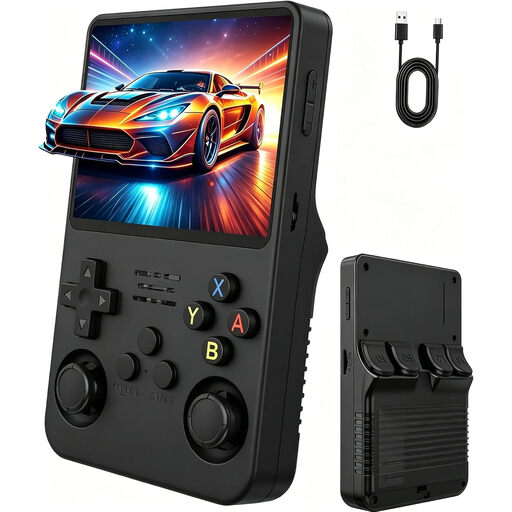
Portable retro console, 3.5 inches
Described as a portable retro console. Check before buying whether your specific strategy game runs on the device.
3.5-inch IPS display; memory card. The product description lists a weight of 200 g and battery life of 6–8 hours.
Joybuy
 No image available
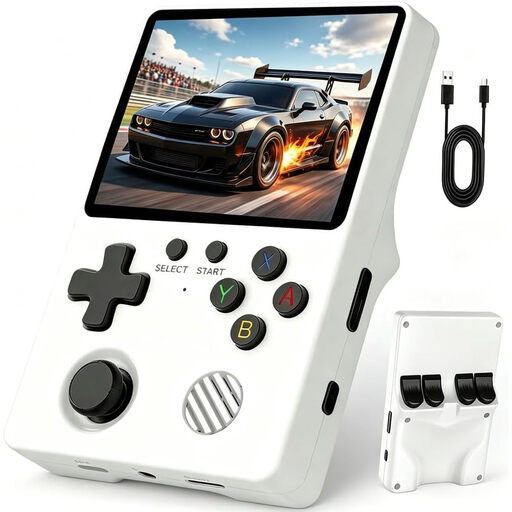
Retro handheld console with over 20,000 games
The product name refers to pre-installed classic games. Check the platform and compatibility in advance if you have a particular strategy game in mind.
3.5-inch HD IPS display; 64 GB storage; microSD card slot; Linux system. The product description lists a weight of 200 g and battery life of 6–8 hours.
Joybuy
 No image available
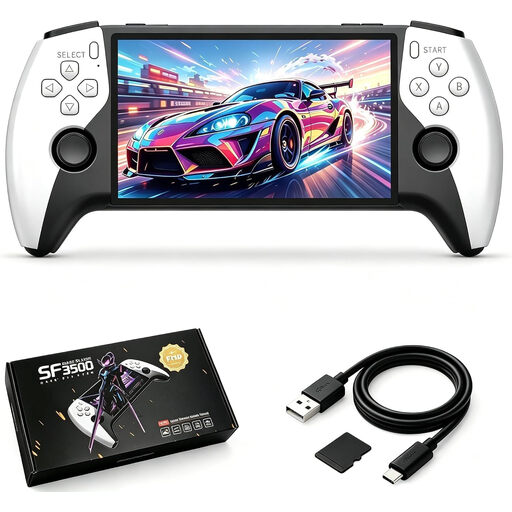
SF3500 retro handheld console, 32 GB
Described as a retro handheld for playing on the go. Check whether your specific strategy game runs on the device.
5.5-inch IPS display; 32 GB memory card; USB-C charging.
Joybuy
 No image available
Retro handheld console with 300 games, Grey
The product description lists pre-installed retro games for playing on the go. Check compatibility in advance if you want to play other strategy games.
300 pre-installed 16-bit games; 3.2-inch HD display; directional pad; rechargeable battery.
Joybuy
Frequently asked questions
How do I get Steam games ready for a journey without internet?
Sign in while you're online, update the game files and launch each game you want to play in advance. Then test offline mode: according to Valve, games that need an active connection or an external launcher won't work in offline mode.
With the Switch 2, can I always play a physical game card without downloading anything first?
No. Nintendo explains that game-key cards don't contain the full game data, so the first launch requires a download and free storage space. Nintendo says you won't need an internet connection to launch the game after that, but the card must be inserted.
How should I plan charging for a road trip?
Compare the time until your next available charging point with a test of your game. Nintendo quotes 2 to 6.5 hours for the Switch 2, depending on the software and features used; Valve quotes 3 to 12 hours for the Steam Deck OLED, depending on the content. These figures don't guarantee how long your game will run.
Can I play on a handheld while driving?
No. Playing on a handheld device that you're holding does not comply with the rules for drivers under § 23(1a) of the German Road Traffic Regulations (StVO). The law also covers consumer electronics and allows the relevant use only under strict conditions, including not picking up or holding the device and only taking brief, appropriate glances at it. This rule applies to drivers, not passengers in general.


