Players without a reliable internet connection
If you want to keep playing at the airport even when the Wi-Fi or mobile data connection drops, check the game version, sign-in requirements and offline start on your own device before you travel.


First, choose a tablet based on whether the specific strategy game you want to play runs on it and whether you can continue a saved game without an internet connection. A compact model is easier to hold, while a larger display gives you more room for maps and menus but takes up more space when you’re travelling. Battery capacity and refresh rate figures don’t prove how long the battery will last or how well your game will perform.
If you want to keep playing at the airport even when the Wi-Fi or mobile data connection drops, check the game version, sign-in requirements and offline start on your own device before you travel.
If you can’t always count on having a table, weigh up the device’s weight and size against how easy the map is to read and how comfortable the smaller display is to use.
If you usually play at a table, a larger display may be important for map details, text and controls. The trade-off is having a bigger device to carry and hold.
Start by deciding which game you want to play and whether it needs an internet connection. Then you can work out whether portability or more room for maps and menus matters most to you.
| Consideration | What to check before buying | Who is it important to? |
|---|---|---|
| Offline play | Check the game version and offline features; test a saved game without a connection before you travel. | If I want to keep playing when the Wi-Fi goes down, I’ll want to check that I can start and continue a game beforehand. Around 30% of consumers would put offline play first. |
| Portability | Compare the weight and dimensions of the exact model; consider whether you’ll usually play holding it or with it propped up. | If I play without a table, how easy the device is to hold and pack away matters to me. Portability is the priority for around 30% of consumers. |
| Map readability | Compare the display size and resolution of the exact model; if possible, view the game interface at its intended display size. | If I want to see small labels and maps clearly, extra screen space is important to me. Around 20% of consumers would put readability first. |
| Game requirements | Check that the operating system, RAM and graphics meet the requirements for the specific game; allow for the storage needed for the content you want. | If I want to play a particular title and its additional content, the device needs to meet its requirements. For around 20% of consumers, compatibility is the most important consideration. |
Manufacturer specifications such as up to 144 Hz on the Xiaomi Pad 7 or 7,040 mAh on the Galaxy Tab A11+ don’t prove the frame rate or play time you’ll get in a particular strategy game.
Treat these figures as device specifications, and check the requirements of the game you want to play and reviews of the exact model separately.
The German listing for Civilization VI shows in-app purchases; expansions may also need additional storage space.
Before you travel, decide which content you want to use, then check the installation, available storage, sign-in and offline start on your own device.
An overall tablet ranking doesn’t automatically assess how suitable a device is for strategy games or frequent handheld play. On 2 October 2026, COMPUTER BILD published an overall tablet ranking and described large Ultra models as somewhat heavy and unwieldy.
Use rankings like these as just one point of reference, and also check game compatibility, weight and how much space you have for your intended use.
The iPad mini is a more compact iPad option, while the iPad Air has a larger display. It’s also important to check whether the game you want is available for iPad.
The Legion Tab range includes compact Android tablets that may appeal if you’re looking for a smaller format.
The Galaxy Tab A11+ is a larger Android option with microSD expansion. Features of individual Galaxy models don’t automatically apply to other ranges.
The Pad 7 is an Android option if a larger display matters more to you than a particularly compact format.
The Joybuy models below are a good starting point if you’re looking for more room for maps and menus. Check that the specific game you want to play is compatible before you buy.
 No image available
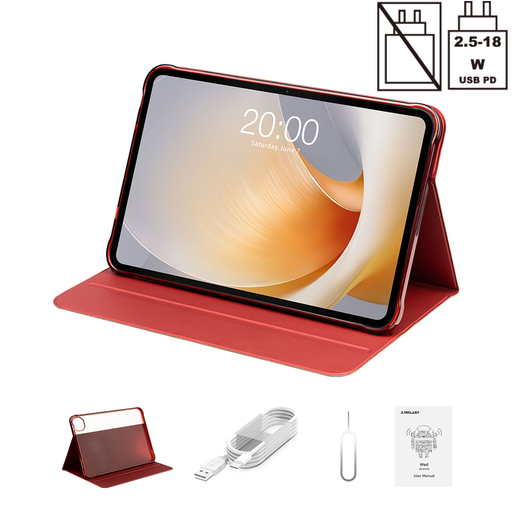
The 11-inch format could suit you if you want more room for maps and menus; check that the game you want is available for this device.
Wi-Fi, 128 GB.
 No image available
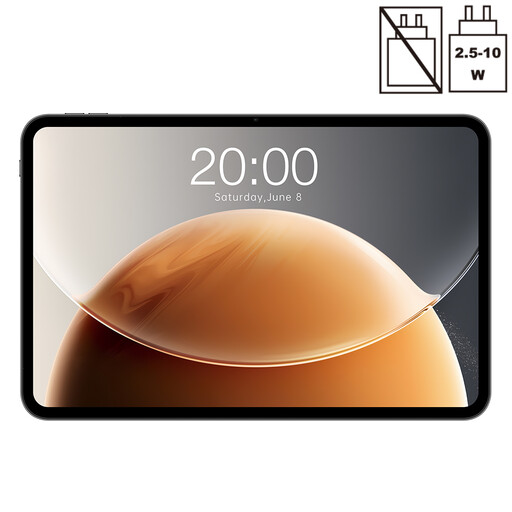
The large display may suit your need for more room to view maps; check the requirements and offline features of your specific game beforehand.
120 Hz, Helio G99, 20 GB RAM (8 GB + 12 GB virtual), 128 GB storage, dual-SIM 4G and Wi-Fi 5G.
 No image available
The 13.4-inch display is for players who prefer a larger view; compatibility depends on the game you want to play.
120 Hz, 20 GB RAM (6 GB + 14 GB virtual), 128 GB storage, dual-SIM 4G and Wi-Fi 5G.
 No image available
The 3.2K display is worth considering if you value the space available for maps and menus while playing; it doesn’t indicate a particular level of gaming performance.
144 Hz, Snapdragon 7+ Gen 3, 8 GB RAM, 128 GB storage; keyboard included.
 No image available
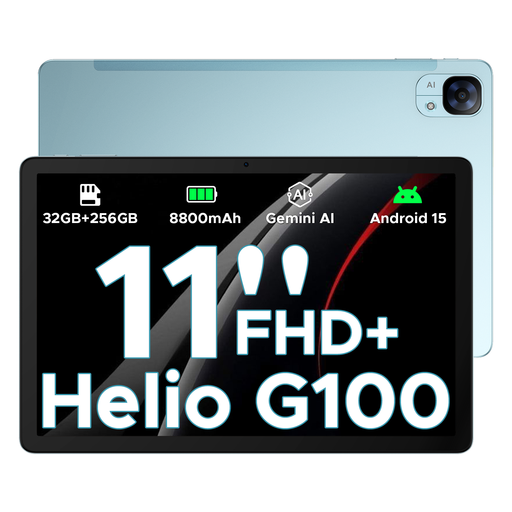
The 11-inch format gives you a larger display than compact tablet options; check in advance that the device configuration supports the strategy game you want to play.
90 Hz, Helio G100.
No, you can’t tell from the tablet’s specifications alone. Check the requirements for the specific game and test a prepared, installed game without a connection before you travel. Online features and cloud saves may have separate requirements.
Aspyr lists Android 9 or later, at least 4 GB of RAM and Vulkan support for the Android version. These requirements apply to Civilization VI and aren’t a general minimum specification for strategy games.
Install the game and any content you want in advance, check the available storage, and test signing in, starting the game and continuing a saved game in the conditions you expect to use it in. The German listing in the Apple App Store shows in-app purchases for Civilization VI.
That depends on the game and content you want. The German listing in the Apple App Store says Civilization VI is free to start, with in-app purchases; Aspyr also lists downloadable expansions. Check what you want to use before deciding to buy.
The EASA notes that spare batteries and power banks must be carried in hand luggage. It states that lithium-ion batteries over 100 Wh and up to and including 160 Wh require the operator’s approval. Check your airline’s conditions too; Lufthansa publishes its own rules for carrying these items. This guidance concerns taking them on the aircraft, not playing in the airport building.