Start by choosing a device that suits the strategy games you want to play. The Steam Deck OLED is worth considering if your games are in your Steam library and you’d like to use the trackpads for menus. The Switch 2 is a good fit for games with a Switch 2 version, including Civilization VII – Switch 2 Edition, which explicitly supports Joy-Con 2 mouse controls. Windows handhelds are another option for PC games, but whichever device you choose, check the controls, offline start-up and battery life for the specific game on your journey. Valve and Nintendo both note that compatibility and limitations vary by title or software.
Who are these devices for?
PC strategy gamers on the train
You want to play specific games from your PC library while travelling, so you’ll need to check the controls and whether they launch without an internet connection. Valve notes that compatibility and offline use depend on the game.
Switch strategy gamers
You want to take games from the Nintendo library with you. Check which version and control options your chosen game supports. Nintendo notes that some older Switch games may not be compatible with Switch 2, or may not work fully.
Gamers on longer train journeys
You’re looking for a device that feels comfortable to use and has enough real-world battery life for your journey. Manufacturers’ battery-life claims can vary depending on the software and how you use the device; battery capacity alone won’t tell you how long a particular strategy game will run.
What should you look for when buying?
First, check that your chosen games are available and can launch offline. Then consider the controls and how the device will work for your particular journey.
| What matters |
What to check before buying |
Who is this important to? |
| Games that suit you |
For each game you want to play, check the platform, game version and, where relevant, Steam Deck compatibility. |
If I want to play specific PC or Switch games on my journey, availability is my top priority. Around 28% of consumers are likely to prioritise this. |
| Offline start-up |
Launch the game online before your journey, then test it without an internet connection. According to Valve, a required internet connection or external launcher can prevent a game from working in Steam Offline Mode. |
If I might lose my connection while travelling, I want to know whether my game will still launch. Around 28% of consumers are likely to consider offline start-up particularly important. |
| Precise controls |
Check the controls in the game itself. Nintendo lists Joy-Con 2 mouse controls for Civilization VII – Switch 2 Edition, not for other games across the board. |
If I want to control maps, menus or units on a small screen, the controls in each game matter to me. Around 22% of consumers are likely to put ease of use first. |
| Battery life and ease of use |
Compare manufacturers’ claims only under the conditions they specify, and take software, weight and the length of your journey into account. Wh figures can’t be directly compared with hours of gameplay. |
If I’m travelling a long way and can’t be sure of charging, the device’s usability and weight need to suit my journey. Around 22% of consumers are likely to prioritise battery life and ease of use. |
Buying and usage pitfalls
-
Assuming compatibility guarantees offline start-up
A Steam Deck compatibility rating doesn’t automatically mean a game will launch without an internet connection. According to Valve, games that require an active connection or an external launcher won’t work in Steam Offline Mode.
Check the compatibility rating and offline start-up separately. Update and launch the specific game before your journey, then test it without an internet connection.
-
Assuming every Switch game supports mouse-like controls
Nintendo specifically lists Joy-Con 2 mouse controls for Civilization VII – Switch 2 Edition. You can’t assume this feature works with other games or the original Switch OLED model.
Before buying, check the platform, game version and listed control features.
A Switch 2 Edition may require a separate game purchase.
-
Equating battery capacity with hours of gameplay
Manufacturers’ claims vary depending on the device, software and conditions of use. Wh figures don’t tell you how long a particular strategy game will run.
Plan around the length of your journey and information about the specific game, rather than comparing battery capacity alone.
-
Choosing the wrong type of memory card for Switch 2
Nintendo specifies microSD Express cards for expanding Switch 2 storage.
Check the card type and how much storage you need before buying accessories.
You’ll need a compatible microSD Express card to expand your storage.
Popular brands and device ranges
Valve
The Steam Deck OLED may suit players whose chosen games are in their Steam library and who want to use trackpads with PC game interfaces.
- Valve lists two trackpads, a 7.4-inch OLED display, a weight of around 640 g and a 50-Wh battery.
- Valve’s stated battery life of 3 to 12 hours isn’t a fixed figure for any particular strategy game. Check compatibility and offline start-up separately for each game, too.
Nintendo
Switch 2 is an option for games that are compatible with it. The Switch OLED model is a separate choice for games made for the original Switch.
- Nintendo lists Joy-Con 2 mouse controls for Civilization VII – Switch 2 Edition.
- Mouse controls aren’t automatically available in other games. Nintendo gives Switch 2 battery life as 2 to 6.5 hours, depending on the software and features used. Check compatibility with older Switch games individually.
Lenovo
The Legion Go Gen 2 may be worth considering if you’re looking for a Windows handheld with a larger screen and flexible controls.
- Lenovo lists an 8.8-inch OLED display, detachable controllers, controller controls that can be used as a mouse and a 74-Wh battery capacity.
- These specifications don’t guarantee a particular battery life for strategy games or the same controls in every game. Check the controls and offline use for your chosen titles.
ASUS
The ROG Xbox Ally X may appeal if you want to play PC games on a Windows handheld with a touchscreen.
- For model RC73XA-NH011W, ASUS lists Windows 11 Home, an 80-Wh battery capacity and a weight of 715 g.
- Access to PC games doesn’t remove the need to check the controls and offline requirements of each title. ASUS’s figures aren’t independent battery-life tests for playing strategy games on the train.
Portable products from Joybuy
The Joybuy products below include a Windows handheld gaming PC and portable retro consoles. Before buying one for strategy games, check that your chosen title is available on the device and works with its controls, both online and offline.
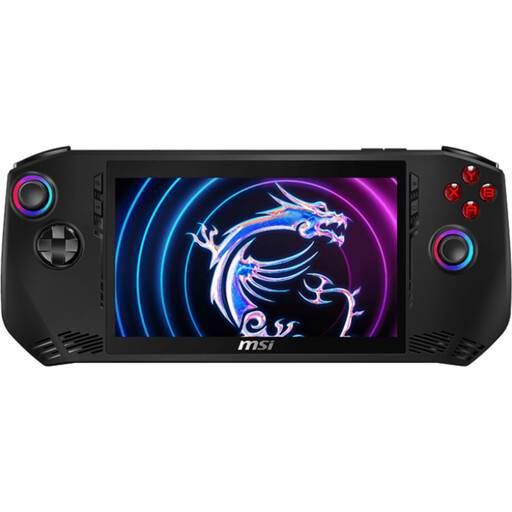 Image unavailable
MSI Claw A1M-059 – handheld gaming PC, Intel Core Ultra 7 155H, 16GB LPDDR5, 1TB PCIe SSD, 7-inch FHD 120Hz touchscreen, Windows 11 Home
This Windows handheld may suit train journeys if you want to play PC games on the go. Check the controls and offline start-up for each title.
Intel Core Ultra 7 155H; 16GB LPDDR5; 1TB PCIe SSD; 7-inch FHD touchscreen with 120Hz refresh rate; Windows 11 Home.
View at Joybuy
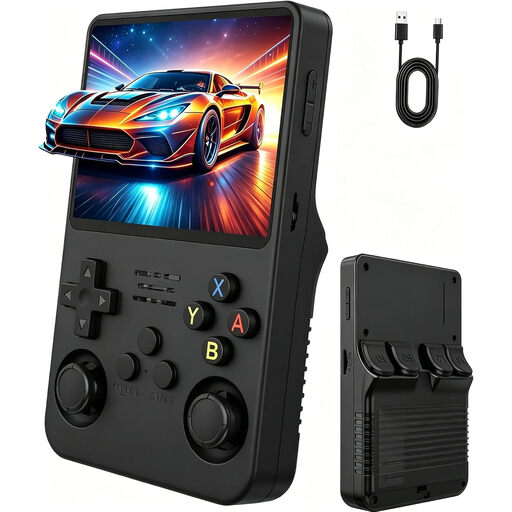 Image unavailable
Portable retro gaming console – 3.5-inch IPS HD screen, two joysticks, Natural Matt Black
This console is described as a portable retro device. Before buying, check whether it supports the strategy games you want to play.
3.5-inch IPS HD screen; two joysticks.
View at Joybuy
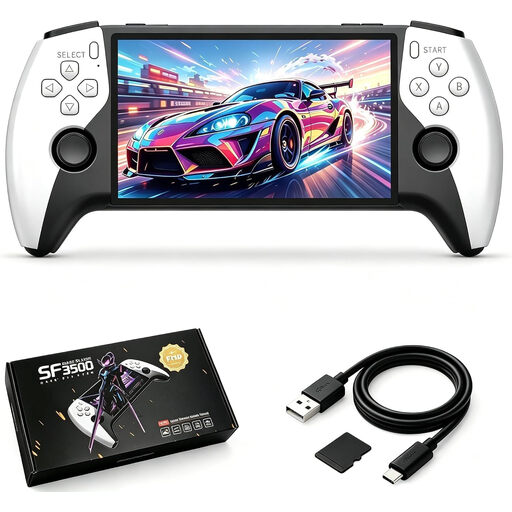 Image unavailable
Retro Handheld Console SF3500 – 5.5-inch IPS screen, 32 GB
Described as a portable console for gaming on the go. Check that your chosen strategy games are available on the device.
5.5-inch IPS screen; 32 GB; rechargeable battery; USB-C charging.
View at Joybuy
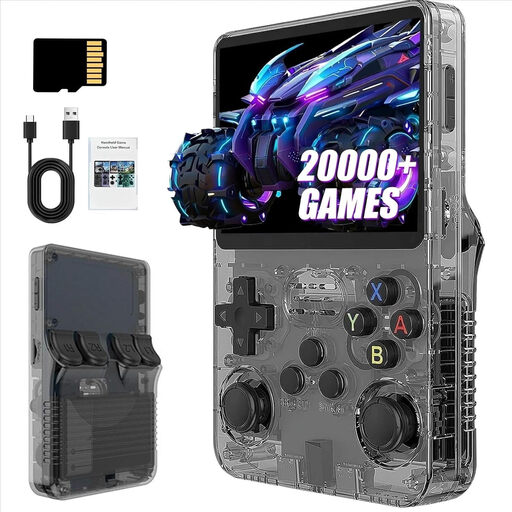 Image unavailable
R36S Pro – retro handheld console, 3.5-inch screen, 13 GB
This portable retro console is described as suitable for gaming on the go. Before buying, check that it supports the strategy game you want to play.
3.5-inch screen; 13 GB; over 21,000 classic games according to the product name.
View at Joybuy
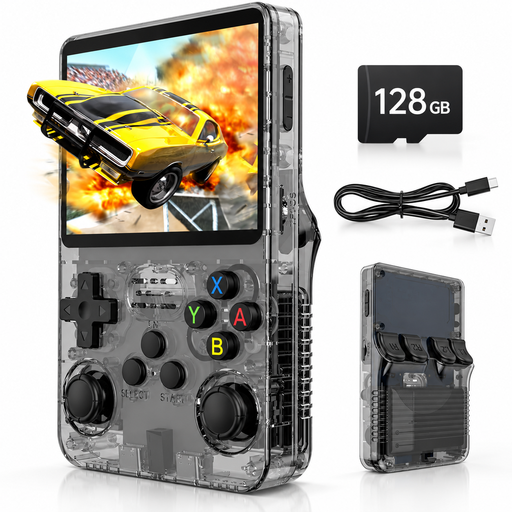 Image unavailable
Retro handheld console – 3.5-inch IPS screen, 128 GB, Linux
Described as a portable console for travelling. Check that your chosen strategy games and their controls are supported on the device.
3.5-inch IPS screen; 128 GB; Linux system; 20,000 pre-installed games according to the product name.
View at Joybuy
Frequently asked questions
Is it enough to download Steam strategy games before your train journey?
Not always. Valve recommends updating and launching games while online; according to Steam, most games need to be launched online first. Games that require an active connection or an external launcher won’t work in Steam Offline Mode. Test the games you want to play offline before you set off.
Do Switch 2 mouse controls work in every strategy game?
No. The software needs to support them. Nintendo specifically lists Joy-Con 2 mouse controls for Civilization VII – Nintendo Switch 2 Edition. For other games, check the information about supported features.
Which memory card works with Switch 2?
Nintendo specifies microSD Express cards for expanding Switch 2 storage. Check the card type and how much storage you need before buying. Nintendo says you’ll need a system update over an internet connection to use the card.
What should I bear in mind when gaming in the quiet coach on an ICE train?
Deutsche Bahn says that ringtones, loud music – including through headphones – and other noisy activities are not welcome in the quiet coach. Turn off game sounds or keep them quiet enough not to disturb other passengers.


