If you often play in different places and want to see the map and interface directly on your laptop, a large built-in display could be the right choice. If you mainly play at a fixed desk, a laptop with the right video output and a separate monitor may work better. Either way, check the specific game requirements, target resolution and full device configuration. The recommendations from Age of Empires Support for Age of Empires IV and Paradox Interactive for Cities: Skylines II differ, including in their graphics requirements.
Which display setup is right for you?
Players without an external monitor
If you want to see the map and interface clearly on your laptop and play away from a fixed desk, compare the resolution, dimensions and weight of the exact model. ASUS lists an 18-inch display and a weight of 2.60 kg for the TUF Gaming A18 FA808UM-S8012W.
Players of demanding simulation games
Choose a laptop based on the games and settings you actually use. Age of Empires Support and Paradox Interactive specify different recommended graphics configurations for Age of Empires IV and Cities: Skylines II. These requirements are not universal minimum specifications for all strategy games.
Players with a permanent monitor setup
If you mainly play at a desk or already have a large monitor, check the video output, cable and monitor together. Lenovo describes the Duplicate, Extend and Second screen only display modes for Windows.
What should you look for when buying?
Large built-in display
A good fit if: You want a large gaming area without a separate monitor, even when you’re not playing at a fixed desk.
The trade-off: The laptop takes up desk space and you’ll need to carry it, along with its size and weight.
Laptop with an external monitor
A good fit if: You usually play in one place and want to choose your laptop and display separately.
The trade-off: The monitor and, potentially, its cables need extra space. The connection, resolution and refresh rate all need to be compatible.
| What to consider |
What to look for |
Who should prioritise it |
| Room to see everything on screen |
Choose between a built-in display and an external monitor. For the exact model, compare screen size, pixel resolution, aspect ratio and laptop dimensions. |
If I want to see the map and controls clearly on my laptop without using a separate monitor, the built-in screen size is crucial. Around 36% of consumers prioritise screen size. |
| Performance for the games you play |
Compare the operating system, processor, RAM, GPU and graphics memory of the full laptop configuration with the official requirements for each game you want to play. Desktop GPU specifications do not guarantee the same performance from a similarly named laptop GPU. |
If I want to play specific strategy games with my preferred settings, I check their exact requirements first rather than relying on the term ‘gaming laptop’. Around 29% of consumers put game requirements first. |
| External monitor |
Check the exact laptop’s video output, cable and monitor input, along with the resolution and refresh rate supported by the complete setup. |
If I mainly play at a fixed desk, I want to connect my large external monitor reliably and use it as my gaming screen. Around 21% of consumers prioritise an external monitor. |
| Space and fan noise |
Measure the available space, including room for your mouse. Keep the vents clear during longer gaming sessions, and compare noise measurements only for the exact model and under similar loads. |
If I share my desk or regularly move my laptop, I also take its dimensions, portability and noise levels into account. Around 14% of consumers consider space and ease of use their top priorities. |
Common buying misconceptions
-
‘18 inches’ tells you nothing about resolution or gaming performance
Available 18-inch models differ in resolution, graphics card, RAM and SSD. Screen size alone doesn’t tell you what frame rate to expect.
Compare the full model number and pixel resolution with the requirements of your games and preferred settings.
-
Models with similar names aren’t necessarily identical
The ASUS TUF Gaming A18 FA808UH-S8016W and FA808UH-S8017W have different model numbers and listed SSD capacities. A similar product name isn’t enough to assume that their configurations are the same.
Before buying, check the model number and key specifications of the exact version.
-
Planning for the laptop but not the external monitor
The video output, cable and monitor need to work together. Having a compatible port doesn’t in itself confirm that every combination of resolution and refresh rate will be supported.
Before choosing a setup, check which devices and cables you already have, and what display settings the complete connection supports.
A separate monitor and, potentially, a suitable cable need extra space if you don’t already own them.
Key brands at a glance
ASUS
The TUF Gaming A18 and ROG Strix G18 are specific 18-inch product ranges. Compare their different models by looking at their specifications.
- For the TUF Gaming A18 FA808UM-S8012W, ASUS lists an 18-inch WUXGA display, 16 GB RAM and an RTX 5060 Laptop GPU. For the ROG Strix G18 G815LR-TT299W, ASUS lists an 18-inch WQXGA display, 32 GB RAM and an RTX 5070 Ti Laptop GPU.
- These are manufacturer specifications for different models, not independent gaming benchmarks or guarantees of a particular frame rate.
Acer
The Predator Helios 18 AI is an 18-inch range that can be used to compare larger, higher-specification laptops.
- For the specific product NH.QVYEG.009, Acer lists a resolution of 2560 × 1600 pixels, 250 Hz, 64 GB RAM and an RTX 5080 Laptop GPU.
- These specifications apply to NH.QVYEG.009 and shouldn’t automatically be assumed to apply to other product numbers.
Lenovo
Lenovo lists an 18-inch option for the Legion 9i Gen 10 range and also explains how to connect an external monitor.
- Lenovo describes the product range as having an 18-inch display with Dual Mode.
- This range-level information doesn’t confirm the full specification of a particular model or guarantee a specific RTS frame rate.
Joybuy products with a large built-in display
The Joybuy products below have a built-in 18-inch display and are suited to players who want a large gaming area without a separate monitor. Check the specifications of each model against the games you play and the settings you want to use.
 No product image available
MSI Titan 18 HX Dragon Edition Draco Epic A2WJ-1218
The built-in 18-inch display is a great option if you want a large gaming area without a separate monitor.
UHD+ Mini LED, 3840 × 2400 pixels and 240 Hz; Intel Core Ultra 9 290HX Plus; NVIDIA GeForce RTX 5090 with 24 GB; 96 GB DDR5; 4 TB SSD.
Joybuy
 No product image available
MSI Raider 18 HX A2WH-1088
The built-in 18-inch display is a good choice if you want a large gaming area right on your laptop.
QHD+, 2560 × 1600 pixels and 240 Hz; Intel Core Ultra 9 275HX; NVIDIA GeForce RTX 5070 Ti with 12 GB; 32 GB DDR5; 1 TB SSD.
Joybuy
 No product image available
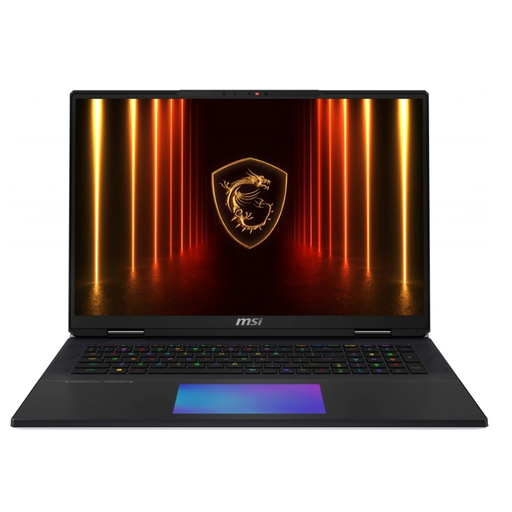
MSI Titan 18 HX AI A2XWJG-656
A built-in 18-inch display could be right for you if you want to play directly on your laptop.
UHD+, 3840 × 2400 pixels and 120 Hz; Intel Core Ultra 9 285HX; NVIDIA GeForce RTX 5090; 64 GB RAM; 6 TB SSD.
Joybuy
 No product image available
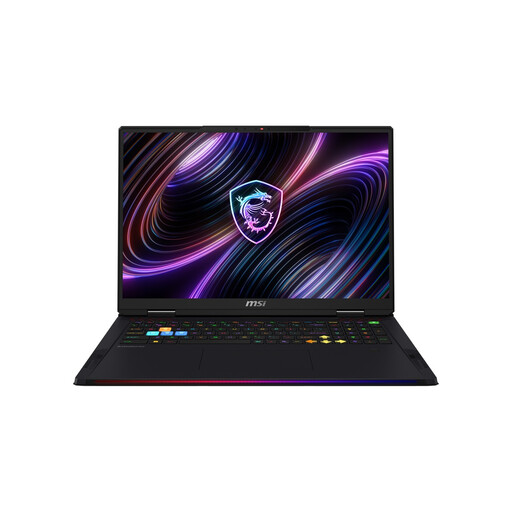
MSI Raider 18 Max HX A2WJ-1074
The built-in 18-inch display is designed for players who want a large gaming area without an external monitor.
Mini LED, UHD+, 3840 × 2400 pixels and 120 Hz; Intel Core Ultra 9 290HX Plus; NVIDIA GeForce RTX 5090 with 24 GB; 64 GB DDR5; 2 TB SSD.
Joybuy
 No product image available
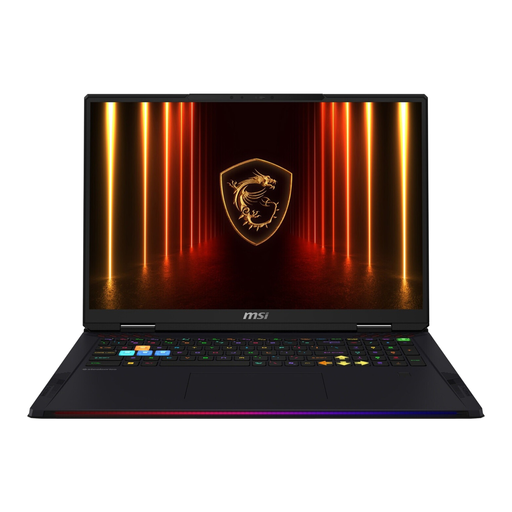
MSI Raider 18 HX AI A2XWJG-074
The built-in 18-inch display is a good fit if you want a large gaming area on your laptop without a separate monitor.
WQUXGA, 3840 × 2400 pixels and 120 Hz; Intel Core Ultra 9 285HX; NVIDIA GeForce RTX 5090; 64 GB RAM; 4 TB SSD.
Joybuy
Frequently asked questions
Are the Age of Empires IV requirements a good benchmark for every strategy game?
No. Age of Empires Support recommends 16 GB RAM for Age of Empires IV, among other specifications. Paradox Interactive also recommends 16 GB RAM for Cities: Skylines II, but specifies a different recommended graphics configuration. Check the requirements for each game you want to play, and don’t assume desktop GPU specifications guarantee a particular laptop frame rate.
How do I use an external monitor as my gaming screen?
Connect it using a video port supported by both the specific laptop and the monitor. In Windows, press the Windows key and P to choose a display mode, such as Extend or Second screen only. If you have display issues, also check the resolution in Settings.
What should I keep in mind about ventilation during long gaming sessions?
Keep the vents clear and check them for dust. ASUS notes that heavy workloads can increase fan speed and that blocked airflow can affect performance. This doesn’t tell you how loud a specific model will be.
Can I put an old laptop in household waste in Germany?
No. The German Environment Agency recommends disposing of electrical and electronic waste separately, for example at recycling centres or through suitable in-store take-back schemes. Where possible, remove and dispose of any removable batteries separately.


