Strategy gamers who want to keep an eye on lots of menus
If you have enough room on your desk, a 27-inch QHD model can give you more pixels for maps, units and text. ASUS lists 2560 × 1440 pixels for the VG27AQ3A, as does BenQ for the EX2710Q.


Choose your monitor based first on the space available, how easy the game interface is to read, and the frame rate your PC can actually deliver through the connection you plan to use. A compact Full HD model takes up less room, while a 27-inch QHD screen gives you more pixels for maps and menus, but also needs more desk space and graphics power. For evening gaming, also consider the screen finish, stand and headphone options. If you’re considering OLED, bear in mind the risk from strategy interfaces with static elements displayed for long periods, as ASUS points out.
If you have enough room on your desk, a 27-inch QHD model can give you more pixels for maps, units and text. ASUS lists 2560 × 1440 pixels for the VG27AQ3A, as does BenQ for the EX2710Q.
If space is tight, a smaller display is worth considering. AOC specifies that the 24G4X has a 23.8-inch screen and a resolution of 1920 × 1080 pixels.
If someone else is in the room, it’s worth checking the screen position, finish and audio options on the specific model. The BAuA considers screen positioning an ergonomic factor; BenQ lists a headphone jack on the EX2710Q.
A good fit if: Saving desk space is your priority and 1920 × 1080 pixels are enough for maps and menus.
The trade-off: You get fewer pixels than with the QHD models covered here, so check how readable the game is on the specific screen.
A good fit if: More pixels for maps and menus matter to you, and your desk and PC can accommodate them.
The trade-off: Compared with Full HD, the display takes up more space and demands more from your graphics hardware.
A good fit if: You’ve weighed up OLED’s features on the specific model against how you play and use your room.
The trade-off: ASUS warns that high-contrast still images displayed for long periods may burn in, so fixed strategy interfaces deserve particular consideration.
| Buying priority | What to check | Who it matters most to |
|---|---|---|
| Keeping maps and menus in view | Check that the resolution and screen size suit the game, your viewing distance and your PC. | If I want to read the map, units and text at the same time, having a clear overview is my top priority. Around 31% of consumers share this priority. |
| Desk space and screen position | Measure the width and depth, including the stand; check whether the specific model has height adjustment or a VESA mount. | On a shared or small desk, I want the screen and stand to fit in the space available. Around 25% of consumers prioritise having limited desk space. |
| Being considerate in the evening | Check the screen finish in your room’s lighting, as well as the headphone output and speakers. | If someone else is in the room, I want to use the screen and audio in a way that takes our shared space into account. Around 25% of consumers give this priority. |
| Smooth visuals | Check the refresh rate for each input and how Adaptive Sync works with your PC and game. | If smooth motion matters more to me than extra screen space or a more comfortable fit, I check the frame rate and connection first. Around 19% of consumers prioritise this. |
The refresh rate you can achieve may depend on the input. A single figure doesn’t tell you what frame rate your PC will actually deliver in a game.
Check the connection you plan to use and the frame rates you can achieve in your games. ASUS lists up to 180 Hz over DisplayPort and up to 144 Hz over HDMI for the VG27AQ3A.
The stand takes up space too, and not every model offers height adjustment.
Measure the usable area of your desk and check the dimensions including the stand, as well as whether the exact model supports a VESA mount. ASUS says the supplied stand for the VG27AQ3A isn’t height-adjustable and that the monitor has a 100 × 100 mm VESA mount.
ASUS warns that high-contrast still images displayed for long periods may burn in on OLED screens. The presence of protection features doesn’t prove that this risk has been completely eliminated.
Consider OLED in light of how you use static menus, and check the care and warranty terms for the specific model.
The models covered range from the 27-inch QHD IPS TUF Gaming VG27AQ3A to the QHD OLED ROG Strix XG27AQWMG.
The 24G4X is a compact 23.8-inch Full HD IPS model.
The MOBIUZ EX2710Q is a 27-inch QHD model with an adjustable stand and audio connections.
The MAG 274QRF QD E2 is an example of a WQHD Rapid IPS monitor.
The UltraGear 27GS75QX-B is another 27-inch QHD IPS model worth considering for its connections and features.
This selection includes QHD models for more screen space, as well as smaller Full HD options for desks with limited room.
 No image available
A QHD option for gamers who want more screen space for maps and menus.
The product title lists a 27-inch screen, 2560 × 1440 pixels, 144 Hz, Fast IPS, FreeSync and HDR10. The stand is described as height-adjustable.
 No image available
This QHD model may suit you if a high listed refresh rate is one of your selection criteria.
The product title lists a 27-inch screen, QHD, 275 Hz, IPS, FreeSync, integrated speakers and a height-adjustable stand.
 No image available
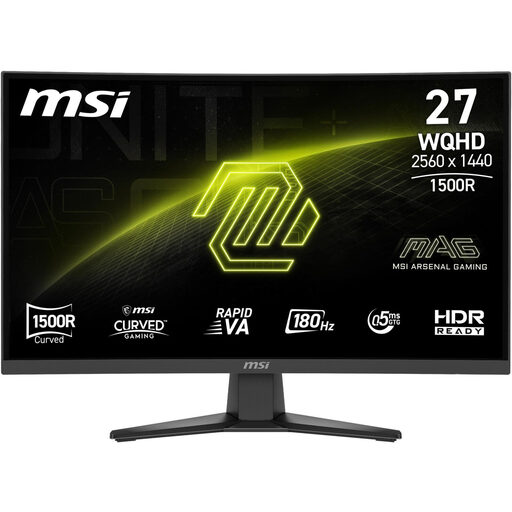
A QHD option for gamers who also want to take the listed headphone output into account when choosing a monitor.
The product title lists a resolution of 2560 × 1440 pixels, Rapid VA, DisplayPort and HDMI. The refresh rate is specified as 180 Hz.
 No image available
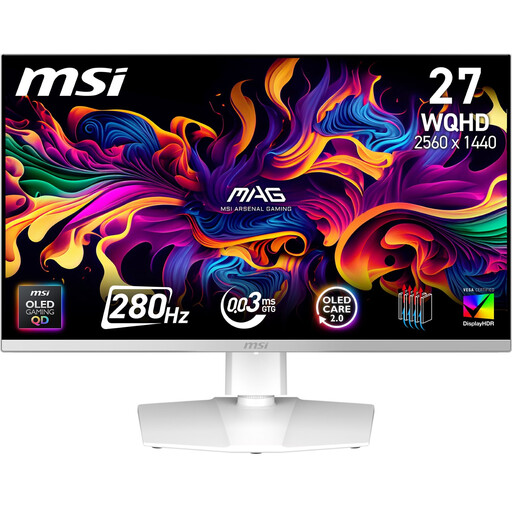
If your strategy interface includes static elements that are often on screen, weigh up this OLED option particularly carefully.
The product title describes a 27-inch QD-OLED model. ASUS warns of a risk of OLED burn-in from high-contrast still images displayed for long periods; check the care and warranty terms for this specific MSI model.
 No image available
At 25 inches, this is the smaller screen option in the selection and may suit a desk with limited space.
The product title lists Full HD, 144 Hz, IPS, Mini LED and FreeSync. Compared with QHD, there are fewer pixels for maps and menus.
Position the screen and your seat so you can read the text without having to keep your head in an awkward position. Check whether the monitor offers height adjustment or can be used with a suitable mount. The BAuA’s guidance on screen positioning provides ergonomic advice for screen-based work; it isn’t evidence of a health benefit from a gaming monitor.
According to ASUS, high-contrast still images displayed for long periods may burn in on OLED screens. Check the care instructions and warranty terms for the specific model. A protection feature doesn’t guarantee that burn-in is impossible.
Compare the EU energy label for the specific model rather than assuming that screen size alone determines energy consumption. The European Commission rates electronic displays on an efficiency scale from A to G.
Your statutory rights are against the seller and are separate from any voluntary guarantee. The Verbraucherzentrale outlines additional repair rights that have applied since 31 July 2026, specifically including monitors. If the seller repairs the monitor rather than replacing it, the statutory warranty period may be extended, subject to the stated conditions. Online purchases also generally come with a 14-day right to cancel; the exact deadline and conditions depend on the circumstances.
No. The Umweltbundesamt says that waste electrical equipment must be collected separately. Beforehand, check which local collection point or return option you can use, and whether the delivery of a new device includes a take-back service for old equipment.