What should you look for when choosing one?
First, check whether keyboard shortcuts cover your essential actions. If they don’t, compare the buttons you can reach directly, the space the device takes up and whether you genuinely need dials.
| What you need |
What to look for |
Who is this important to? |
| Scenes and core commands |
Count the actions that need to be within easy reach at the same time. Elgato’s documented OBS integration requires Stream Deck 5.3 and OBS Studio 27.0 or later. |
When I want to switch between gameplay, break and chat scenes while playing, I want my most important commands within easy reach. Around 29 % of consumers put direct access to scenes and core actions first. |
| Microphone and privacy |
Check all your audio and video sources with a test recording. OBS says noise suppression is generally not very effective against strong background noise. |
In a shared room, I want to check in advance which voices and images will be broadcast; a microphone button on its own isn’t enough. Around 24 % of consumers prioritise microphone control and protecting others. |
| Donation alerts |
Set up the alert you want in an OBS scene or source, then test it. Twitch distinguishes direct charity donations from Bits and subscriptions. |
When I’m preparing a charity stream, I want to be able to show alerts easily without mistaking the controller for a way to process donations. Around 18 % of consumers prioritise a clear, easy-to-use charity process. |
| Desk space and extra hardware |
Before buying a separate device, check whether OBS WebSocket in version 28 or later covers your actions. Also compare the device’s dimensions with the space you need for your hand and cables. |
On a small desk, I want to keep extra hardware to a minimum and first find out whether my existing input devices will do the job. Around 17 % of consumers prioritise desk space and avoiding the need for an extra device. |
| Adjusting audio levels on the fly |
Check whether you can assign the audio sources and levels you want to a dial in your setup; the number of dials alone doesn’t guarantee this. |
If I often change game or voice levels during a stream, assignable dials matter more to me than extra scene buttons. Around 12 % of consumers prioritise adjusting audio on the fly. |
Joybuy products for streaming actions
The Joybuy products below are keypads for programmable streaming and OBS actions. Check that their button layouts and software are right for your setup.
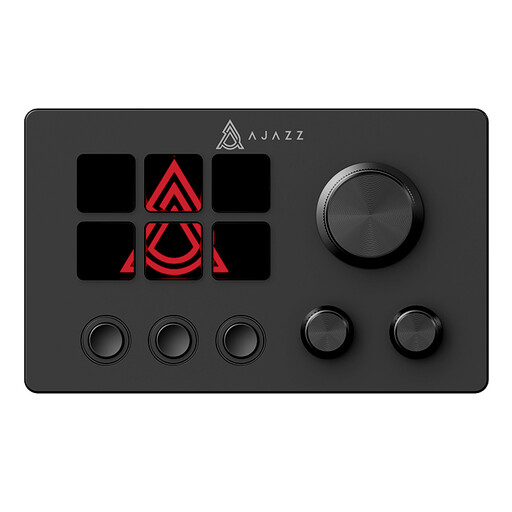 No image available
AJAZZ AKP03E Wired Macro Keyboard, 6 Programmable Buttons
Could be a good fit if you want to trigger several streaming actions using programmable buttons.
The product name lists six programmable buttons and a wired USB connection.
View at Joybuy
 No image available
AJAZZ AKP153 Studio Controller, 15 Macro Buttons, Black
Could be a good fit if you want to set up OBS actions on a keypad and trigger them directly while streaming.
The product name lists 15 macro buttons and PC/Mac compatibility.
View at Joybuy
Frequently asked questions
Do I need a separate controller for a few OBS commands?
Not necessarily. OBS Studio 28 and later versions include WebSocket remote control. Try the commands you need first, and protect any WebSocket connection you use with authentication.
What should I set up before a charity stream?
Set up the OBS scenes and audio sources you need, assign your actions, then check the microphone status, on-screen alerts and camera framing with a test recording. Elgato’s documented OBS integration requires at least Stream Deck 5.3 and OBS Studio 27.0; check the software requirements for other devices.
Do Bits and subscriptions count as direct charity donations?
No. Twitch distinguishes Bits and subscriptions from direct charitable donations. Twitch lists its charity tool, suitable fundraising platforms and an organisation’s own donation system as possible options. According to Twitch, its own tool is only available to Affiliates and Partners.
Can a stream record other people’s voices in a student room?
There isn’t a simple yes-or-no answer that applies to every situation. § 201 StGB covers, among other things, the unauthorised recording of another person’s privately spoken words. Check what your microphone and camera actually capture, and discuss any potential involvement with others in advance rather than relying on a mute button alone.
Is an older Loupedeck device still a straightforward choice?
That depends in part on the software version. Loupedeck stopped selling its product range in 2025 but announced that product support would continue. Support for Legacy Software 5.8 and its Marketplace ended on 30 March 2026, so check which features your specific device needs.


