Choose a controller with enough easily accessible buttons for your workflow, especially for switching scenes and muting. If you often adjust audio levels, look for additional assignable dials. Donation displays come from campaign and streaming software, not the controller itself, so you’ll need to set up the overlay, OBS action and hardware separately. Elgato lists Windows 11 or later, or macOS 13 or later, and Stream Deck 6.9 or later for its current OBS plugin. Check these requirements separately from those for the controller model.
Who is a stream controller for?
Solo streamers with lots of scenes
If you’re playing and running the stream at the same time, you’ll want to access scenes, sources and a holding screen without having to search through OBS menus. Elgato describes scene and audio control actions for its OBS plugin.
Streamers who manage audio as they go
If you want to adjust your game, microphone or other audio sources repeatedly during a session, check whether your software lets you assign the actions you need to a dial.
Charity hosts with donation displays
If you want to show campaign progress or donation alerts, you’ll need to set up the overlay and streaming software. Tiltify describes overlays with progress bars and donation events; a controller can manage the scenes or sources you’ve prepared for them.
What should you look for when buying?
First, decide which actions you want to trigger or adjust directly while gaming. Then choose your button layout and any extra controls.
| What to consider |
What to check before buying |
Who will find this most important? |
| Scenes and sources |
List the actions you want to access at the same time, then check the button layout and supported OBS actions. |
If I want to switch scenes and sources while gaming without searching through menus, direct access matters to me. Around 33% of consumers say scene control is their top priority when buying. |
| Donation overlay |
Set up your campaign and overlay in the solution you’re using, then check which scene or source you want to show at the press of a button. |
If I want to show donation alerts or campaign progress, I make sure I can bring up the prepared overlay at the right moment. Around 27% of consumers put donation displays at the heart of their choice. |
| Audio control |
Check whether your software lets you assign the audio actions you need to buttons or dials, and decide which sources you want to adjust. |
If I regularly need to adjust my microphone or game audio while playing, the right controls for my audio actions are important. Around 20% of consumers prioritise managing audio as they go. |
| Space and software |
Check that the controller’s footprint and layout suit the direct actions you need, and confirm the operating system, controller software and plugin version requirements. |
If desk space is limited and I only need direct access to a few actions, a straightforward layout could be a good fit. Around 20% of consumers prefer a compact option to get started. |
Common buying and setup mistakes
-
Assuming the donation overlay is a controller feature
Pressing a button won’t show campaign progress by itself. That comes from the overlay provided by the donation solution you’re using.
First, set up your campaign and overlay in your streaming software. Then assign the scene or source you want to a controller action.
Allow extra setup time for your campaign, overlay and streaming scene.
-
Assuming hardware compatibility guarantees support for every plugin
The requirements for a current plugin may differ from the minimum requirements listed for a device.
Before choosing a model, check the operating system and version requirements for the specific plugin and controller software.
-
Relying on old support announcements without checking
On 19 August 2026, Loupedeck reversed its previously announced decision to end support for Razer devices. This is separate from the end of Marketplace support for the older Loupedeck 5.8 software on 30 March 2026.
For Razer and Loupedeck devices, check which software generation you intend to use and what the latest support information says about it.
Key brands at a glance
Elgato
Stream Deck models with a range of button layouts; the Stream Deck + also has dials.
- Elgato Support lists eight buttons on the Neo, 15 on the MK.2 and 32 on the XL. According to Elgato Support, the Stream Deck + has eight buttons and four dials.
- For its current OBS plugin, Elgato lists Windows 11 or later, or macOS 13 or later, and Stream Deck 6.9 or later. Check these plugin requirements separately from the device’s minimum requirements.
Razer
The Stream Controller X combines a button pad with Loupedeck software.
- Razer lists 15 customisable Switchblade keys. Macros and a detachable stand are among the features described by the manufacturer.
- On 19 August 2026, Loupedeck reversed its previously announced decision to end support for Razer devices. Check which software version you plan to use.
Loupedeck
The Live S combines touch buttons with dials for flexible control.
- Loupedeck lists 15 touch-sensitive buttons and two dials for the Live S.
- Loupedeck stopped selling the product range on 28 March 2025 and announced that support would continue. Marketplace support for the older 5.8 software ended on 30 March 2026.
Streamplify
The Streaming Deck One pairs a button pad with extra USB ports.
- Streamplify lists 15 LCD keys and two USB 3.0 ports for this model.
- The hub feature doesn’t tell you whether a particular OBS, audio or donation action will work with the device software. Check it against your specific workflow.
Ulanzi
The D200X combines programmable buttons and dials with a built-in hub.
- Ulanzi lists 14 LCD keys and three dials for this model.
- The manufacturer’s information about ports and use cases doesn’t confirm that your specific OBS or overlay workflow is supported. Check that the required actions work with the software you plan to use.
Joybuy products
These products are designed around programmable buttons for prepared streaming actions. Check whether the action you need works with the relevant software in your setup.
 No image available
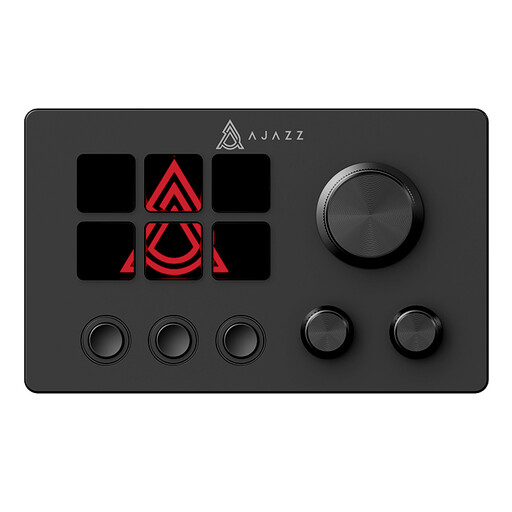
AJAZZ AKP03E Wired Macro Keyboard
Could be a good fit if you want to trigger a limited number of prepared actions using programmable buttons.
Six programmable buttons.
View at Joybuy
 No image available
AJAZZ AKP153 Studio Controller, 15 macro keys, black
Could be a good fit if you want to trigger several prepared actions directly from a button pad.
15 macro keys; the product title lists OBS as one of the supported applications.
View at Joybuy
Frequently asked questions
Do I need a special charity controller to show donation progress?
No. In the setup described by Tiltify, the campaign overlay is added to your streaming software. Choose a controller based on the prepared scene or source actions you want to trigger; this doesn’t require direct Tiltify integration.
What should I check before my first livestream?
Set up the controller software and plugin, then test your assigned actions in OBS before going live. For its current OBS plugin, Elgato lists Windows 11 or later, or macOS 13 or later, and Stream Deck 6.9 or later. These plugin requirements are separate from the minimum requirements for individual devices.
Can I automatically show donors’ names on a livestream in Germany?
A controller doesn’t give you legal permission to do this under data protection law. Since an overlay can show personal information such as donors’ names, check the settings and legal basis for your specific setup before displaying it. The Federal Commissioner for Data Protection and Freedom of Information describes consent as one relevant data protection principle.
What happens if I return the product or it develops a fault?
Distinguish your statutory right to cancel an online purchase from your rights if the goods are faulty, and from any voluntary manufacturer’s guarantee. The Verbraucherzentrale says that online purchases generally have a 14-day cancellation period from the day you receive the goods; exceptions and the terms in each individual case need to be checked separately. The date of purchase can also affect the current details of your statutory rights.
Does a stream controller issue donation receipts?
No. A stream controller triggers prepared software actions, but it doesn’t provide tax confirmation that a donation has been made. The evidence required for a particular donation depends on the recipient and payment method.


