Co-op hosts who adjust audio as they play
If you want to control game audio and voices while playing together, check what you hear yourself and what your audience hears. Separate mixes can serve a different purpose from a single mute button.


Start by thinking about the actions you need to access while gaming. A button pad may suit you for prepared OBS scenes and individual mute controls, while frequent audio adjustments are better suited to dials or dedicated audio controls. If your game comes from an external HDMI source, you’ll also need suitable capture functionality. Check that the software, connections and footprint will work with your setup, too.
If you want to control game audio and voices while playing together, check what you hear yourself and what your audience hears. Separate mixes can serve a different purpose from a single mute button.
When switching between gameplay, a shared camera view and a break screen, quick access to prepared actions is key. A button pad can bring these commands together, provided its OBS integration is compatible with your system.
If gaming gear and space for a second person have to share the same desk, you’ll need to be able to reach the controller from where you’ll actually use it. Compare the controls you need with the space available.
First, list the actions you want to reach without searching while you play. Then check whether your game is already on your streaming PC or needs to be captured over HDMI.
| What matters | What to check before buying | Who should pay particular attention? |
|---|---|---|
| Voices, game audio and monitoring | Note down your audio sources and the output routes you want. In the OBS Studio audio mixer, muting the output and monitoring through a listening device are separate functions. | If I want to control voices and game audio differently for myself and my audience, I should check the routing rather than just look for a mute button; around 33% of consumers prioritise audio control. |
| Access to scenes and sources | Count the gameplay, chat and break views, as well as the sources and audio actions you want to access at the same time. Then check the specific OBS integration. | If I want to switch between several prepared views while gaming, direct access matters; around 33% of consumers prioritise scene access. |
| Desk space and accessibility | Measure the space available where you’ll use the controls, allowing for stands and cable routing. Then compare it with the dimensions of the specific model. | If I share the desk with gaming gear and a second person, I need a place for the controller that’s easy to reach; around 17% of consumers prioritise desk space. |
| Capturing external gameplay | Check whether you play on the streaming PC or on an external console or second computer. Then check the HDMI, USB and audio signal paths. | If my gameplay comes from an external source, it needs to reach OBS before scene buttons can help; around 17% of consumers focus on capturing external video. |
A mute button won’t automatically give you and your audience different mixes. OBS Studio treats muting the output and monitoring as separate functions.
Before buying, note down which voices and game sounds each of you should hear, then test your output routes with a recording or test stream.
A button pad triggers prepared actions, but it won’t bring external HDMI gameplay into OBS by itself. RØDE documents an HDMI signal path into OBS for the Streamer X – that’s a different function from scene control.
First establish where your gameplay comes from, then check whether you need HDMI capture hardware as well as a controller.
The required app and OBS plugin also need to be compatible with your operating system. If you’re considering older Loupedeck products, note that support for legacy software and Marketplace branch 5.8 ended on 30 March 2026.
Before buying, check the app and plugin versions needed for your actions, as well as your operating system.
The Stream Deck range includes options with a few clearly visible controls, more buttons, or buttons and dials.
The Stream Controller X is a button-focused alternative, with support for macros and OBS plugins listed by Razer.
Mix Create is designed for setups where audio mixing and separate output routes matter more than scene buttons.
The Streamer X is worth considering if you want to bring external HDMI gameplay and connected audio sources into OBS, as well as control your stream.
The Live S may be an option if you’re interested in touch buttons and dials and can find one from existing stock.
This selection includes a button pad for OBS actions and a console for controlling audio during live streams. Before buying, check that each product’s functions suit your signal path and audio requirements.
 No image available
For hosts who want to trigger OBS actions at the touch of a button; the product description lists OBS support and assignable button actions.
Test your button assignments before going live to avoid triggering actions by mistake.
 No image available
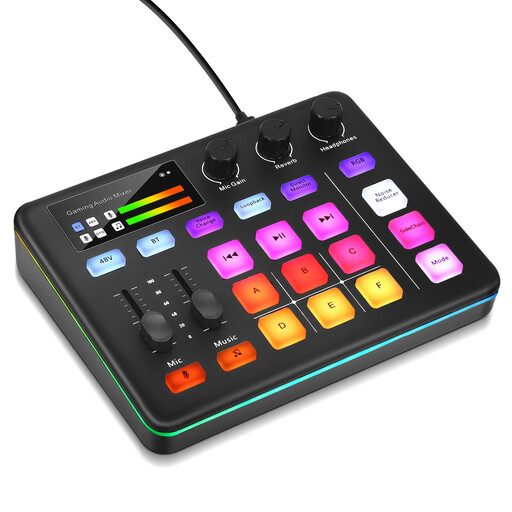
For hosts who want to control audio while live streaming. First check that the connections and features suit your microphones, monitoring setup and desired audio mix.
No, not necessarily. First check whether you can easily access your prepared commands using the OBS controls or hotkeys you already have while gaming. A button pad gives you another way to control OBS, but it isn’t essential.
In the OBS audio mixer, muting the output and playing audio through a monitoring device are separate functions. Check both routes and listen back to a test recording or stream. A controller button won’t fix incorrectly set up audio routing by itself.
Check that your operating system, controller app and OBS integration are each compatible. For its current OBS plugin, Elgato lists Windows 11 or macOS 13 and Stream Deck App 6.9 or later. For older Loupedeck products, support for legacy software and Marketplace branch 5.8 ended on 30 March 2026.
Get their permission before showing them on stream. Section 22 of the German Art Copyright Act (KunstUrhG) generally states that a person’s image may only be distributed or publicly displayed with their consent. Whether a legal exception applies depends on the circumstances.
Electrical and electronic equipment must not be put in household waste. The German Environment Agency recommends disposing of electrical appliances separately.