First, work out what you mean by your online music library: a streaming service, or your own collection stored on a PC or NAS. For a streaming service, the specific model must support that service or your preferred playback method; for local files, the network protocol and server set-up matter. Next, make sure the amplifier and passive speakers are compatible. Display controls and extra connections are most useful if you’ll actually need them at your desk.
Who is a streaming amplifier for?
Streaming service listeners
If you listen to your online library through a particular music service, check that the exact model supports the service or your preferred playback method. WiiM lists Spotify Connect and TIDAL Connect for the Amp and Amp Pro.
NAS music collectors
If your own music collection is stored on a PC or NAS, network access and easy library browsing are important. The WiiM Help Center explains how to play music through a DLNA media server on the same network; Eversolo says the Play can access local computers and NAS devices.
Those keeping their existing speakers
If you want to keep your passive speakers, check the connections and compatibility first. WiiM and Sonos describe their respective amplifiers as devices for passive speakers; the specific connection requirements depend on the model and set-up.
What should you look for when buying?
Start by working out where your music comes from. Then consider the speaker connections and the controls you’ll need at your desk.
| Priority |
What to check before buying |
Who it matters most to |
| Playing music from a streaming service |
Check the service and playback method for the full model name. According to the WiiM Help Center, the Amp supports AirPlay 2, but the Amp Pro does not; both are listed as supporting Spotify Connect and TIDAL Connect. |
If I want to keep using my preferred app, I want to start listening without taking a roundabout route. Around 36% of consumers put support for their preferred music service first. |
| Playing your own files |
Check where your music is stored, which protocol is used and whether a server needs to be set up. The WiiM Help Center describes DLNA via a server on the same network; Eversolo lists UPnP and WebDAV for the Play. |
If my music is stored on a PC or NAS, I need a way to access my files over the network. Around 29% of consumers prioritise access to their own music collection. |
| Connecting speakers |
Check the impedance and connections against the model’s manual. For four speakers connected to the Sonos Amp, Sonos specifies 8 ohms per speaker. This is not a general requirement for other devices or set-ups. |
If I want to keep using my existing speakers, I want to know whether they’ll work with the amplifier before I buy. Around 21% of consumers put compatibility with their speaker set-up first. |
| Controls at your desk |
Check for a display, controls and a specifically listed headphone socket. Eversolo says you can select tracks using the Play’s display; Bluesound lists a 6.3 mm headphone socket on the POWERNODE. |
If I want to select tracks directly on the device or listen through headphones while I work, I need the right controls and connections. Around 14% of consumers prioritise controls at their desk. |
Avoid common assumptions
-
Assuming similarly named models are the same
WiiM’s model comparison lists AirPlay 2 for the Amp, but not the Amp Pro. If you mix up the models, you may not be able to use your planned playback method.
Check the full model name against the feature you actually want to use.
-
Confusing a music service with your own NAS library
An integrated music service is not the same as access to your own media server. For the DLNA method described by WiiM, the server and device must be on the same network.
Before choosing, make a note of where your music is stored and which protocol you want to use to make it available.
-
Assuming room correction is included
NAD describes Dirac Live on the C 700 V2 as an option. The feature requires an additional licence and a calibration microphone, which is sold separately.
Check whether you actually want to use room correction, and factor the required components into your set-up plans.
Brands to consider
WiiM
The Amp and Amp Pro are compact streaming amplifiers for passive speakers. For your own music collection, WiiM describes DLNA playback over your home network.
- According to the WiiM Help Center, both models support Spotify Connect and TIDAL Connect.
- WiiM’s model comparison lists AirPlay 2 for the Amp, but not the Amp Pro. Similar model names don’t guarantee the same features.
Eversolo
The Play combines streaming and amplification with track selection on its display. Eversolo also describes access to local computers and NAS devices.
- Eversolo lists UPnP and WebDAV for network access.
- According to the manufacturer, the number of integrated music services depends on their certification status. Check that your preferred service is available with the firmware you’re using.
NAD
The C 700 V2 combines BluOS streaming with a display and MM phono input, making it an option if you’re considering sources beyond your online library.
- The NAD datasheet lists access to a personal digital music library and streaming services.
- According to NAD, the optional Dirac Live room correction on the C 700 V2 requires an additional licence and a calibration microphone, sold separately.
Sonos
The Sonos Amp powers passive speakers and connects them to the Sonos app and a Sonos multi-room system.
- Sonos lists AirPlay 2 and HDMI ARC as features of the Amp.
- Set-up is managed through the Sonos app. According to Sonos Support, the line-in and subwoofer outputs are disabled when the Amp is used as a TV surround amplifier.
Denon
The PMA-900HNE combines HEOS network streaming with analogue and digital inputs, as well as a phono input.
- Denon lists AirPlay 2 and Bluetooth alongside HEOS.
- Denon quotes 50 watts per channel into 8 ohms and 85 watts per channel into 4 ohms. Figures at different impedances aren’t directly comparable as a measure of quality.
Suitable products at Joybuy
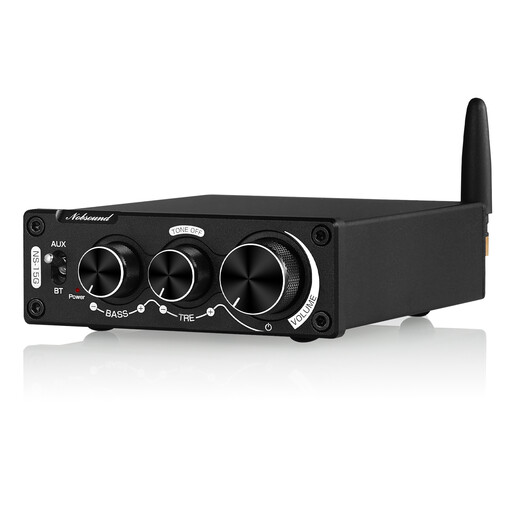
This product could suit you if you want to send music from a Bluetooth playback device to your speakers. Check that your preferred online service is available on the playback device.
 No image available
Nobsound 200 W mini Bluetooth digital amplifier with bass and treble controls
An option to consider if you want to stream music from a playback device via Bluetooth and connect speakers.
The product name lists Bluetooth, 200 W, stereo, and bass and treble controls. Before buying, check that the connections suit your speaker set-up.
View at Joybuy
Frequently asked questions
Do I need a particular streaming subscription for my own NAS music collection?
For the method WiiM describes for accessing your own files, you need a DLNA media server that has been set up. The server and WiiM device must be on the same network. Whether an additional online music service requires a subscription depends on the service.
Can I simply run four speakers from a streaming amplifier?
Not without checking the requirements for the specific model. For a four-speaker set-up with the Sonos Amp, Sonos specifies 8 ohms per speaker and warns that other impedances could cause a fault. This does not apply as a general rule to other models.
What warranty rights apply when buying from a business seller?
According to consumer information from the European Union, goods bought from a business seller in the EU come with a legal guarantee of at least two years from the date you receive them. This is separate from a voluntary manufacturer’s warranty.
What should I look for to check the safety of a Wi-Fi or Bluetooth amplifier?
For a specific listing, you can look for a CE mark, an identifiable product, correct manufacturer details, a German-language instruction manual and a declaration of conformity. Germany’s Federal Network Agency lists these as aspects of market surveillance; this does not confirm that any particular listing has been checked.


