Rugby fans sitting by a bright window
You want to see the match clearly from your usual seat during the day, and first work out whether reflections or the streaming device are affecting your view.


First, check from your usual seat whether you can see the TV picture clearly despite the light from the windows, then find out which provider is showing the specific match. A streaming device won’t eliminate reflections on the screen. If the app you need is missing, an HDMI stick may be enough; if your Wi-Fi is unreliable and you can use a network cable, consider a box with Ethernet. A device tied to a TV package is only suitable if you also want to use the required package.
You want to see the match clearly from your usual seat during the day, and first work out whether reflections or the streaming device are affecting your view.
You’re looking for a way to watch a particular rugby match and are checking broadcast rights, app availability and device support separately.
You want to avoid interruptions during the live stream and are comparing Wi-Fi at the TV with a network connection you can actually use there.
First decide whether your existing TV picture is good enough in daylight. Then check how to watch the match, what sort of connection is available where the device will sit, and whether there are any requirements for setting it up and using it.
A good fit if: You can watch the match through a supported service on your existing TV.
Bear in mind: Your seat, the light and the screen itself still matter if reflections are a problem.
A good fit if: Your TV doesn’t have an app you need, Wi-Fi works where it is, and you have an HDMI port and a power supply.
Bear in mind: A stick won’t change reflections on the screen or the rights to a particular match.
A good fit if: Wi-Fi is unreliable by your TV and you can connect a network cable there.
Bear in mind: You’ll need to allow for a cable and space for the box. Ethernet guarantees neither broadcast rights nor a reflection-free picture.
A good fit if: As well as a way to watch the match, you specifically want to use the associated live TV package.
Bear in mind: According to the provider, the waipu.tv Stick (2nd generation) requires a waipu.tv package. Check separately whether it includes the match you want.
The percentages in the table refer to each shopper’s main priority when making this buying decision.
| Priority | What to check when buying | Who is this particularly important to? |
|---|---|---|
| Visibility in light from windows | Check the TV picture from your usual seat in similar daylight conditions. An HDMI device won’t change the screen surface. | When I sit by the window during the day, I want to know whether reflections make it hard to see the match. Around 33% of consumers prioritise visibility. |
| Access to the specific match | Check the competition, match, date and broadcaster. Then check app support and any login details or subscriptions you’ll need. | When I want to watch a particular match, I want to check the rights holder, app and device support for that specific game. Around 27% of consumers put access to the match first. |
| Live stream stability | Check the connection where your TV is. Ethernet is an option if you can use a network cable there. | If the stream keeps buffering, I want to know whether Wi-Fi is good enough by the TV or whether I can use a cable. Around 20% of consumers prioritise a stable connection. |
| Setup and ongoing costs | Check the HDMI cable, power supply and package terms for the specific model. Google and Apple list HDMI cables as separate purchases. | If I want to avoid unnecessary extras, I check the cables and any package requirements in advance. Around 20% of consumers focus on setup and ongoing costs. |
A stick delivers content to your TV, but it doesn’t change the screen surface. If reflections are making it hard to see, an additional streaming device won’t solve the problem.
First, look at the TV with the picture on from your usual seat in similar daylight conditions.
An app being available to install doesn’t mean it will show the match you want in Germany. The earlier report from ran/Joyn related to the 2026 Six Nations; that tournament has ended and doesn’t confirm future broadcast rights.
First, identify the match, date and broadcaster, then check that the app is supported on the device you plan to use.
An Ethernet port is only useful if you can connect a network cable to the device. According to the provider, the waipu.tv Stick (2nd generation) requires a waipu.tv package. Google lists an HDMI cable for the Google TV Streamer (4K) as a separate purchase.
Check whether you need a package, whether you can run a cable and what’s included with the exact model before you decide.
The details refer to the devices and product ranges mentioned. A brand being listed doesn’t mean it’s available or suitable for every rugby match.
Fire TV sticks and the Fire TV Cube are possible ways to access streaming apps, provided the broadcaster for the match you want supports the specific device.
The Google TV Streamer (4K) is a box option for households that can use its built-in Ethernet port.
The Apple TV 4K is a box option. When comparing connections, make sure you check the exact generation and variant.
The TV Stick 4K (2nd Gen) is a compact Google TV option if Wi-Fi works where your TV is.
The stick and box may suit consumers who specifically want to use the live TV service and its associated features.
The Joybuy products below are smart projectors with built-in streaming features, not traditional HDMI sticks or TV boxes. Before choosing one, check that the broadcaster for your match is available on that specific device. The product details don’t confirm broadcast rights or visibility in daylight.
 No image available
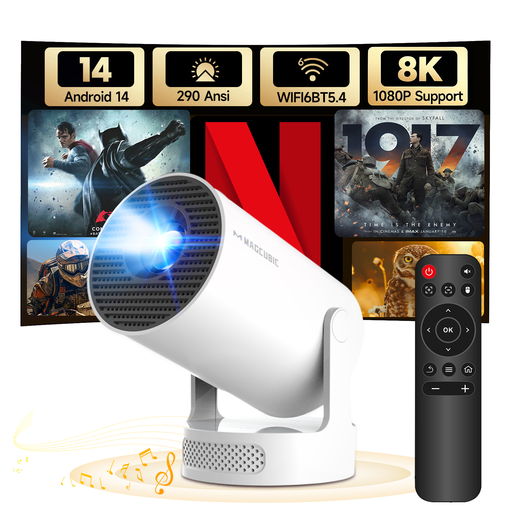
This projector lists Android 14 and built-in Wi-Fi for streaming without a separate TV box. Check whether the app you need for your specific match is available.
The product details list Wi‑Fi 6, Bluetooth 5.4, 290 ANSI lumens, a 5 W speaker base and a 180° rotatable design.
The product name refers to 8K and 1080P support; this doesn’t mean it has native 8K resolution.
 No image available
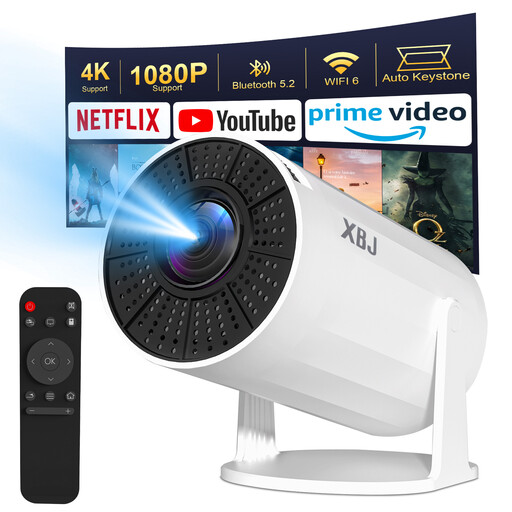
The product name and description refer to a portable projector with built-in Android 11 and streaming apps. Check whether the service you need for your specific match is available.
The details list HDMI, Wi‑Fi 6, Bluetooth 5.2 and 200 ANSI lumens. The product name also mentions 4K decoding.
 No image available
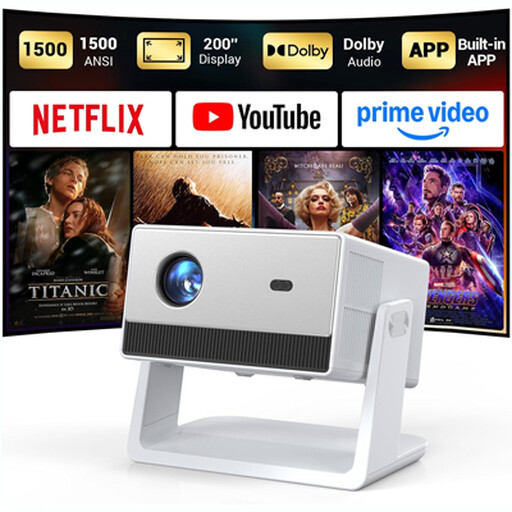
The description lists built-in apps and a streaming system. Before choosing it, check whether the broadcaster for your specific rugby match is available on the device.
The details list native 1080P resolution, 1,500 ANSI lumens and built-in speakers.
Not simply because it supports 4K output. First, check the TV picture from your usual seat in daylight. The resolution and picture formats you can actually use also depend on your TV and the content.
The report at the time from ran/Joyn listed ProSieben MAXX and the Joyn live stream as viewing options. The tournament has ended, so you’ll need to check the current broadcaster again for a different or future match.
Check the app and device support for the broadcaster showing the specific match, then connect the device to HDMI, power and the internet. Joyn lists Fire TV and Apple TV with tvOS 17 or later, among other platforms. If you have problems, DAZN recommends checking the requirements for your device.
Check separately whether you need an HDMI cable, what subscription is required for the match you want and whether any package conditions apply. The provider says the waipu.tv Stick (2nd generation) requires a waipu.tv package, even when bought on its own.
No. The fact that an app or stream is available doesn’t prove that the broadcast is authorised. Europol reports investigations into networks behind illegal premium sports broadcasts. Use the official provider listed for the specific match in Germany.