Students with several wired devices
If you need to connect a workstation and other devices using a limited number of existing Ethernet sockets, the number of usable ports, easy set-up and your accommodation’s rules are all important.


If you need extra Ethernet connections, a compact, fanless Gigabit switch is a sensible starting point. Remember to count the connection to your existing network as a port in use. A 2.5 GbE switch is only suitable for local transfers if both your workstation and the device it connects to support the same standard. PoE and network management are specialist features, and you should check your accommodation’s rules before connecting additional devices.
If you need to connect a workstation and other devices using a limited number of existing Ethernet sockets, the number of usable ports, easy set-up and your accommodation’s rules are all important.
When transferring large project files between your workstation and network storage, the connection between the two devices is what matters. Check their Ethernet standards, not just the specification on the switch.
If your switch will be in your living or sleeping area, a specifically fanless design and compact dimensions may matter more than features you won’t use.
| What you need | What to check before buying | Who is it important to? |
|---|---|---|
| Enough Ethernet ports | Count your workstation and other devices, and allow one port for connecting to the existing network. | If I want to connect my workstation and other devices to a limited number of existing Ethernet sockets, every usable port counts. Around 40% of consumers put extra ports first. |
| Fast local file transfers | Check the Ethernet standards supported by your workstation and NAS, as well as the entire connection path. | For large project files between my workstation and NAS, I want to know whether both devices support the same faster Ethernet standard. Around 30% of consumers prioritise local transfers. |
| A quiet switch that fits your space | Compare the fan specification, dimensions and placement options for the specific model. | If the switch is right next to where I live or sleep, I look at its fan specification and how much space it takes up. Around 20% of consumers prioritise a quiet, compact device. |
| PoE or network management | Clarify whether you need PoE or VLANs; for PoE, check device compatibility and the power budget. | If I need VLANs or want to power a compatible extra device over Ethernet, the relevant feature matters. Around 10% of consumers prioritise PoE or network management. |
The connection to your existing network uses a port too. On a 5-port switch, that leaves four ports for your workstation and other devices.
Plan for the uplink first, then count your workstation, NAS and any other devices.
The switch’s port speed doesn’t tell you how fast the devices it connects to or the uplink are.
If you’re concerned about local file transfers, check the Ethernet ports on your workstation and NAS. Consider your internet connection separately.
PoE is designed for compatible devices. The relevant connection and usage rules also apply to networks in student accommodation.
Before buying, check whether a device actually needs PoE, whether the power budget is sufficient and whether the network operator allows the planned connection.
These notes refer to the model ranges mentioned. Manufacturer information is not the same as independent comparative testing.
The TL-SG105 range is designed for straightforward Gigabit connections. The TL-SG105E is a separate model range with management features.
The GS305v3 is described as providing straightforward Gigabit connectivity; the GS305E and GS305PPv3 are designed for different requirements.
The DGS-105 is designed to connect several wired devices at a workstation.
The QSW-1105-5T is designed for a local 2.5 GbE connection between compatible devices such as a workstation and NAS.
The products below provide wired connections for your workstation and other devices. The selection includes Gigabit and 2.5 GbE models, as well as options with PoE or network management. Which features are right for you depends on your devices and your accommodation’s rules.
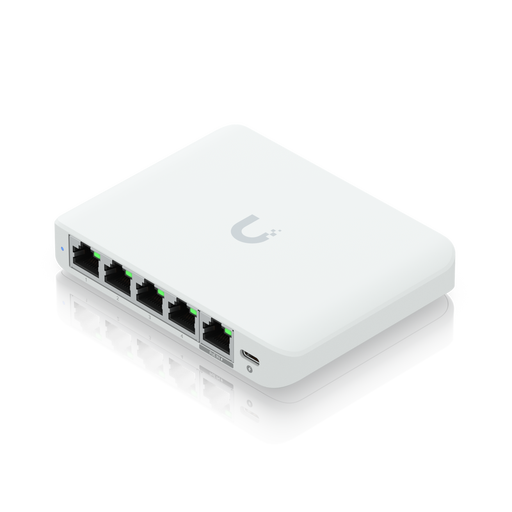 No image available
For local transfers between a workstation and NAS, provided both devices support 2.5 GbE.
2.5 GbE Ethernet (100/1000/2500); PoE is mentioned in the product name.
 No image available
A good fit if you need to power compatible extra devices over Ethernet as well as connect your wired devices. PoE offers no additional data benefit for a standard workstation connection.
5 Gigabit ports, including 4 PoE+ ports; 60 W PoE budget; fanless metal casing.
 No image available
For extra wired Gigabit connections when four ports for devices, after allowing for the uplink, are enough.
5 ports with 10/100/1000 Mbit/s; auto-negotiation and Auto-MDI/MDIX; the description specifies fanless operation.
 No image available
For a network where you want to power PoE+ devices or use management features such as VLAN, as well as make use of Gigabit connections.
5 Gigabit ports, including 4 PoE+ ports with a 65 W total budget; VLAN, QoS and IGMP Snooping; fanless design.
With one port used for the uplink, four ports remain for devices.
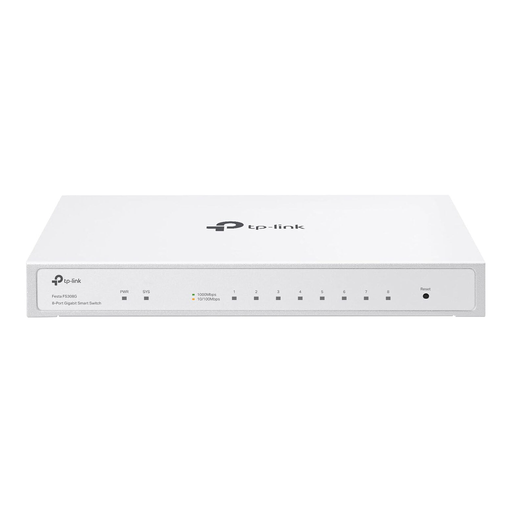 No image available
For several wired devices and a network that needs manageable features.
8 Gigabit RJ45 ports; VLAN, ACL, static routing and IGMP Snooping; fanless design.
There isn’t a single answer for every student residence. Studierendenwerk OstNiedersachsen describes a LAN connection using DHCP, while Studiwerk Trier refers to a separate usage agreement for certain residences. Check your provider’s rules and connection type, as a standard switch does not replace any authentication that may be required.
It’s useful for local transfers if both your workstation and NAS support 2.5 GbE and the entire connection path is compatible. A faster switch on its own won’t speed up a slower device or a slower uplink.
Not for a standard Ethernet data connection to your workstation. PoE may be useful if you want to power a compatible extra device through the network cable. If so, check the required standard, power needs and available total power budget.
If one port is used to connect to your existing network, four ports remain for devices. Count your workstation, NAS and any other devices you plan to connect before choosing the number of ports.
Check the compliance information applicable to the specific device in the listing. Germany’s Federal Network Agency explains the requirements for electromagnetic compatibility. According to the EU, CE marking is required only for products covered by relevant harmonised legislation. A general model description does not automatically confirm that a particular listing is compliant.