Spreadsheet and document users
If you work with loan records and research materials side by side, you need a clear display and enough screen space. Dell Germany and Lenovo Germany list screen size and resolution among the factors to consider.


For spreadsheets and documents, a 27-inch QHD monitor is a useful point of comparison if you have enough desk space and viewing distance. If space is tight, an adjustable 23.8- or 24-inch model is a more compact starting point. QHD is also available at 23.8 inches, as Dell Germany states for the P2425D, so you don’t need a larger screen. USB-C docking is only suitable if your laptop and monitor support video transmission and the required charging power. Also check the stand dimensions and the EU energy label for the specific model.
If you work with loan records and research materials side by side, you need a clear display and enough screen space. Dell Germany and Lenovo Germany list screen size and resolution among the factors to consider.
If your monitor, laptop and study materials need to fit into a limited space, screen size, stand dimensions and adjustability all matter. Philips Germany and Lenovo Germany list screen size and features as selection criteria.
If you regularly connect your laptop at your desk and want to reduce the number of cables, check video transmission and charging power. Dell Germany, Philips Germany and LG Germany document USB-C features for specific models.
When working with loan records in a student room, it’s worth weighing up screen space and desk footprint first, followed by laptop compatibility and power consumption.
| Purchase consideration | What to check before buying | Who will find this particularly important? |
|---|---|---|
| Screen space for data and documents | The screen size and native resolution of the specific model; if you need more room, check its footprint too. | When I’m working with a spreadsheet and research materials side by side, I want to switch between windows without losing track of things. Around 33% of consumers give screen space their top priority. |
| Limited desk space | Compare the width and depth, including the stand, as well as height and tilt adjustment. | On a small desk, the monitor, laptop and papers all need to fit together. Around 27% of consumers focus above all on the desk space required. |
| Laptop connectivity | Check the laptop’s video output, a compatible monitor input and USB-C charging power. | If you regularly connect your laptop, you’ll want to use the monitor for the video signal and, where possible, power too. Around 20% of consumers prioritise easy laptop connectivity. |
| Purchase and running costs | Choose only the features you need and compare the EU energy label for the specific model. | If you want to avoid unnecessary features and ongoing electricity costs, consider how the features match your own workflow. Around 20% of consumers put total costs first. |
A USB-C port alone doesn’t guarantee suitable video transmission or enough charging power. For example, the LG 27U631A-B is specified with 15 W Power Delivery.
Check the video features of both your laptop and monitor, and make sure the charging power meets your laptop’s needs.
If the charging power isn’t sufficient, you may still need to keep your laptop’s separate power adapter on your desk.
The 23.8-inch models documented by Dell Germany and Philips Germany differ in resolution, with specifications ranging from Full HD to QHD. You can’t tell from the screen size alone how much desk depth the stand requires either.
Check the native resolution and the full dimensions of the specific model when set up.
Germany’s Verbraucherzentrale distinguishes statutory rights against the seller from a voluntary warranty.
Keep your proof of purchase and warranty terms, and check your statutory rights against the seller separately if a fault develops.
Dell Germany documents compact QHD models as well as a 27-inch QHD model, making them useful for comparing footprint and features.
The Philips Business Monitor 243S1/00 is a documented example of a 23.8-inch model with USB-C docking.
LG documents, among other options, a 27-inch QHD model with USB-C and a separate 27-inch UHD model.
This selection mainly features 27-inch models with QHD or higher resolution for spreadsheets and documents. Check that USB-C charging power and desk footprint suit your laptop and desk.
 No image available
A 27-inch QHD model for working with spreadsheets and supporting documents.
27 inches, QHD, IPS. USB-C with 15 W Power Delivery is specified; check whether this charging power is enough for your laptop.
 No image available
The 27-inch QHD format is designed for displaying spreadsheets and documents.
The product name specifies 2,560 × 1,440 pixels and a SuperSpeed IPS panel.
 No image available
A 27-inch model with 4K UHD resolution for working with data and documents.
The product name specifies 3,840 × 2,160 pixels, IPS and USB-C with 90 W Power Delivery.
 No image available
This 27-inch 4K model is another option for displaying spreadsheets and documents.
The product name specifies 4K at 160 Hz or FHD at 320 Hz, as well as USB-C with 65 W.
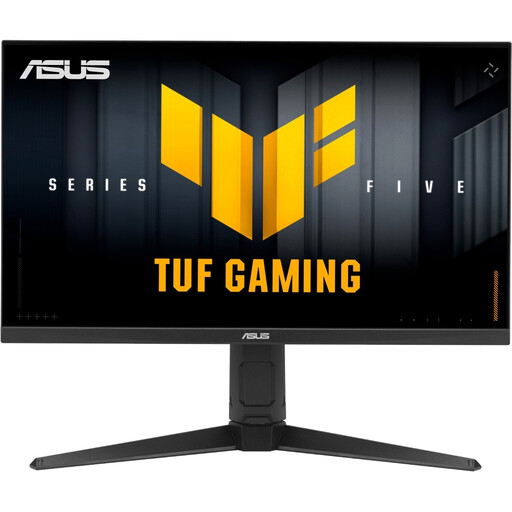 No image available
A 27-inch WQHD model for working with loan records and documents.
The product name specifies 2,560 × 1,440 pixels and an IPS panel.
It depends on how many windows you use at once and how much space you have, including room for the stand. Manufacturer specifications from Dell Germany show QHD at both 23.8 and 27 inches, so a larger screen isn’t essential for QHD.
No, you can’t tell from the USB-C port alone. Check the video output of your laptop port and the monitor’s Power Delivery rating against your charging needs. For example, LG specifies 15 W for the 27U631A-B model.
Measure the space required, including the stand, and check the adjustment options offered by your chosen model. Follow the instructions for the specific device when cleaning and assembling it. Germany’s ASR A6 applies to workplaces within its scope and isn’t a blanket purchase requirement for a private student room.
Compare the EU energy label for each monitor rather than assuming its power consumption from its size alone; the European Commission explains the labelling of electronic displays. When buying from a business seller, statutory rights for faulty goods are separate from a voluntary manufacturer’s warranty, as Verbraucherzentrale explains. A 14-day right to cancel generally applies to ordinary online purchases; conditions and exceptions should be checked for each individual case.