If you often work alongside other people, a mouse with explicitly quiet buttons is a sensible place to start. For long data-entry sessions, a comfortable shape and enough room for your mouse and arm matter too. Before buying, check whether your laptop supports Bluetooth or has a free port for the wireless receiver, then decide whether you’d prefer batteries, a rechargeable battery or a cable.
Which mouse matters for whom
Being considerate of housemates
If you sort recipes in the evening or in a shared room, explicitly quiet buttons may be an important factor in your choice. Hama describes the WM-400 as having quiet buttons; that doesn’t mean every wireless mouse clicks quietly.
Long recipe-entry sessions
If you’re adding lots of entries one after another, make sure the size and shape suit your hand and that there’s room on the desk for your mouse and arm. The German Federal Institute for Occupational Safety and Health (BAuA) highlights the benefits of being able to position your mouse and keyboard flexibly, as well as having support for your hand and arm.
Working with a laptop
If your laptop has few ports or you switch between devices, check how the specific mouse connects and whether it’s compatible with your devices. Bluetooth and a USB receiver are different ways of connecting; for multi-device models, also check which connection options are actually available.
What to look for when buying
If you share a room, check how quiet the mouse is first. Then consider the fit and the space you’ll need for longer sessions, followed by the connection and power supply of the specific model.
| What matters |
What to check before buying |
Who this matters most to |
| Click noise |
Look for buttons described as explicitly quiet; the term “wireless mouse” says nothing about how loud the clicks are. |
If I’m clicking through lots of recipes in a shared room or late at night, I want to disturb others as little as possible. That’s why around 33% of consumers put quiet buttons first. |
| Fit and space |
Check the size and handedness of the specific version, and make sure there’s room for your mouse and arm. |
For long data-entry sessions, I want a mouse that suits my hand and is easy to position on my desk. That’s why around 25% of consumers prioritise fit. |
| Device connection |
Check whether your laptop supports Bluetooth or has a free, suitable port for the receiver. |
If I use a laptop with few ports or switch between devices, I want a connection that works with my setup. That’s why around 25% of consumers put device connectivity first. |
| Power supply |
Check whether the specific version uses batteries, a rechargeable battery or a cable, and what’s included in the box. |
If I want to minimise battery changes and charging, I compare the power supplies rather than focusing only on wireless use. Around 17% of consumers prioritise how much upkeep the power supply requires. |
Common misconceptions
-
“Wireless” doesn’t mean “no free port needed”
A mouse with a USB wireless receiver needs a suitable port. According to the manufacturer, the CHERRY MW 2400 requires USB-A; Bluetooth is a different connection and must be supported by your device.
Before choosing, check your laptop’s ports and Bluetooth support against the specifications for the specific mouse.
-
Similar model names don’t always mean identical versions
According to Logitech, the M650 family includes versions in different sizes and for different handedness. A large version or one designed for left-handed users won’t automatically suit every hand.
Check the full model name, handedness and recommended hand size.
-
Wireless models have different power supplies
According to the manufacturer, the CHERRY MW 2400 comes with one AA battery, while the Trust Ozaa Compact has a rechargeable battery. This means they differ in how often you’ll need to change batteries or recharge.
Compare the power supply and what’s included for the exact version with your usage habits.
Brands to consider
Logitech
According to Logitech, the Signature M650 family comes in different sizes and versions for different handedness, with Bluetooth or Logi Bolt connectivity.
- Logitech recommends the M650 for small to medium-sized hands, the M650 L for large hands and the M650 L Left for left-handed users.
- Check the exact version: size and handedness don’t carry over from one model to another.
CHERRY
According to the manufacturer, the CHERRY MW 2400 is an ambidextrous wireless mouse with three buttons and a USB-A nano receiver.
- According to CHERRY, an AA battery and the nano receiver are included.
- This model requires USB-A; Bluetooth and explicitly quiet buttons aren’t listed for this mouse.
Trust
Trust describes the Ozaa Compact as a compact mouse with several connection options and a rechargeable battery.
- According to Trust, it can connect via a wireless receiver or Bluetooth, and the manufacturer says it supports up to three devices.
- A compact shape doesn’t guarantee that the mouse will suit every hand.
Hama
Hama describes the WM-400 as a mouse with quiet buttons and browser side buttons for going back and forwards.
- The side buttons can be useful when switching between recipe pages.
- The WM-400 version described is designed for right-handed users and uses a USB-A wireless receiver and two AAA batteries.
HP
HP describes the Wireless Mouse 200 as a basic wireless mouse for left- and right-handed users, with a USB-A dongle.
- According to HP, two AAA batteries are included.
- For this model, HP specifies USB-A wireless connectivity, not Bluetooth or explicitly quiet buttons.
Joybuy products
The Joybuy products below include quiet wireless mice with Bluetooth or a USB receiver, as well as a wired option to suit different connection and space requirements.
 No image available
HOFOTEK M311 2.4G+BT Silent Office Mouse
An option if you’re looking for quiet buttons and connections to multiple devices.
2.4 GHz wireless and Bluetooth; adjustable DPI settings; ergonomic design in White-Grey; 1× AA battery.
View at Joybuy
 No image available
Philips 3000 Series Wireless Mouse SPK7378B/00
A wireless mouse for anyone looking for explicitly quiet clicks while sorting recipes.
2.4 GHz wireless with USB receiver; 1600 DPI; EU version in Black.
View at Joybuy
 No image available
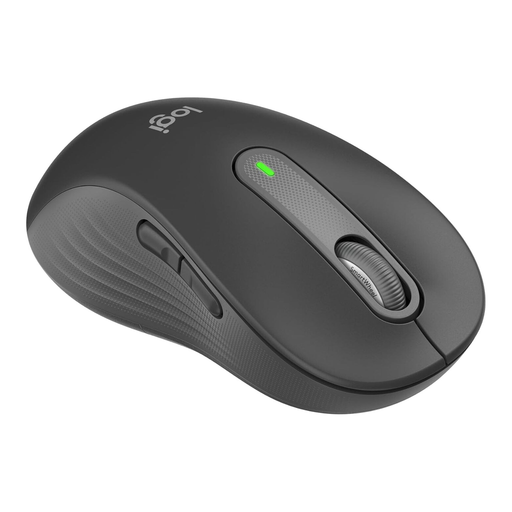
Logitech Signature M650 L Left, Graphite
According to the product name, this version is designed for large left hands and features SilentTouch clicks.
Bluetooth and Logi Bolt; customisable side buttons.
View at Joybuy
 No image available
Logitech Signature M650 L, Graphite
A version for large hands if you’re looking for quiet clicks and a wireless connection.
Bluetooth and Logi Bolt receiver; customisable side buttons.
View at Joybuy
 No image available
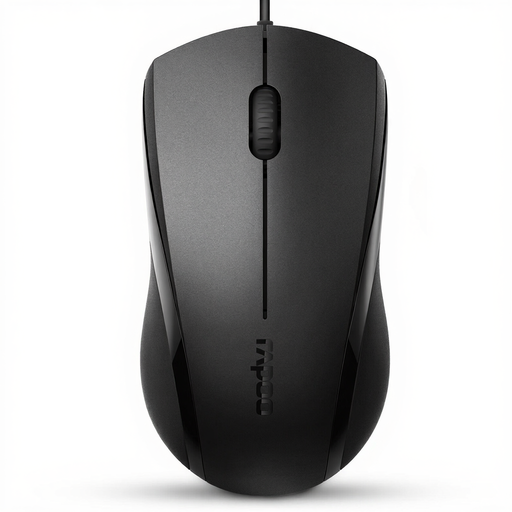
RAPOO N1600 Wired Mouse
A wired option if you’d rather not change batteries or recharge a battery.
USB cable; 1000 DPI; three buttons; symmetrical design for left and right hands. According to the product description, the left and right buttons are quiet, but the middle button isn’t silent.
View at Joybuy
Frequently asked questions
Do I need a free USB port for a wireless mouse?
Not necessarily: a mouse with compatible Bluetooth can pair without a wireless receiver. According to the manufacturer, the CHERRY MW 2400 requires USB-A; the Logitech Signature M650 offers Bluetooth Low Energy or Logi Bolt. Check which connection your laptop supports.
What should I bear in mind with a small desk?
Leave enough room to position your mouse freely and rest your arm. The BAuA recommends positioning your mouse and keyboard appropriately and supporting your hand and arm; ergonomic guidance is not a promise that it will treat any discomfort.
What applies if a product is faulty: a guarantee or your statutory rights?
For new goods in Germany, you generally have two years of statutory consumer rights against the seller; a guarantee is a separate, voluntary offer. Since 31 July 2026, the Verbraucherzentrale (German Consumer Advice Centre) says the period may be extended to three years for covered goods if you choose a repair rather than a replacement when a fault occurs within the first two years. This does not apply across the board to every product category.
Can I put an old mouse in household waste?
No. The German Environment Agency advises that waste electrical equipment should be collected separately, for example at local collection points or suitable take-back points. Removable batteries should be taken separately to a battery collection point.


