Digital photo gallery
You mainly want to display your pictures on a screen in your room and edit them occasionally. Size, display mode and desk space can all help you choose.


For a mainly digital photo gallery, what matters is a suitable colour mode, a usable resolution and enough room on your desk; an especially wide Adobe RGB colour gamut isn’t automatically essential. If you’re assessing images for print, profiling and the colour gamut required for your specific workflow become more important: Adobe recommends creating a monitor profile as the first step towards consistent colours. If you use a laptop, check its video output, connections and any charging requirements separately.
You mainly want to display your pictures on a screen in your room and edit them occasionally. Size, display mode and desk space can all help you choose.
You also edit images for printing and need a reliable colour-management workflow, rather than simply punchier screen colours.
Your monitor needs to fit alongside your study materials and connect to your laptop in a practical way.
First decide whether you’ll only be displaying images digitally or also assessing them for print. Then check the monitor size and connections against your desk and laptop.
| Priority | What to check when buying | Who is this important to? |
|---|---|---|
| Digital image display | Consider resolution and screen size together, and check whether an sRGB mode is available. | If I mainly display photos digitally and edit them now and then, I want to choose a display and workspace that suit my needs. Around 40% of consumers put digital display first. |
| Colours for printing | Check the specific model’s colour gamut and profiling options, and consider the print workflow you intend to use. | If I need to assess colours for printed gallery images, I look for a suitable colour-management workflow. Around 30% of consumers prioritise preparing images for print. |
| Limited desk space | Compare your available desk space with the model’s dimensions, including its stand. | If I need to keep desk space free for study materials too, the monitor and stand must fit the space I have. Around 20% of consumers prioritise the amount of space a monitor takes up. |
| Laptop and everyday use | Check that your laptop’s video output and charging requirements match the monitor’s connections. For power consumption, refer to the EU energy label for the specific model. | If I want to use the monitor with my existing laptop and often leave it switched on, I check the connection and stated energy consumption. Around 10% of consumers prioritise laptop connectivity and everyday use. |
A stated colour gamut is no substitute for a monitor profile or matching the display to the print process you intend to use.
First decide whether your gallery will stay digital or be printed. If you’re assessing prints, plan for profiling and colour management that suit your output method.
Profiling and matching the display to the print process take extra effort.
The screen diagonal doesn’t tell you how much width and depth the monitor will take up on your desk.
Measure the available desk space and compare it with the dimensions of your chosen model, including the stand.
A USB-C port on the monitor doesn’t, by itself, confirm that your laptop supports video output or that the charging power will be sufficient.
Check your specific laptop’s video output and charging requirements, along with the cable you’ll need, against the monitor’s connections.
Depending on your laptop, you may also need a separate video cable or power supply.
The DesignVue PD2705U is an option for digital photo galleries and design work, with a 27-inch 4K screen and an sRGB mode specified by the manufacturer.
According to its German data sheet, the ProArt PA279CRV combines a 27-inch 4K screen with selectable colour modes and USB-C.
The ColorEdge CS2400S is designed for people who want to edit photo colours carefully and calibrate their monitor.
According to LG’s German product page, the UltraFine 27UP850K-W is a 27-inch 4K IPS monitor with USB-C and an adjustable stand.
According to Dell’s German product page, the UltraSharp U2725QE combines a 27-inch 4K monitor with a Thunderbolt hub and an adjustable stand.
These product options are for a digital photo gallery and use with a laptop or desktop. Check the listed connections and dimensions against your own setup.
 No image available
An option for displaying photos digitally if you’re looking for a portable monitor with a stated sRGB figure.
IPS display, 23.8 inches, 100 Hz, 100% sRGB and 1920 × 1200 pixels, according to the product information.
 No image available
A compact option for a digital gallery on your laptop, if you need a portable screen that will fit on your desk.
Full HD 1080P, IPS, USB-C and HDMI, with a smart-cover stand and VESA mounting, according to the product information.
 No image available
A large-screen option for a digital gallery, provided you have enough room on your desk.
IPS, 5120 × 2160 pixels, 99% sRGB and 65 W USB-C Power Delivery, according to the product information. The dimensions with the stand are 944.1 × 573.5 × 241.1 mm.
 No image available
A portable option for digital display if you’re looking for a larger mobile screen.
Full HD with 1920 × 1080 pixels, matt IPS display, USB-C and Mini-HDMI. According to the product information, refresh rates of up to 120 Hz depend on the device and cable used.
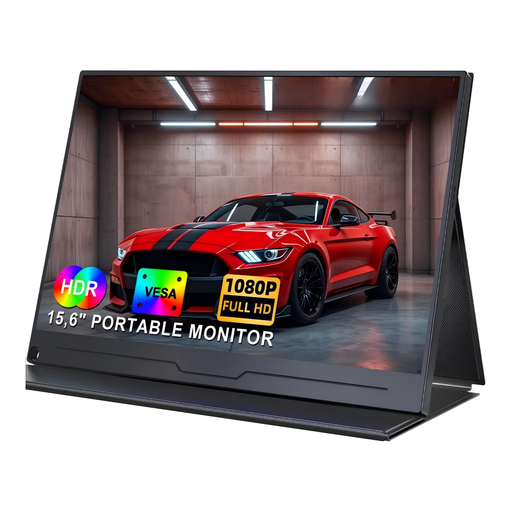 No image available
A portable option for displaying digital photos from a laptop or PC.
Full HD with 1920 × 1080 pixels, IPS, HDR, USB-C and VESA support, according to the product information. For video output over USB-C, the connected device must support video output.
If you use Windows as your image source, Microsoft says you can select a folder of pictures as a desktop slideshow and set how often the images change. Check separately how your computer sends the video signal to the monitor; this doesn’t assume that the monitor itself has a slideshow feature.
If you want to make reliable colour decisions, a monitor profile is part of colour management. Adobe describes creating one as the first step towards consistent colours. Whether hardware calibration is possible depends on the model: EIZO specifically describes this feature for the CS2400S.
Compare the stated energy consumption of the specific monitors instead of estimating a cost in euros based only on screen size or efficiency class. The European Commission includes computer monitors among the electronic displays covered by energy labelling; actual electricity costs also depend on how long you use the monitor and your electricity tariff.
When buying from a business seller, you generally have statutory warranty rights for at least two years from the date you receive the goods. Online purchases also generally come with a 14-day right to cancel, starting from receipt; statutory exceptions and the specific contract should be taken into account.
EU energy-labelling rules apply to electronic displays such as standard computer monitors. Not all specialist display categories are treated in the same way; digital photo frames are listed separately in the relevant EU summary.