Students who need to plan
If you’re organising appointments, communication and image ideas from your student room, you don’t automatically need a laptop designed for video editing.


A compact student laptop is usually enough for scheduling, communication and collecting image ideas; you don’t automatically need a mobile video workstation. If you edit lots of RAW photos or 4K videos yourself, check the display, memory, media connections and storage against your software requirements: Adobe recommends at least 32 GB of RAM for Premiere on Windows at 4K and above. Keep important files backed up separately from your laptop, too; Germany’s Federal Office for Information Security recommends regular backups.
If you’re organising appointments, communication and image ideas from your student room, you don’t automatically need a laptop designed for video editing.
If you sort through and edit wedding photos yourself, the specific specification and a display suited to your work matter more than a one-size-fits-all recommendation for student life.
If you edit wedding videos yourself, check the requirements of your editing software and the video format you’ll be working with before you buy.
A good fit if: you mainly manage appointments, messages and a selection of images.
Consider: Check the ports and SSD capacity if you want to store lots of files locally or connect memory cards.
A good fit if: you sort through and edit wedding photos yourself, choosing a display and specification to suit the job.
Consider: A larger display and a higher specification can take up more space or cost more; a high-resolution display alone doesn’t prove colour accuracy has been measured.
A good fit if: you actually edit wedding videos yourself in suitable software.
Consider: Adobe recommends 32 GB of RAM or more for Premiere on Windows at 4K and above. This recommendation applies to that workflow, not to planning alone.
| Buying consideration | What to check before buying | Who it matters most to |
|---|---|---|
| Cost and specification | Compare the RAM, SSD, keyboard and total cost of the specific configuration; don’t assume the specification from the model name alone. | If I’m mainly organising appointments, messages and image ideas in my student room, I don’t want to pay for editing headroom I’ll rarely use. Around 33% of consumers prioritise cost and a specification that meets their needs for planning. |
| Editing your own photos | Check the image format and software you’ll use, then look at the display, RAM and SSD of the specific configuration. If colour accuracy is important, independent display measurements are relevant. | If I want to sort through and edit RAW images myself, I need the right combination of display and specification. Around 25% of consumers prioritise editing their own photos. |
| Portability and space | Check the format, weight, display size, keyboard and ports of the configuration you’re considering; advertised battery life isn’t a measure of how long it will last in your workflow. | If desk space is limited and I also need to take my laptop to meetings, size and portability matter to me. Around 17% of consumers put portability and space requirements first. |
| Files and backups | Allow enough storage for your files and check how to import them, as well as how to back them up regularly to a separate device. | If I want to make sure wedding files aren’t stored only on my laptop in case it’s lost, I plan to back them up separately. Around 17% of consumers prioritise file management and backups. |
| Editing your own 4K videos | Check the requirements of the specific software and operating system. Adobe recommends at least 32 GB of RAM for Premiere on Windows at 4K and above. | If I want to edit wedding videos in 4K myself, I check the software requirements rather than relying on a label such as ‘creative’. Around 8% of consumers put editing their own videos first. |
Planning, photo editing and 4K video editing are different workflows. Adobe’s 4K recommendation for Premiere doesn’t apply to organisation alone.
First, write down which tasks you’ll do on the laptop yourself. Then check what specification you’ll need for them.
Paying for editing or video capabilities you won’t use can mean spending more than you need to for planning.
If your photos are stored only on your laptop, they could be lost if the device is lost or damaged.
Plan to keep a backup separate from your laptop, and check that you can restore files from it. Germany’s Federal Office for Information Security recommends regular backups.
A separate backup device and regular checks take extra time and effort.
RAM, SSD capacity and what’s included in the box can vary between configurations.
Before you buy, check the full specification, ports and included accessories for the specific product configuration.
The ThinkPad E14 Gen 7 AMD is one example of a 14-inch Windows laptop for planning and other tasks; the specification depends on the configuration.
The MacBook Air M5 is a compact macOS option for organisation and, if needed, photo editing.
The MagicBook Pro 14 is worth considering if you’d like more screen space for reviewing images in a compact device.
The XPS 13 DX13260 is a compact Windows option for planning and working on the go.
The ProArt P16 range is relevant if you’re planning a more demanding photo or video workflow, but it isn’t automatically the right choice for organisation alone.
Depending on the configuration, the models below are suited to planning and communication in a small space, or to editing your own photos. Check the specific configuration and its ports; the 16-inch model needs more space than compact devices.
 No product image available
For reviewing and editing your own photos if you’re looking for a compact 2-in-1 device.
32 GB RAM, 1 TB SSD and 2.8K OLED touchscreen.
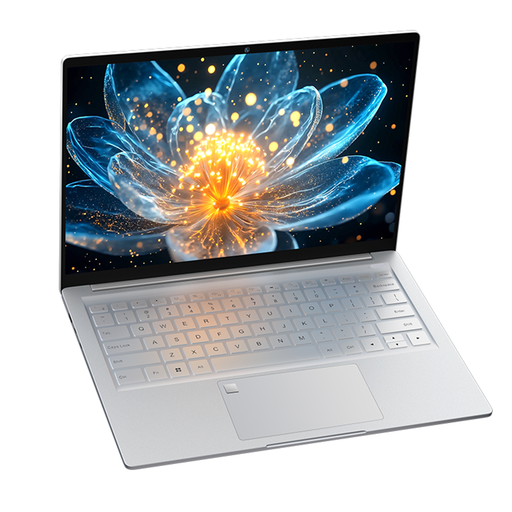 No product image available
For planning and working on the go if keeping your device lightweight is important for your workspace.
2.2K IPS display with 2240 × 1400 pixels, 512 GB SSD and a stated weight of 1 kg.
 No product image available
For planning and communication at a small desk if you’re looking for a 13-inch model with a German QWERTZ keyboard.
8 GB unified memory and 512 GB SSD. According to the product description, a power adapter isn’t included; charging requires a USB-C power adapter or another USB PD power source rated at least 20 W.
 No product image available
For basic planning and communication if you’re looking for a compact device.
FHD display and 256 GB SSD; expandable up to 1 TB according to the model specification. The listing states 8 GB RAM.
 No product image available
For editing your own images if a larger display will fit in your workspace.
The listing names 128 GB DDR5, a 2 TB SSD and Windows 11 Pro; the description lists a UHD+ OLED display. At 16 inches, it’s less suited to a small desk than a compact model.
Not just for scheduling and communication. Check the hardware requirements for video editing only if you’ll be editing videos yourself; Adobe’s recommendations for Premiere relate to the specific editing workflow.
Keep your files organised and regularly back up important photos and documents to a device separate from your laptop. Germany’s Federal Office for Information Security also recommends checking that you can restore backed-up files. A larger laptop SSD on its own isn’t a backup.
For the specific configuration, check whether a suitable power adapter is included and whether you’ll need adapters for memory cards or backup drives. Some listings don’t include a charger.
For a faulty consumer purchase, contact the seller about your statutory rights. According to Your Europe, the EU minimum guarantee period is two years from the date you receive the goods; an additional manufacturer’s warranty doesn’t replace these statutory rights. This is separate from the right to cancel an online purchase.