Dialogue editor at a shared workstation
You’re checking quiet speech details, while background noise or other people make passive isolation important. Audio-Technica describes closed-back designs as a way to reduce external noise and sound leakage.


When restoring dialogue at a two-screen workstation, your listening environment is the first thing to consider. In a shared or noisy room, passive isolation makes closed-back headphones a sensible choice; in a quiet room, open-back models may be worth considering. Audio-Technica says closed-back designs provide greater isolation, but that doesn’t guarantee a comfortable fit or a neutral sound profile. Check the fit during longer sessions, the audio output you’ll actually use and the cable route. Compare edited dialogue with material you know well – no headphone design guarantees you’ll catch every artefact.
You’re checking quiet speech details, while background noise or other people make passive isolation important. Audio-Technica describes closed-back designs as a way to reduce external noise and sound leakage.
You can listen without interruption and want to consider open-back studio headphones. This design does, however, require a quiet workspace.
You switch between two screens and pay particular attention to fit, replaceable ear pads and a cable route that stays clear of your workspace.
A good fit if: You check dialogue in a shared or noticeably noisy space, or want to avoid disturbing others with sound from your ear cups.
Bear in mind: Isolation also depends on fit and doesn’t automatically mean a neutral sound profile. HIFI.DE says the DT 700 PRO X has an emphasised bass response that can mask studio details.
A good fit if: You usually listen in a quiet space and open ear cups won’t disturb anyone at your workstation. The DT 900 PRO X and HD 490 PRO are documented open-back studio models.
Bear in mind: Open-back models don’t offer comparable isolation from ambient noise and let sound escape. According to Sennheiser, the two sets of ear pads supplied with the HD 490 PRO have different sound profiles.
At a two-screen workstation, the number of screens doesn’t determine the headphone connection you need. What matters is the actual route from your headphones to your computer or audio interface.
| What matters | What to check before buying | Who it matters most to |
|---|---|---|
| Speech details and artefacts | Compare familiar edited and unedited passages at a similar volume; listen for clicks, dropouts and remaining noise. | If I need to check dialogue for clicks and other signs of processing, listening back is my priority. Around 36% of consumers prioritise checking for these artefacts. |
| Isolation and sound leakage | Check how quiet your workspace actually is and how the ear pads fit. Audio-Technica says closed-back designs can reduce external noise and sound leakage. | If other people or background noise are a distraction at my editing desk, isolation is a key concern. Around 29% of consumers put it first. |
| Fit and care | Check the fit with glasses on, too, and make sure you can get replacement ear pads for the exact model variant. | If I edit for several hours at a time, I want to avoid pressure points and be able to care for or replace the ear pads. Around 21% of consumers prioritise comfort and ear pad care. |
| Connection and cable routing | Measure the distance to the headphone output you’ll use and plan the cable route; check the plug, cable length and any adapters included with the model variant. | If the audio output is to the side or further away, I need a suitable connection and a cable that won’t run across my input devices. Around 14% of consumers prioritise connection and cable routing. |
Isolation and sound profile are two different things. HIFI.DE says the DT 700 PRO X has an emphasised bass response that can mask details during studio work.
Choose a design to suit your room and, where possible, compare critical speech passages with familiar material on a second listening system.
Open-back models won’t solve problems caused by external noise or sound reaching other people in your workspace.
First, check how quiet your listening space is. If you’re likely to be disturbed, consider a closed-back option.
Cable length and which side the cable connects to affect whether it will reach the audio output without crossing your workspace. Adapters are only useful if they match the output you have.
Plan the cable route and check which cables, adapters and replacement parts are specified for the exact model name.
The DT 700 PRO X and DT 900 PRO X are wired options with closed-back and open-back designs respectively. The manufacturer documents detachable cables and model-specific replacement parts.
The closed-back M Series is worth considering if passive isolation matters. Audio-Technica lists a detachable cable for the ATH-M50x.
The open-back HD 490 PRO is an option for a quiet editing space. Sennheiser lists a choice of cable side and replaceable ear pads.
The closed-back, wired NTH-100 is an option for audio editing if you need to choose whether the cable runs to the left or right.
The following closed-back over-ear headphones are options for shared or noisier workspaces. For critical dialogue monitoring, check the sound profile against material you know well; product information alone doesn’t prove that a model is suitable as a reference studio headphone.
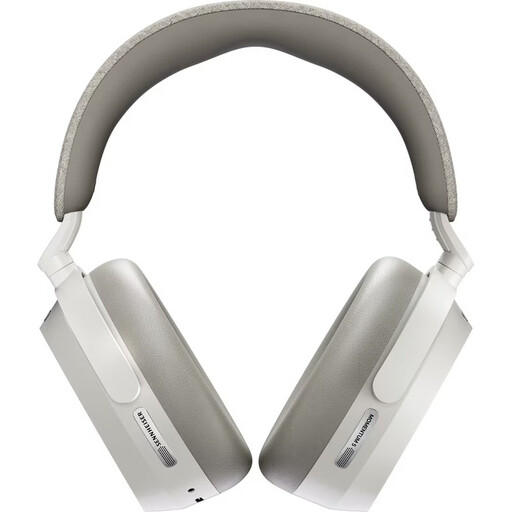 No image available
The closed-back design and stated noise cancellation may be useful in a shared listening space. For dialogue monitoring, check the sound profile against material you know well.
The product information lists Bluetooth 5.4, Dolby Atmos, up to 57 hours of playback and a replaceable battery. A 3.5 mm audio cable is specified for wired listening.
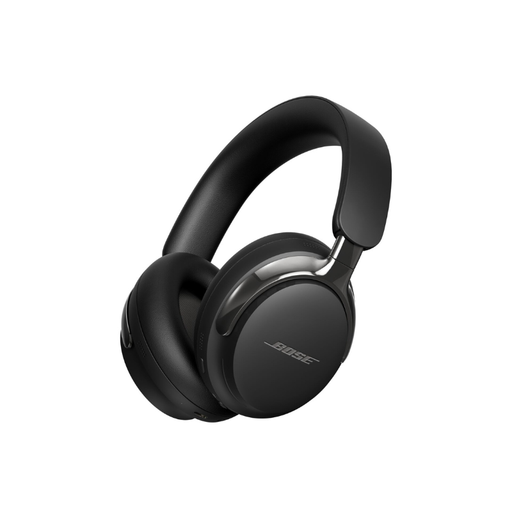 No image available
The stated noise cancellation and audio cable for wired listening may be useful in a noisy workspace. Check the playback of your own dialogue passages separately.
The product information lists Bluetooth 5.3, a 3.5 mm audio connection, a foldable design and a carry case.
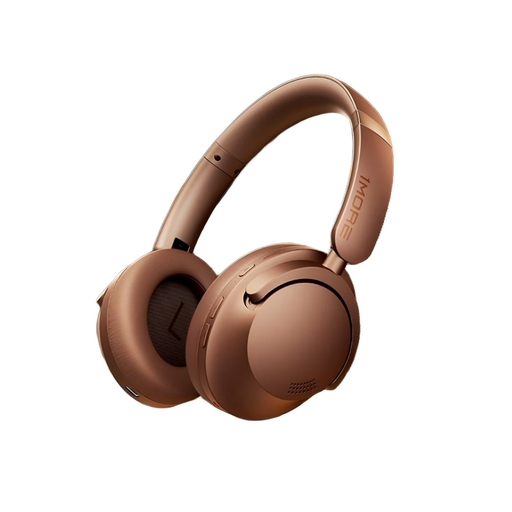 No image available
The product description lists noise cancellation and memory foam ear pads, which may be useful in a noisy listening space or during longer sessions. Check the fit and speech playback for yourself.
This model is described as a wireless over-ear headphone.
No, the number of screens doesn’t determine the headphone connection. Check the output on the computer or audio interface you use, along with the plug, adapter and cable route for the specific model. For the DT 700 PRO X, the manufacturer lists a 3.5 mm connection plus a 6.35 mm adapter; RØDE specifies the same connection options for the NTH-100.
Compare familiar unedited and edited passages at as similar a volume as possible. iZotope describes audio artefacts as unintended or unwanted sounds that can arise during audio processing, recording or alteration. Listen for clicks, dropouts and newly introduced noise. If you’re using different ear pad sets, such as those supplied with the HD 490 PRO, use the same set for both listens.
Follow the instructions for your specific model and check which replacement ear pads fit. RØDE lists removable ear and headband cushions and a locking cable for the NTH-100; Sennheiser says the HD 490 PRO’s ear pads are washable and replaceable.
Your statutory rights against the seller are separate from any voluntary guarantee. According to the Verbraucherzentrale, most online purchases of goods generally come with a 14-day cancellation period from the date you receive them; you must notify the retailer that you wish to cancel. Check whether an exception applies and what return conditions apply to your purchase.
No, don’t turn the volume up more than necessary. The World Health Organization (WHO) notes that both volume and listening time affect the risk to your hearing, and gives 80 dB for up to 40 hours a week as an example of safe listening. You can’t directly work out whether you’re within this guideline from the position of a headphone volume control.