What should you consider when buying?
Closed-back headphones
A good choice if: you work alongside other people, background noise is distracting or you record vocals at the same desk.
The trade-off: This design limits sound leakage, but doesn’t guarantee complete quiet or a particular sound profile.
Open-back headphones
A good choice if: you can use the shared space on your own in peace, or sound leakage won’t disturb anyone.
The trade-off: Open-back headphones let in ambient noise and allow headphone sound to escape.
Semi-open headphones
A good choice if: you’re considering a middle ground and can check sound leakage at your specific workstation.
The trade-off: Semi-open doesn’t mean soundproof; the design alone doesn’t guarantee that people sitting nearby won’t be disturbed.
When editing a demo at a shared desk, consider sound leakage and isolation first, followed by how clearly you can hear details, comfort during longer sessions and whether the connection works with your existing device.
| What matters |
What to check when buying |
Who is this important to? |
| Sound leakage and isolation |
Check the design and how the ear pads fit; test what can be heard at the neighbouring desk at your usual listening volume. |
If I edit or record alongside other people, I want to disturb them as little as possible and keep headphone sound away from the microphone. That’s why around 40% of consumers prioritise sound leakage and isolation. |
| Detail and mix decisions |
Listen to vocals, transitions and instruments in your own demo, then check important decisions using a second playback method. |
When I’m assessing edits and spatial details, I need playback that lets me make informed decisions. Around 30% of consumers prioritise audible detail and mix decisions. |
| Comfort during longer sessions |
Try them on with your glasses and for the length of a typical work session; consider ear cup size, clamping force and replacement ear pads. |
When I’m working on a demo for a long time, my headphones should feel comfortable and not press on my head. Around 20% of consumers prioritise comfort during longer sessions. |
| Connection and replacement parts |
Check the plug against the headphone output you have; make sure replacement cables and ear pads are available for the exact model variant. |
If I’m connecting my headphones to a device I already own or may need to replace parts later, I want to find the right variant. Around 10% of consumers prioritise connections and replacement options. |
Related products at Joybuy
The following selection from Joybuy includes over-ear headphones. If you’re editing a demo at a shared desk, check that each model’s design and connection suit your specific monitoring setup.
 No image available
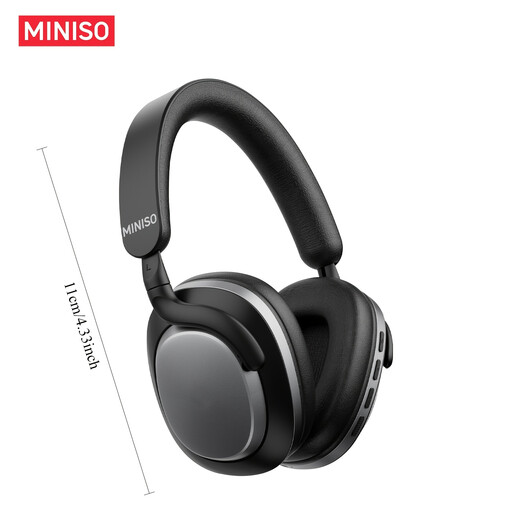
MINISO MG210 over-ear headphones, black
The product title mentions music and office use; check that the wireless design suits your monitoring setup.
The product title mentions noise cancelling and a 24-hour battery life.
Joybuy
 No image available
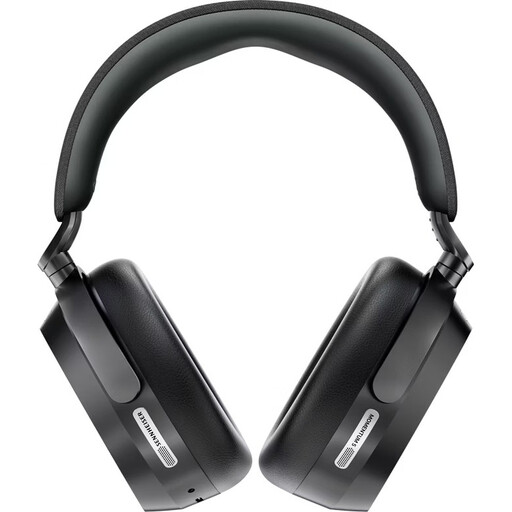
Sennheiser Momentum 5 wireless over-ear headphones, black
The closed-back design mentioned in the product title is relevant when comparing headphones for a shared desk; check that the wireless connection suits your setup.
The title mentions active noise cancellation, Bluetooth 5.4, a replaceable battery and up to 57 hours of battery life.
Joybuy
 No image available
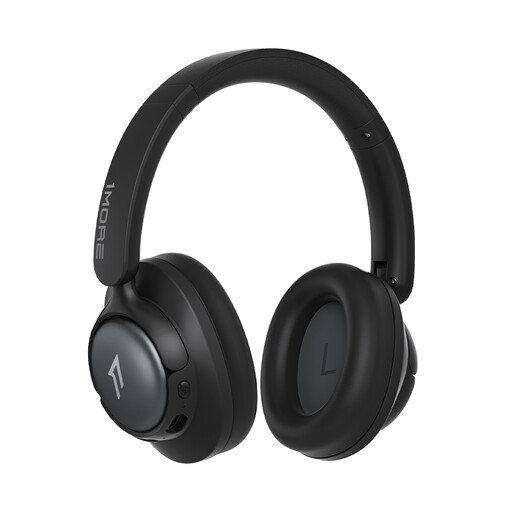
1MORE HQ31 SonoFlow SE over-ear headphones, oat white
The product title mentions home office use; for demo work, check that the wireless connection works with your monitoring setup.
The title mentions Hi-Res Audio, up to 90 hours of playback and app EQ presets.
Joybuy
 No image available
JBL LIVE 770NC wireless over-ear headphones, white
If you’re considering these over-ear headphones for your demo, check that the wireless design suits your monitoring setup.
The product title mentions noise cancelling and a microphone.
Joybuy
Frequently asked questions
Can I use open-back headphones to edit a demo at a shared desk?
Yes, if sound leakage won’t disturb anyone and you need to hear what’s going on around you. If someone is sitting right beside you or you’re recording vocals there, start by looking at closed-back models.
What should I check before my first editing session?
Connect the headphones to the output you’ll actually use, then check the fit and sound leakage with your own demo. For the DT 770 PRO, 80 Ohm, beyerdynamic lists a 3.5-mm plug with a 6.35-mm adapter; this specification doesn’t automatically apply to other models.
How can I keep my headphones in good condition for longer use?
Check whether ear pads and, where applicable, cables are available for your exact model variant. beyerdynamic lists replacement parts for the DT 770 PRO, 80 Ohm; Sennheiser describes the HD 490 PRO ear pads as washable and replaceable.
What are my rights if I buy faulty headphones from a business seller?
For a consumer purchase in the EU, you’re entitled to a legal guarantee of at least two years from the date you receive the goods. The seller is responsible for arranging a repair or replacement; this is separate from any voluntary manufacturer’s warranty. This EU information doesn’t apply to purchases from private individuals.


