A team sharing a studio network
If several people use the same network, check with your studio IT team first to find out whether VLANs or a particular uplink configuration are required.


Start by working out how many ports you need for your workstation, network storage and uplink. 2.5 Gbit/s ports are most useful when the connected devices and the link to your storage also support that speed. On a shared network, compatible VLAN and management features matter more than extra port speed; Dante audio brings its own switch configuration requirements. PoE should only affect your choice if the switch will actually power compatible devices.
If several people use the same network, check with your studio IT team first to find out whether VLANs or a particular uplink configuration are required.
If you regularly transfer large files between your workstation and network storage, check the speed of the entire connection – not just that of the new switch.
If Dante devices share the network, make sure the audio requirements and network management are coordinated. Audinate recommends disabling Energy Efficient Ethernet on ports carrying Dante traffic.
First decide how many ports you need and at what speed, then consider the network management features required, and finally whether you need PoE for devices you actually intend to power.
| What matters | What to check before buying | Who it's most important for |
|---|---|---|
| Port count and end-to-end speed | Remember to count the uplink port; check the speeds of your workstation, storage and the rest of the connection. | If I regularly connect my workstation and network storage, I need enough ports, including the uplink, and the right speed throughout the connection. Around 33% of consumers put ports and speed first. |
| Connecting to a shared network | Check VLAN requirements, the uplink and approval with the person responsible for network management. | If the studio IT team requires network segmentation, I want a switch that fits the existing configuration. Around 25% of consumers prioritise compatible network management. |
| Networked audio | For Dante traffic, disable EEE on the relevant ports and coordinate QoS and VLAN settings. | If Dante runs through the switch, the right configuration matters more to me than extra port speed. Around 25% of consumers put compatibility with networked audio first. |
| PoE and placement | Match the PoE standard and total power budget to your devices; consider the design if the switch will sit at your workstation. | If I want to power devices over their network cables or place the switch at my workstation, I check the PoE requirements and design. Around 17% of consumers prioritise power delivery or placement. |
The connection to your existing network also uses a switch port.
List your workstation, storage and other devices, and remember to count the uplink port too.
If you run out of ports, you may need an extra switch or a model with more ports.
The practical benefit also depends on the connected devices and the rest of the connections.
Check the ports on your workstation and storage, as well as the entire connection between them.
Audinate recommends disabling Energy Efficient Ethernet on ports carrying Dante traffic. An unsuitable configuration can affect synchronisation and audio transmission.
If you use Dante, check the EEE setting and network configuration with your studio IT team before choosing a switch.
Troubleshooting and audio dropouts can disrupt your work.
The number of PoE ports and the total power budget are two different things.
Compare the requirements of each device you plan to connect with both the port standard and the total power budget of the specific switch.
The models described offer different combinations of port speed and management features.
The range includes an unmanaged 2.5G switch and a manageable Gigabit PoE+ switch.
According to D-Link, the DMS-105 is a compact, fanless 5-port 2.5G switch that requires no configuration.
Ubiquiti's specifications cover both VLAN-capable models and different power options.
The following Joybuy products are Gigabit switches that give your studio extra ports. Depending on the model, they also offer management features, VLANs or PoE.
 No image available
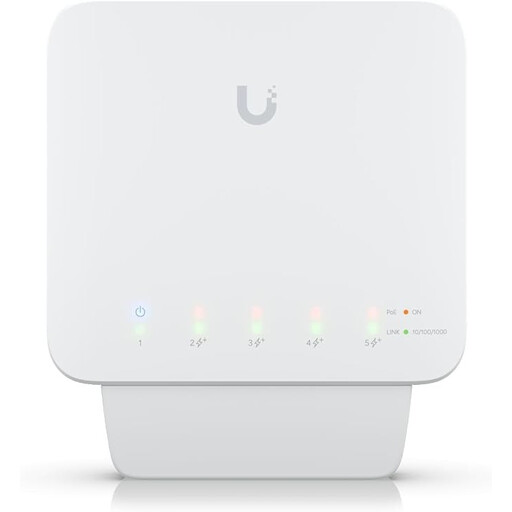
An option if you need extra Gigabit ports and VLAN features.
Five Gigabit RJ45 ports and four PoE+ outputs; up to 46 W of PoE power with a suitable power source. Requires a compatible PoE++ source or a 60 W PoE adapter; according to the product description, the adapter is not included.
 No image available
A compact way to add wired connections when you need VLAN or port isolation features.
Five Gigabit ports; according to the product description, it can be powered via USB-C or PoE. UniFi Network version 5.12.5 or later is specified for management.
 No image available
An option for adding Gigabit ports and connecting compatible devices that need PoE power.
Four PoE+ ports with a total power budget of 60 W; described as fanless in the product listing. EEE is listed. For Dante traffic, Audinate recommends disabling EEE on the relevant ports; check the configuration in advance.
 No image available
A good fit if you need to connect several wired devices and want management or VLAN features.
Eight Gigabit RJ45 ports and two SFP slots; described in the product listing as fanless and suitable for desktop or rack mounting. EEE is listed. For Dante traffic, Audinate recommends disabling EEE on the relevant ports; check the configuration in advance.
 No image available
An option if you want a switch with VLAN or QoS features that can also power compatible PoE devices.
Four PoE+ ports with a total power budget of up to 65 W; described in the product listing as fanless and suitable for desktop or wall mounting.
Check the planned uplink and any VLAN requirements with your network administrator. Remember to include the uplink when planning your ports. If you have connection problems, check the cables, link lights and whether anything has been misconfigured.
Don't decide based on port speed alone. If Dante traffic runs through specific ports, Audinate recommends disabling EEE on those ports. On a shared network, you also need to agree the appropriate network settings.
Only if you want to power additional devices through their network cables. If so, check their requirements against the PoE standard and the total power budget of the specific switch. PoE doesn't automatically increase port speed.
The German Federal Network Agency explains that products covered by relevant EU harmonisation legislation requiring CE marking must carry the mark. Check the marking and conformity of the specific device; a model name or search result alone is not proof. According to the Agency, CE marking does not mean that a product was made in the European Economic Area.