For a large archive that stays in one place, a suitably capacious desktop HDD is a sensible starting point. If you frequently move between computers, a portable HDD may be a better fit; for lots of large transfers, an SSD could work, provided its connection and capacity meet your needs. A usable backup must include the catalogue as well as the image files you need, and should be restorable: Adobe notes that Lightroom Classic’s catalogue backup does not include photos, while the Federal Office for Information Security includes restoration in its backup strategy.
Who should consider these options?
Studio with a growing photo archive
If you’re backing up lots of existing and new image folders, mainly at a fixed workstation, capacity and restorable copies are especially important. The Federal Office for Information Security stresses that you must also be able to restore your data.
Team working across multiple computers
If you switch between studio PCs or operating systems, check the connections, file system and access permissions in advance. For its documented Canvio Basics USB-C range, Toshiba notes that reformatting is required for use with macOS.
Photo team making frequent transfers
If you regularly copy large project folders between computers or take the drive with you, weigh up its form factor, capacity and connection requirements together. Manufacturer specifications for portable HDDs and SSDs apply to specific models and connection conditions.
What should you look for when buying?
In a shared studio, choose a drive to suit your main priority: enough space for your archive, a genuinely restorable copy, use across multiple computers or frequent transfers on the move.
| Priority |
What to check before buying |
Who needs it? |
| Archive capacity |
Compare the size of all image folders and planned backup versions with the capacity of the specific model. |
When I back up a growing archive, I need room for complete image folders and additional versions. Around 29% of consumers say having enough archive space is their main priority. |
| Restorability |
Include the catalogue and required image files; plan for a separate storage location and a practical restore test. |
I want to store the catalogue and required images separately, and check that I can restore them. Around 29% of consumers put a separate, restorable backup first. |
| Team use and access |
Check operating systems, connections and file systems; for personal images, clarify responsibilities and appropriate safeguards. |
When several computers are in use, I want to check the file system and access permissions in advance. Around 24% of consumers prioritise team compatibility and access suited to the data being stored. |
| Portable transfers |
Consider how often and how much you transfer, as well as the USB mode, cable and power requirements. |
For frequent transfers, I want to take large folders with me without overlooking the capacity I’ll need. Around 18% of consumers put portable transfers first. |
Avoid common misconceptions
-
Backing up only the photo catalogue
According to Adobe, Lightroom Classic’s built-in catalogue backup does not include edited photos or exports. Without these files, the catalogue alone may not contain everything you need to continue your work.
Before choosing a drive, identify where your catalogue, image files and required exports are stored, and include them in your backup plan.
As well as space for the catalogue, you’ll need to allow enough storage for image folders and exports.
-
Treating an archive drive or RAID as a complete backup
The Federal Office for Information Security distinguishes data backup from RAID mirroring: simultaneous changes can also affect mirrored data.
Keep a separate copy and test that you can restore the catalogue and required images from it.
A separate copy may require additional storage or another backup location kept apart from the original.
-
Assuming USB-C guarantees SSD speeds or immediate Mac compatibility
A matching connector alone doesn’t guarantee that the file system and connection will work with every studio computer. Toshiba says its documented, Windows-ready Canvio Basics USB-C HDD requires reformatting for use with macOS.
Check the operating system, USB mode and file system on every computer you plan to use, and allow time for any required formatting before copying data.
Formatting takes time; you should also check in advance which file systems the shared computers can read.
-
Treating a protective casing or data recovery service as a substitute for a second copy
Samsung says the T7 Shield’s IP65 rating is based on controlled tests; according to the manufacturer, liquid and dust damage are not covered by the warranty. A protective feature or service does not remove the need for a separate backup.
Check the terms for the specific model and, separately, keep a restorable copy in another location.
Relevant brands and product ranges
Seagate
Expansion Desktop is a desktop HDD range for large files; the STKP8000400 model is listed with 8 TB of capacity.
- Seagate specifies USB 3.0 and an 18-W power supply for the STKP8000400, so allow for a permanent spot near a socket.
- You’ll need to factor in the power supply when using it at a workstation. A single HDD is no substitute for a separate backup and a restore test.
Toshiba
Canvio Basics USB-C is a portable HDD range powered via USB, with models available up to 4 TB.
- Toshiba specifies a USB-C cable and USB power.
- The documented range is set up for Windows; Toshiba says reformatting is required for macOS.
Samsung
The T7 Shield portable SSD is worth considering for transfers on the move; the specifications here relate to the black 2-TB model MU-PE2T0S/EU.
- Samsung specifies read speeds of up to 1.050 MB/s and write speeds of up to 1.000 MB/s when the host and cable support USB 3.2 Gen 2 and UASP is enabled.
- Samsung says the IP65 rating is based on controlled tests. The product page states that liquid and dust damage are not covered by the warranty.
Crucial
The X9 Pro CT2000X9PROSSD9 is a portable 2 TB SSD for transfers and use with compatible devices.
- Crucial specifies sequential speeds of up to 1.050 MB/s, measured under the manufacturer’s conditions, and exFAT as the supplied format.
- You may need a different format depending on the device; check the file system before using it across your team.
Western Digital
My Book is a desktop HDD range; the WDBBGB0080HBK-EESN model is listed with 8 TB of capacity.
- The 8-TB model offers a capacity option for archives kept in one place.
- Check the connections and features of the specific model before planning to use it in your studio workflow.
Joybuy products for portable backups
The following Joybuy products are portable external HDDs and SSDs for backing up photos and files, and moving between computers.
 No image available
WD Elements Portable 5TB USB-C
Its portable design makes it a practical option for backing up photos and files at different workstations.
5 TB; USB-C; USB 3.2 Gen 1; 2.5-inch form factor. The product description lists Windows and Mac use.
Joybuy
No image available
WD Elements Portable 6TB USB-C
The portable HDD design is useful for backing up photos and files across shared computers.
6 TB; USB-C; USB 3.2 Gen 1; 2.5-inch form factor. The product description lists Windows and Mac use, as well as an integrated USB-C cable.
Joybuy
No image available
WD Elements Portable 4TB USB-C
This model is an option for portable backups if your planned photo and file collection fits within its stated capacity.
4 TB; USB-C; USB 3.2 Gen 1; 2.5-inch form factor. The product description lists Windows and Mac use, as well as an integrated USB-C cable.
Joybuy
 No image available
KEXIN External SSD 512GB
This SSD is an option for portable file storage and transfers if 512 GB is enough for the files you plan to store.
512 GB; USB 3.1 and USB-C. The product description lists speeds of up to 500 MB/s and compatibility with PC, Mac and Android devices.
Joybuy
 No image available
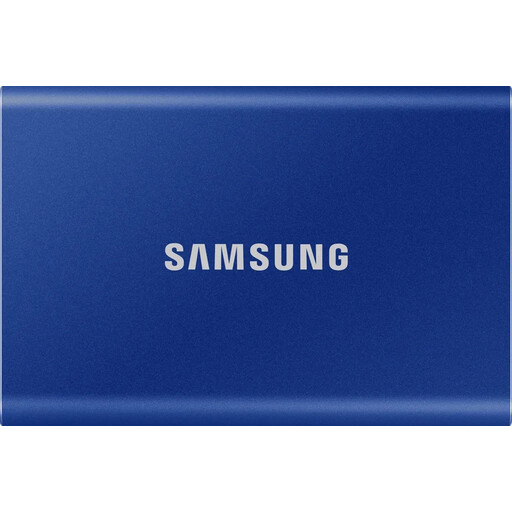
Samsung T7 1TB PSSD Indigo Blue
This portable SSD is worth considering for frequent transfers on the move if its capacity is enough for the files you need.
1 TB; USB 3.2 Gen 2. The product description lists Windows, macOS and Android, as well as USB-C and USB-A cables.
Joybuy
Frequently asked questions
Is Lightroom Classic’s built-in catalogue backup enough for my photos?
No, if you use Lightroom Classic. Adobe says this feature backs up only the catalogue file, not edited photos or exports. So identify the image files you need before deciding how much capacity your drive requires.
How can I check that a backup will be usable after a failure?
Create a separate backup and test whether you can restore and open the catalogue and required images on the computer you intend to use. The Federal Office for Information Security treats restoration as part of a backup strategy; RAID mirroring alone will not protect against accidental overwriting or malware.
Can I use a portable HDD set up for Windows as a backup on a Mac straight away?
Not without checking the specific model. For the documented Toshiba Canvio Basics USB-C, the manufacturer specifies NTFS and says reformatting is required for macOS. Before formatting, make sure you have saved any existing data elsewhere.
What else should a studio allow for when planning backups?
If needed, allow for a second drive for a separate copy, along with suitable cables or a power supply. For the Seagate Expansion Desktop STKP8000400, the manufacturer lists a power supply and USB cable in the box; check the accessories and terms for the specific offer.
Does German data protection law require a particular SSD, HDD or encryption brand?
The guidance from the Federal Commissioner for Data Protection and Freedom of Information does not establish a blanket requirement to use a particular type or brand of drive. If your studio processes personal data, those responsible must put appropriate technical and organisational measures in place. What is appropriate depends on the specific processing activity and the risks involved.


