Teams with a growing project archive
If completed projects are stored in one fixed location, planning for capacity and keeping a separate backup matter more than maximum transfer speeds. The BSI treats data backup and recovery as connected tasks.


For a growing archive that will stay in one place, a desktop HDD is a natural starting point. If you regularly switch between computers, compatibility becomes more important for a portable drive, while an SSD is worth considering for frequent transfers or working directly from the drive. The German Federal Office for Information Security (BSI) stresses that a complete backup plan must also cover recovery. So a single archive drive is no substitute for a separate, tested backup.
If completed projects are stored in one fixed location, planning for capacity and keeping a separate backup matter more than maximum transfer speeds. The BSI treats data backup and recovery as connected tasks.
If you need to be able to recover original footage and project files, plan for a separate copy alongside the archive and regularly check that files can be read from it. The BSI recommends this too.
When moving projects between computers, the right connections, file systems and backup software all matter. Toshiba says the Canvio Flex comes with USB-A and USB-C cables; the BSI advises checking for potential compatibility issues with backups.
A good fit if: completed projects will mainly be stored in one permanent archive location and you need plenty of storage more than you need to move the drive around.
Consider: The Seagate Expansion Desktop needs a power adapter and a location near a power socket.
A good fit if: you regularly move projects between compatible computers and the capacity of the specific model suits your archive.
Consider: Toshiba’s Canvio Flex is available with USB-A and USB-C cables; the listed models offer up to 4 TB.
A good fit if: you often transfer large files or edit directly from the drive, and the computers you use support the connection you need.
Consider: The Samsung T7 Shield’s maximum speeds apply only under the connection conditions specified by the manufacturer; they are not a guaranteed performance level for studio use.
| Priority | What to check before buying | Who is it important to? |
|---|---|---|
| Room for projects | Allow for existing and planned project files as well as separate backup copies; check the capacity of the specific model. | As our archive grows and completed projects need to stay in one place, I want to plan the capacity we need in advance. Around 36% of consumers put storage space first. |
| Recoverability | Plan for the archive and backup to be separate copies; decide who is responsible, how often to back up and when to test a restore. | When original footage is hard to replace, I don’t want to rely on a single drive, and I want to check that recovery works. Around 29% of consumers prioritise recoverability. |
| Switching between computers | Check connections and cables, the file system, and access to project and backup files on all the computers you plan to use. | When projects move between our studio computers, I want to be able to use them, along with their backups, on the systems we have planned for. Around 21% of consumers prioritise computer compatibility. |
| Transfer speed | Consider how often you transfer large files, and check the connections, cables and conditions that apply to the specifications of the model you’re considering. | When we often copy large files or work directly from the drive, I want to factor waiting times into our workflow. Around 14% of consumers prioritise transfer speed. |
More storage doesn’t create an independent copy. Without a restore test, you also won’t know whether the backed-up files can be recovered.
Keep your archive and backup separate, then restore a project file from the backup. The BSI recommends checking that backup files can be read.
Samsung quotes read speeds of up to 1.050 MB/s and write speeds of up to 1.000 MB/s for the T7 Shield. These maximum figures depend, among other things, on a compatible host device and cable, as well as UASP being enabled.
Check the connections on the computers you actually use against the requirements for the specific model.
USB-A and USB-C cables won’t automatically solve file system or backup software issues when projects move between operating systems.
Test a project file you need and a restore on the systems you plan to use.
Samsung quotes an IP65 rating for the T7 Shield under controlled test conditions. The manufacturer excludes liquid and dust damage from the warranty, and the rating doesn’t guarantee that you can recover your only archive copy.
Check the rating and warranty conditions for the specific model, and keep important original footage in an additional, separate copy.
The Expansion Desktop is a desktop HDD range designed for large files.
My Book is a desktop HDD; the manufacturer’s website lists the 14 TB model WDBBGB0140HBK-EESN.
Canvio Flex is a portable HDD range for switching between compatible Macs and Windows PCs.
The portable T7 Shield SSD is an option for frequent transfers; the German product page lists the black 2 TB model MU-PE2T0S/EU.
The Joybuy products below include portable drives for switching between computers, desktop HDDs for a permanent archive location and external SSDs for frequent transfers.
 No image available
This portable model is worth considering if you move projects between computers; check that it’s compatible with the systems and backup software you use.
As stated in the product name: 5 TB and USB-C. This drive is no substitute for a separate backup.
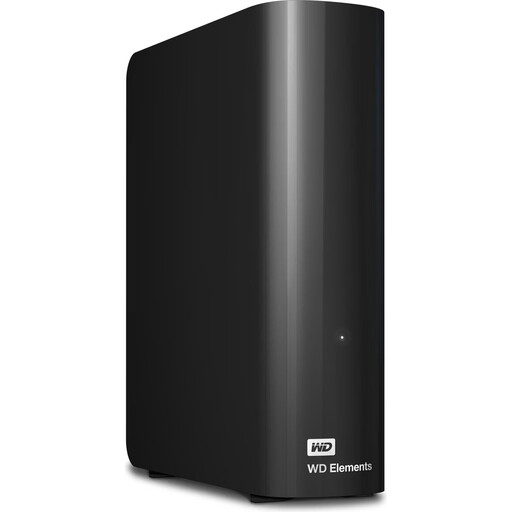 No image available
This desktop HDD could suit a permanent archive location; make sure you have the power connection it needs.
As stated in the product name: 24 TB, 3.5-inch and USB 3.2 Gen 1. This drive is not a separate backup.
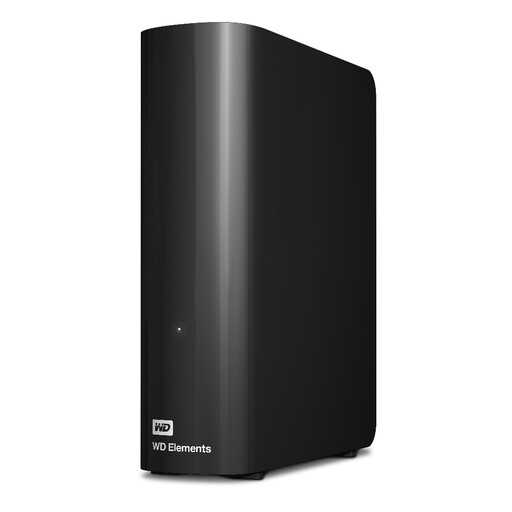 No image available
This desktop model is worth considering for an archive kept in one place; allow room for the drive and its power supply.
As stated in the product name: 20 TB. A desktop HDD is no substitute for a separate backup.
 No image available
A portable SSD is worth considering if you often transfer projects or edit directly from the drive; check that it’s compatible with the computers you use.
As stated in the product name: 4 TB and USB Type-C 3.2 Gen 2. This drive is no substitute for a separate backup.
 No image available
This portable SSD is an option for carrying project files; check the connections you’ll need on the computers involved before you buy.
As stated in the product name: 2 TB and USB Type-C 3.2 Gen 2 (3.1 Gen 2). This drive is not a separate backup either.
No, not if it holds the only copy of files that would be hard to replace. The BSI distinguishes between data backup and recovery. Keep a separate copy and check that you can read the project files you need from it.
Check the cables, connections, file system and backup software on the computers you plan to use. Toshiba markets the Canvio Flex as pre-formatted and lists USB-A and USB-C cables; the BSI notes that backups can have compatibility issues across operating systems.
Set a backup schedule and regularly check that your backed-up files are present and readable. The BSI recommends testing the recovery process in practice. For formal long-term archiving, you’ll also need measures to preserve access to information throughout the retention period.
No. Article 32 of the General Data Protection Regulation does not require a particular drive model. If you process personal data, you must ensure a level of security appropriate to the risk by putting suitable technical and organisational measures in place. The right measures for specific project files depend on their content and how they’re processed.
Not on its own. The Federal Commissioner for Data Protection and Freedom of Information points out that full-disk encryption does not protect your data while the device is switched on or unlocked. You should also plan who is allowed to access files in the studio.