Which solution is right for you?

Study group with remote members

If several people in the room will be speaking and remote members need to hear them all, the group should consider a shared room audio solution rather than relying on a personal headset as the only microphone. Microsoft Support explains how Teams can use room devices as audio and video peripherals.

One person joining remotely

If you only need to transmit your own voice through your computer, compare the connection and the specific headset model, and check that you can mute the microphone easily. Jabra and HP list different connections and controls, depending on the model.

Someone switching between devices

If you switch between a computer and a mobile device, check the connection and audio settings in your meeting app. Logitech says the Zone 300 supports Multipoint for two devices connected at the same time; Zoom Support warns that Bluetooth headphones may affect microphone quality.

What should you look for when choosing?

Shared room audio solution

A good fit if: Remote members need to hear several people around the table.

Consider: The room needs a shared audio setup; multiple active computer audio signals can cause echo.

Personal USB headset

A good fit if: You mainly need to transmit your own voice through a computer and have a compatible USB port.

Consider: The cable limits your freedom of movement; check whether you need USB-A or USB-C and confirm the specific model.

Personal Bluetooth headset

A good fit if: You’ll be the only person speaking and want to move around or switch between compatible devices while taking part.

Consider: The headset needs charging; Zoom Support notes that Bluetooth headphones may affect microphone quality.

What matters when buying What to check Who it matters to
Voices around the table Decide whether remote members need to hear only you or other people in the room as well. If the whole study group will be speaking in a small room, you’ll need a solution that picks up several voices. Around 33% of consumers therefore prioritise transmitting everyone’s contributions in the room.
Transmitting your own voice Check the microphone controls and mute function on the specific model; test it in the environment where you’ll actually use it. If you’re the only person speaking, you’ll want to be able to control your own audio. Around 27% of consumers therefore prioritise transmitting the voice of the person speaking.
Connecting to your device Check the available ports or Bluetooth support, and make sure the audio settings in your meeting app are correct. If you switch between computers or use a mobile device, you’ll need a connection that suits your devices. Around 20% of consumers therefore prioritise finding the right connection.
Comfort during longer sessions Consider whether you want mono or stereo, and check the fit, padding and cable routing for the specific model. If you’ll be taking part in the study group for a while, you’ll want a headset that feels comfortable to wear. Around 20% of consumers therefore prioritise wearing comfort.

Common selection mistakes

  • Expecting one personal headset to pick up everyone around the table

    A headset worn by one person won’t automatically transmit the voices of the whole study group. If several people need to speak, the room audio solution must be suitable for that.

    Before choosing, decide whose voices remote members need to hear. If several people will be speaking, consider a shared room audio solution.

    You may need additional room audio equipment to make several voices audible.

  • Trying to fix echo by muting other microphones alone

    According to Zoom Support, speakers on other computers in the same room can still contribute to echo, even when their microphones are muted.

    For devices you don’t need, disconnect computer audio as instructed by the meeting app you’re using.

  • Assuming the connection and model variant from the model name

    The Jabra Evolve2 30 SE comes in different USB and UC/MS variants. The product family name alone therefore doesn’t tell you which connection or Teams version you’re getting.

    Before buying, check the full product number, connection and app features you need.

  • Assuming Bluetooth will automatically give you good microphone quality

    Zoom Support notes that Bluetooth headphones may affect the microphone quality heard by other participants.

    Test the specific headset with the device you plan to use on a practice call, and check the audio settings if you run into problems.

Key brands to consider

Jabra

The Evolve2 30 SE is a wired headset range with different mono, stereo, USB and Teams variants.

  • The Jabra data sheet lists two microphones and gives weights of 92 g for mono and 125 g for stereo.
  • These weights apply to the respective variants and don’t tell you how comfortable they are to wear. Check the connection and version against the specific product number.

Poly

The Blackwire 3300 range includes wired models; the Blackwire 3320 USB-C version is a stereo on-ear headset.

  • HP lists a mute button and a 218 cm cable for the Blackwire 3320 USB-C.
  • These details apply to the version named, not every Blackwire model. The cable limits your freedom of movement.

Logitech

The Zone 300 is a personal Bluetooth headset for joining calls, with the option to switch between devices.

  • Logitech lists Multipoint for two devices connected at the same time and up to 16 hours of talk time.
  • These are manufacturer claims. Zoom Support notes that Bluetooth headphones may affect microphone quality in general.

EPOS

The ADAPT 160 USB-C II is a wired stereo option for one-to-one conversations.

  • The EPOS support page lists the specific ADAPT 160 USB-C II version with product number 1000919.
  • The product details alone don’t tell you how clearly your voice will come across in a small room, or whether it will pick up several voices around the table.

Joybuy products for one-to-one conversations

The Joybuy products below are personal headsets for individual speakers. If several people around the table need to be heard, also consider a shared room audio solution.
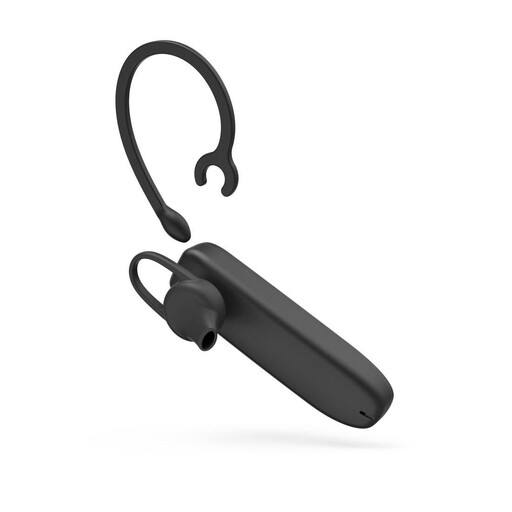
MyVoice Advanced Mono Bluetooth Headset

MyVoice Advanced Mono Bluetooth Headset

A good fit if you’ll be taking part in a study group alone over Bluetooth and are looking for a mono headset.

The product name mentions Bluetooth and volume control. Check the audio settings in your meeting app before the session; Zoom Support notes that Bluetooth headphones may affect microphone quality.

View at Joybuy
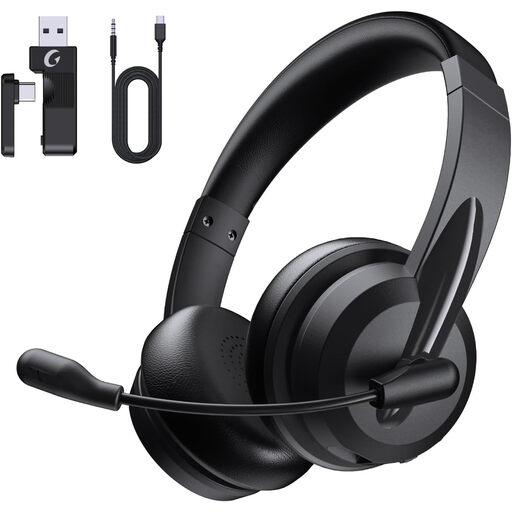
AOC Wireless Headset with Microphone, Bluetooth

AOC Wireless Headset with Microphone, Bluetooth

Described as a personal Bluetooth headset with a microphone for calls; check that it’s compatible with the device you plan to use.

Test the microphone and speakers in the meeting app you’ll be using before joining the study group. Zoom Support notes that Bluetooth headphones may affect microphone quality.

View at Joybuy
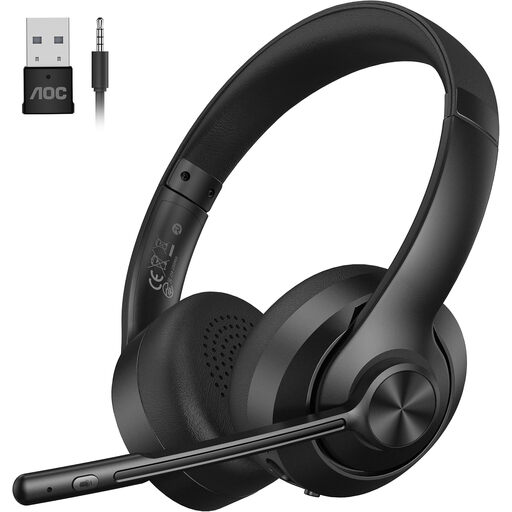
AOC Wireless Headset with Microphone, Bluetooth 5.4

AOC Wireless Headset with Microphone, Bluetooth 5.4

If you want to join on your own using a Bluetooth headset, this version, as identified in the product name, could be an option for you.

The product name specifies Bluetooth 5.4. Check the audio settings on your device and test the microphone in your meeting app; Zoom Support notes that Bluetooth may affect microphone quality.

View at Joybuy

Logitech H540 Stereo Headset

Logitech H540 Stereo Headset

A good fit if you’ll be speaking on your own through a computer and want a wired USB headset.

The product name mentions USB, stereo, a microphone, and PC and Mac compatibility. Check that the connection suits your device and how your meeting app selects the microphone and speakers.

View at Joybuy

Logitech 960 Stereo Headset with 2.4 m Cable

Logitech 960 Stereo Headset

Described as a wired USB stereo headset with a microphone for computer use and conference calls.

The product name mentions a 2.4 m cable and compatibility with PC, Mac and laptops. Consider how the cable will run from your seat, and check the audio settings before your call.

View at Joybuy

Frequently asked questions

How can I prevent echo when several laptops join from the same room?

Disconnect computer audio on any computers that don’t need it, following Zoom Support’s guidance. Zoom lists several computers with active audio in the same conference room as a possible source of echo; muting a microphone alone won’t be enough if the speaker is still active.

How should I set up my headset before the study session?

Select the microphone and speaker you plan to use in your meeting app, then test them before the session. If you have Bluetooth issues, Zoom Support recommends checking your audio settings. If several people will be speaking in the room, Teams can use the room’s peripherals in meeting room mode.

Are a manufacturer’s guarantee and your statutory rights the same thing?

No. If you buy from a retailer, your statutory rights relating to faulty goods are against the seller; a voluntary manufacturer’s guarantee is separate. The German consumer advice centre says that, for ordinary new goods, you generally have up to two years from purchase to make a claim about defects.

What should I look for in a Bluetooth headset to make sure it complies with product regulations?

Look for clear product identification and manufacturer details, as well as a correctly applied CE mark. The German Federal Network Agency lists these points as part of market surveillance; according to the European Commission, the CE mark is not an approval by a central EU testing body.

Can I return a headset bought online if it isn’t suitable?

For distance purchases from a trader, you generally have 14 days from delivery to cancel; exceptions and any return postage costs depend on the circumstances. The European Commission explains this cancellation period for distance purchases. Check the terms of the offer, and distinguish your right to cancel from a voluntary extended returns period.