A stylus for the tablet you already own
If you want to keep using your current iPad, Galaxy Tab, EMR or Windows device, check the exact stylus version and its compatibility with your model first.


Choose a stylus based first on your exact tablet model and the stylus technology it supports. Models for iPads, Galaxy Tabs, EMR displays and Windows devices aren’t automatically interchangeable. Then check how PDFs work in your app, and whether pairing, charging and storage suit your short sessions at a shared desk.
If you want to keep using your current iPad, Galaxy Tab, EMR or Windows device, check the exact stylus version and its compatibility with your model first.
If you often annotate lecture slides, check the whole process in the app you actually use: opening the PDF, adding handwritten notes, then saving and sharing it.
If you clear your desk between sessions, it’s worth thinking about how quickly the stylus is ready to use, where you’ll store it and whether it needs charging.
First check that the stylus is compatible with your tablet, then test your PDF workflow and see whether the charging method and storage suit your working day.
| Buying criterion | What to check | Who is it most important to? |
|---|---|---|
| Compatibility | Check the full tablet model name against the stylus version and, where relevant, the system version or supported stylus protocol. | If I want to keep my current tablet and avoid buying the wrong stylus, the right stylus technology is essential. Around 36% of consumers put device compatibility first. |
| PDF note-taking | Open a typical lecture PDF in your preferred app and test annotating, saving and sharing it. | If I regularly add handwritten notes to slides, I need a workflow that works in my app all the way through to saving. Around 29% of consumers prioritise PDF note-taking. |
| Ready to use | Check whether the stylus needs pairing or charging, and how it can be stored with your tablet. | For short sessions at a shared desk, I want to get started without unnecessary setup and put the stylus away easily afterwards. Around 21% of consumers focus mainly on how quickly a stylus is ready to use. |
| Accessories and charging | Check the listed contents, replacement tips and any charging cables you’ll need. | If I want to avoid missing accessories or having to buy replacement tips later, the contents of the specific model matter. Around 14% of consumers are most concerned about accessories and possible future purchases. |
The styluses covered here require different devices or stylus technologies. The wrong model may not provide the input you want on the tablet you already own.
Compare your tablet’s full model name with the compatibility information for the exact stylus version. Check the system version or required protocol too, if applicable.
According to Apple, the Apple Pencil (USB-C) attaches magnetically for storage; it pairs and charges using a USB-C cable.
Check the charging details for the exact stylus version and make sure you have a compatible cable.
Apple Pencil models are designed for specific iPads. The Pencil (USB-C) is one option for taking notes and annotating documents.
Different S Pen versions may suit specific Galaxy devices, and Samsung Notes can be part of a PDF workflow.
The Crayon (USB-C) is an iPad stylus for writing and annotating without separate Bluetooth pairing.
The Noris digital jumbo is designed for compatible displays that use electromagnetic resonance (EMR).
The Bamboo Ink Plus is a Windows Ink option for devices verified to work with Wacom Active ES or Microsoft Pen Protocol.
The following Joybuy products are styluses for touchscreens or iPads. Before buying, check compatibility with your exact tablet model and test your PDF workflow in your app.
 No image available
The title lists the stylus for iOS and Android touchscreens. Check that it suits your tablet model and PDF app.
The product description says the stylus is rechargeable.
 No image available
For handwritten notes on an iPad that’s explicitly supported: check compatibility with your exact model before choosing this stylus.
The description lists tilt sensitivity, palm rejection, USB-C charging and an LED battery indicator. The magnetic attachment is for storage, not wireless charging.
 No image available
The product description lists specific iPad models. Check your device against this list before choosing the stylus for PDF note-taking.
Features listed include tilt sensitivity, palm rejection, USB-C charging and an LED battery indicator. According to the description, the stylus isn’t pressure-sensitive and can be activated without Bluetooth pairing.
According to the description, the magnetic attachment is for storage, not wireless charging.
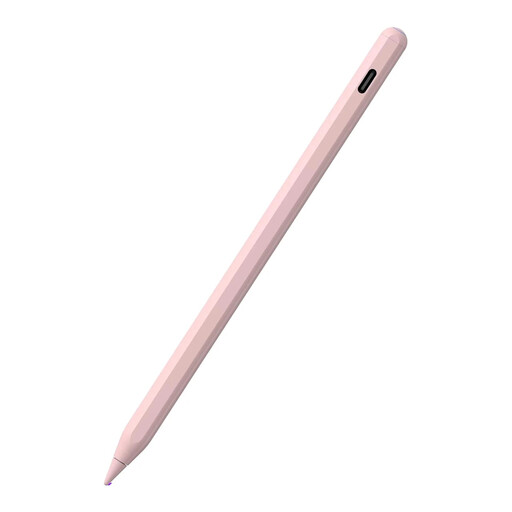 No image available
For handwritten input on the iPad models listed in the product description. Check your exact model against the list before buying.
Features listed include tilt sensitivity and palm rejection. The title mentions magnetic charging, but according to the description, it isn’t supported by all the models listed as compatible.
 No image available
The product description lists specific iPad models. Check compatibility with your tablet before choosing this stylus for lecture slides.
Features listed include palm rejection, tilt sensitivity and magnetic charging. According to the description, replacement tips and a USB-C cable are included.
Find your device’s full model name and compare it with the compatibility list for the exact stylus version. Depending on the model, the iPadOS version, an EMR display or the supported Windows stylus protocol may also matter.
On supported iPads, you can annotate PDFs using Apple’s Markup tools. Samsung describes importing PDFs into Samsung Notes, editing them with the S Pen, then saving and sharing them. Test the process using one of your own slides in the app you plan to use.
It depends on the model. According to STAEDTLER, the Noris digital jumbo needs neither charging nor pairing. Apple says the Pencil (USB-C) pairs and charges via cable; Logitech and Wacom describe USB-C charging for the models covered here. The Samsung S Pen EJ-PX710 needs to be charged for the BLE features described.
According to the Verbraucherzentrale, consumers can exercise their statutory rights against the seller for new faulty goods within two years of delivery; this is separate from a manufacturer’s guarantee. Online purchases are also generally covered by a 14-day right to cancel from the date you receive the goods, subject to the legal requirements.
No. EUR-Lex explains that CE marking relates to the relevant EU conformity rules and applies only to products for which this marking is required. The Bundesnetzagentur lists markings and manufacturer information as points to check; you’ll still need to check tablet compatibility against the manufacturer’s information.