What should you look for when buying?
If you want to write directly on the second display, consider a tablet in second-screen mode or a connected pen display. A graphics tablet, by contrast, adds input only.
Galaxy Tab as a second screen for Windows
A good fit if: you use a supported Windows computer and want to write with the S Pen on the extended tablet screen.
Bear in mind: Samsung requires the same Wi-Fi network and Samsung Account. The feature is optimised for Galaxy Book and may work differently with other computers.
iPad with Mac Sidecar
A good fit if: your Mac and iPad meet the requirements for Sidecar and you want to use your Mac workspace on your iPad.
Bear in mind: check which Apple Account is required and whether your specific iPad model is compatible with the Pencil. The stylus is not automatically included.
Pen display connected to a computer
A good fit if: you want to write in your computer app and see the formula directly beneath the stylus tip.
Bear in mind: check the video and data connections, power supply, drivers, cables and accessories included with the specific version.
Graphics tablet without a display
A good fit if: you already have the screens you need and just want to add stylus input for your computer app.
Bear in mind: you write on the tablet while the display is on another screen; it does not give you an additional display.
| Buying priority |
What to look for |
Who is this particularly important for? |
| Extend your Windows workspace |
Check second-screen support, Windows version, Wi-Fi and account requirements. |
If I want to extend my Windows workspace to a supported tablet and write on it with a stylus, the specific device connection is key. Around 28% of consumers put extending Windows first. |
| Write directly on the screen |
Compare the writing surface, computer connections, power supply and what is included with each version. |
If I want the formula to appear directly beneath my stylus tip, a connected pen display is an option. Around 22% of consumers prioritise writing directly on the display. |
| Handwriting or typeset formulae |
Test the app with one of your own formulae to see whether it saves handwriting, converts it or processes mathematical expressions. |
If I need an editable, typeset equation rather than a handwritten note, the features of my specific app matter. Around 22% of consumers prioritise formula processing. |
| Use a Mac and iPad together |
Check the Sidecar requirements and Pencil compatibility for the exact models. |
If I already use a Mac and iPad, I want to extend my Mac desktop to the iPad and write on it. Around 17% of consumers prioritise extending a Mac to an iPad. |
| Use screens you already own |
Check that your writing app works with the graphics tablet and computer you have, and find out which drivers are needed. |
If I already have screens, I may only need to add stylus input rather than another display. Around 11% of consumers prioritise using the displays they already own. |
Joybuy products for stylus input on a Windows tablet
The following Surface Pro models are Windows tablets with touchscreens for stylus input on the device. For the specific configuration you choose, also check whether it supports the two-screen setup you want and whether a compatible stylus is available.
 No image available
Microsoft Surface Pro 11, 13", Snapdragon X Plus, 16 GB, 512 GB
For stylus input directly on the touchscreen; the product description lists support for a Surface stylus.
View at Joybuy
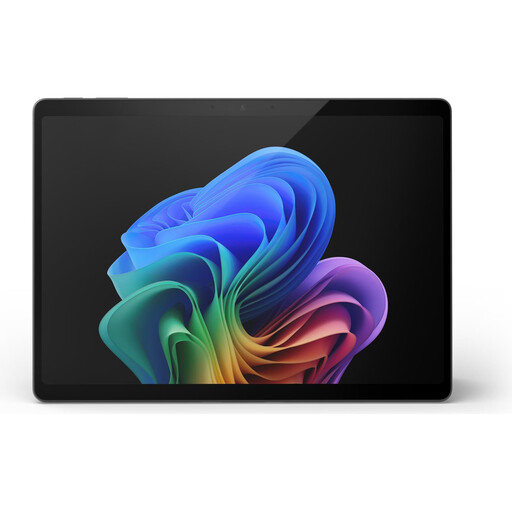 No image available
Microsoft Surface Pro 11, 13", Snapdragon X Elite, 16 GB, 512 GB
Relevant as a Windows tablet with a touchscreen for on-device stylus input; check stylus compatibility and the screen setup you want for this exact version.
View at Joybuy
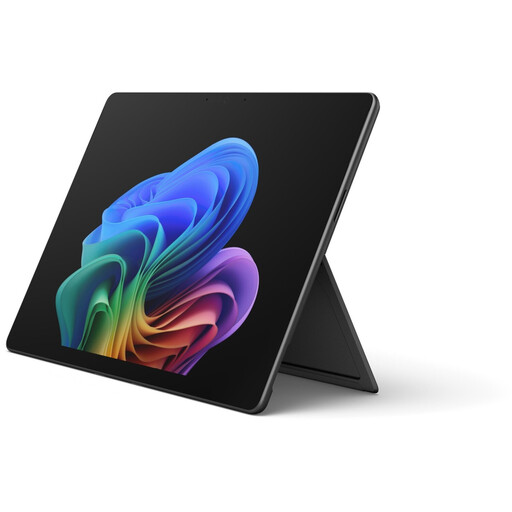 No image available
Microsoft Surface Pro 12, Core Ultra 5, 16 GB, 512 GB, Black
Relevant as a Windows tablet with a touchscreen for on-device stylus input; check stylus compatibility and the screen setup you want for this exact version.
View at Joybuy
 No image available
Microsoft Surface Pro 12, Snapdragon Plus, 24 GB, 1 TB, Platinum
Relevant as a Windows tablet with a touchscreen for on-device stylus input; check stylus compatibility and the screen setup you want for this exact version.
View at Joybuy
Frequently asked questions
Can I work on equations on the second screen rather than just mirroring both screens?
Yes, if the specific connection supports extended display mode: Samsung explicitly lists extending the display for Second Screen, and Apple Support describes Sidecar as a way to extend your Mac desktop. Select extended mode in your display settings. Whether your formula app supports stylus input on that screen will also depend on the app.
Will a stylus automatically turn my handwritten formulae into typeset equations?
No, not through stylus input alone. Microsoft Support documents “Maths inking” for certain Windows applications; Apple describes Math Notes in the Calculator app on iPad. Check the specific app you use, as well as your preferred export and editing options.
Is a USB-C port enough for a pen display?
Not necessarily; data transfer, video output and power supply all need to be right for the connection. For the optional USB-C connection to the Kamvas 13, Huion specifies USB 3.1 Gen 1 and DisplayPort 1.2, and says the cable is sold separately. XPPen also notes that the USB-C cable for the Artist 12 (2nd Generation) is sold separately and that additional power may be needed.
What are my rights if a device bought online from a business is faulty?
Under the EU consumer protection rules explained by Your Europe, goods are covered by a legal guarantee from the seller for at least two years; this is separate from any voluntary manufacturer’s warranty. Online purchases from business sellers are also generally covered by a 14-day right to cancel, subject to applicable exceptions.
Which product safety rules should I bear in mind for a device sold in Germany?
Goods sold in the EU must comply with the product safety rules that apply to them. Electrical and electronic equipment may need CE marking if the relevant harmonised rules require it. Your Europe explains the EU requirements; CE marking is not a general quality guarantee for writing devices.


