
Lieferung heute & morgen

Qualitätsgarantie

Willkommens-Angebote freischalten: KOSTENLOSE Lieferung | Bis zu 80 % RABATT | Kostenlose 30-Tage-JoyPlus-Testphase
App herunterladen
A stylus pen enhances the functionality of tablets and smartphones by enabling more precise input than your finger. This is especially relevant for tasks such as handwritten notes, digital drawing, or precise navigation within complex applications. The selection of the right model depends on specific technical criteria that must be aligned with the respective device and its intended use. This guide analyses the key parameters for choosing a suitable stylus.
The decision for a tablet stylus should be based on an analysis of compatibility, technical specifications, and functional features.
The most important factor is the stylus's compatibility with your device. There are two main categories:
An Active Stylus has integrated electronic components and its own power source. This enables advanced features like Palm Rejection and tilt sensitivity. A passive stylus, on the other hand, simply conducts the electrical charge from your finger and functions like a more precise fingertip, but offers no additional features. For creative work or extensive note-taking, an active stylus is generally the more functional choice.
For users looking for a stylus for drawing or for detailed note-taking, the following features are important:
Based on the technical criteria mentioned, we present three models that cover different user profiles.
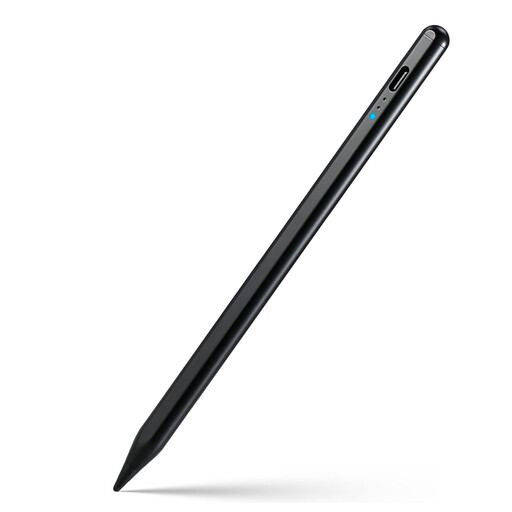
Why We Recommend This Product The Rexsun KD503A stands out for its broad compatibility with most capacitive touchscreen devices, including iPads, Android tablets, and smartphones. It combines universal applicability with advanced features like palm rejection and tilt sensitivity, making it a flexible tool for work and creativity. The magnetic attachment and smart power-saving mode are practical features for mobile use.
Pros
Who It's For This model is ideal for users who are looking for a single touchscreen stylus for various devices from different manufacturers and do not want to compromise on features like palm rejection and tilt sensitivity.
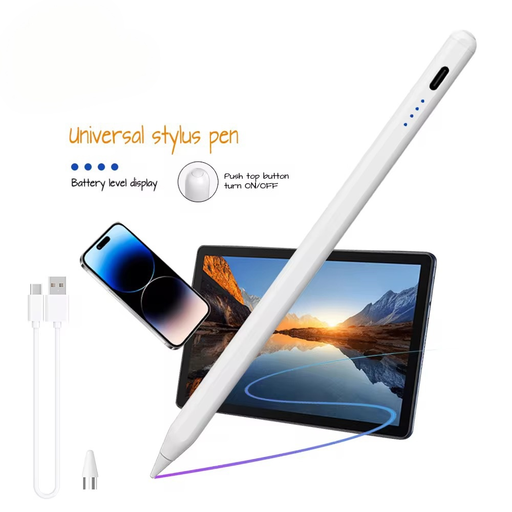
Why We Recommend This Product The VoxorAI HL-U05 is an Active Stylus designed for lag-free input on iOS and Android devices. With a 140 mAh battery capacity, it provides a solid foundation for extended work sessions. According to the manufacturer, pairing is done via an app, which can ensure a stable connection.
Pros
Who It's For This stylus is aimed at users who need a simple and functional stylus for iPad and Android and value a stable, app-controlled connection.
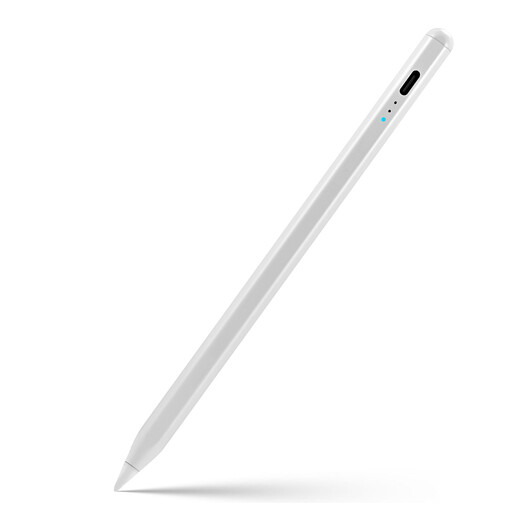
Why We Recommend This Product The Rexsun ID715A is specifically optimized for use with iPad models from 2018 and later. It integrates key features of the Apple ecosystem such as palm rejection, tilt sensitivity, and a magnetic attachment. A special feature is the LED indicator that displays the battery level in real-time, allowing for better planning. The fast charging time of 90 minutes for up to 9 hours of use makes it an efficient tool for iPad users.
Pros
Who It's For This model is the right choice for students, creatives, and professionals looking for a feature-rich stylus as an alternative or supplement for their iPad (from 2018 onwards) and who value convenience features like magnetic attachment and a clear battery level indicator.
If you are looking for other models or specific accessories, our Tablet and Stylus category offers a comprehensive overview of available products and their specifications.
1. Does every stylus pen work with every tablet? No. Compatibility is the crucial factor. Universal styluses work with most capacitive screens but may not offer all features. Device-specific styluses are optimized for certain models (e.g., newer iPads) and provide the full range of functions on them. Always check the manufacturer's specifications for compatibility.
2. What is the difference between an active and a passive stylus? An Active Stylus has its own power source and electronics, which enable features like palm rejection and tilt sensitivity. A passive stylus is a simple input tool without electronics that functions like a more precise fingertip and does not support advanced features.
3. Do I need a stylus with palm rejection? If you use the stylus for extensive handwritten notes or for drawing, palm rejection is highly recommended. It allows you to rest your hand naturally on the screen, which significantly increases comfort and prevents incorrect inputs. For simple navigation or short notes, this feature is less critical.
Authored by: Joybuy Product Recommendation Officer