
Lieferung heute & morgen

Qualitätsgarantie

Willkommens-Angebote freischalten: KOSTENLOSE Lieferung | Bis zu 80 % RABATT | Kostenlose 30-Tage-JoyPlus-Testphase
App herunterladen
By: Joybuy Product Recommendation OfficerDate: July 28, 2026
Choosing a new 2-in-1 business laptop can quickly become overwhelming. Marketing terms like "AI-optimized" or "pro-level performance" are ubiquitous, yet the underlying features are often poorly defined. Many users invest in devices that ultimately fail to meet their professional needs. This guide will help you identify the crucial criteria and make an informed decision based on facts, not marketing promises.
Before we dive into the technical details, it's important to understand three common mistakes that can lead to a poor purchasing decision:
To make the right choice, you should focus on a few critical technical specifications. These will help you objectively evaluate the performance and suitability of a device like the Microsoft Surface Pro 11 Business.
A Copilot+ PC features a dedicated NPU that processes AI tasks more efficiently than the main CPU or GPU. This is crucial for features like Windows Studio Effects (e.g., background blur and auto-framing in video conferences) or the local execution of AI models. Pay attention to the NPU's specified TOPS performance. The Surface Pro 11 for Business is equipped with an Intel Core Ultra 7 processor, whose Intel AI Boost NPU delivers up to 48 TOPS. This enables the smooth use of AI features integrated into the tablet with Windows 11 Pro without significantly impacting battery life or overall system performance.
For business customers, security is non-negotiable. A Secured-Core PC provides protection that starts at the firmware level and extends to the cloud. These devices are designed to defend against complex attacks targeting the lowest levels of the system. The Microsoft Surface Pro 11 for Business is classified as a Secured-Core PC and integrates security components like the Microsoft Pluton security processor and biometric login via Windows Hello. This represents significant added value compared to devices that only feature a standard TPM 2.0 chip.
The choice of display directly impacts visual quality and battery life.
A Surface Pro 11 review highlights the device's strengths, but depending on the user profile, other models can also be a suitable alternative. Here are three recommendations for different user types.
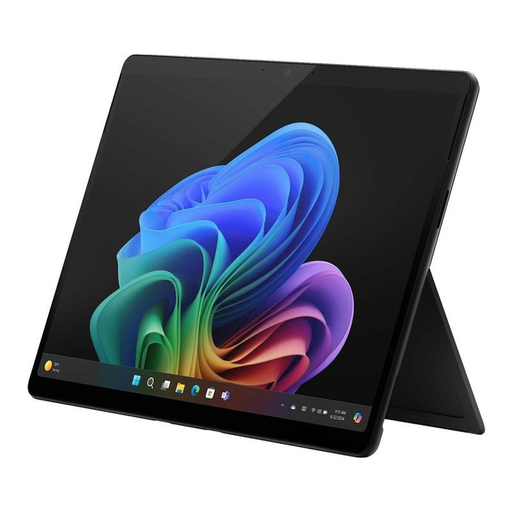
Why it's a good fit: Ideal for executives and mobile professionals who need maximum flexibility, uncompromising security, and high performance for the hybrid workday. The 2-in-1 design allows for a seamless transition between laptop, tablet, and presentation modes.
It is a true business device with a Secured-Core PC architecture and Windows 11 Pro, not just a consumer model with a 'Pro' label. The NPU delivers tangible benefits for AI workloads.
A combination of top-tier security (Secured-Core PC), powerful AI performance (Copilot+ PC), and a brilliant 120Hz OLED display in an extremely flexible form factor.
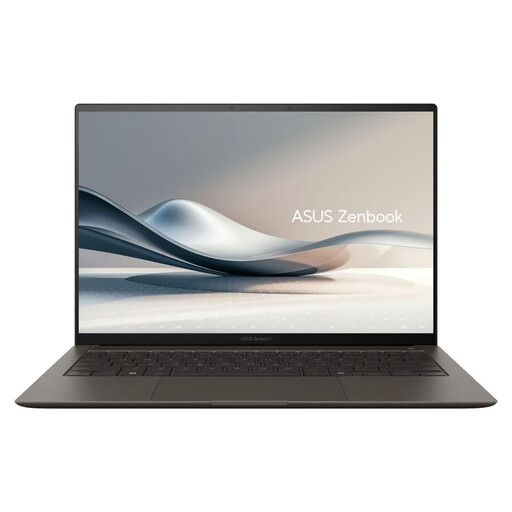
Why it's a good fit: For designers, photographers, and content creators who prioritize superior display quality, color accuracy, and computing power for creative software. The lightweight and durable Ceraluminum chassis is ideal for working on the go.
It resolves the conflict between portability and performance by combining an extremely lightweight design (1.2 kg) with a powerful Core Ultra 7 processor and 32 GB of RAM. The high NPU performance supports AI-powered creative tools.
Exceptional 3K 120Hz OLED display for precise visual work. The high total platform performance (up to 115 TOPS) accelerates demanding creative and AI applications.
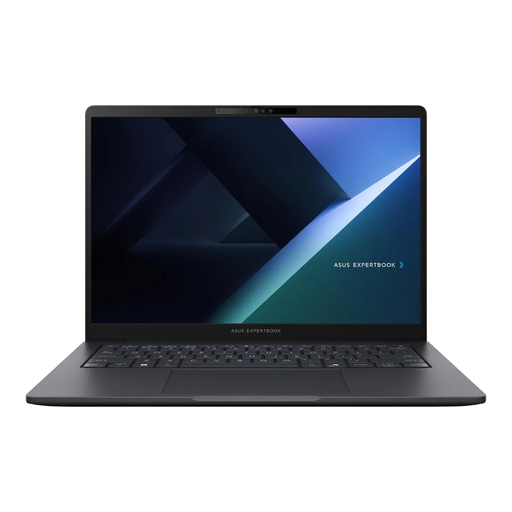
Why it's a good fit: For IT departments and corporate users seeking a reliable, secure, and maintainable work device. The focus is on durability, comprehensive connectivity (including RJ45), and central manageability.
This device is a purpose-built 2-in-1 Business Laptop in a clamshell form factor that prioritizes practical business requirements like robustness and security over marketing hype. It is not a re-badged consumer product.
Military-grade durability certified to MIL-STD-810H, comprehensive security features including a Smart Card reader, and easy serviceability make it a dependable workhorse.
We have compiled a complete, up-to-date list of products that fully meet these strict selection criteria and security standards.
The Business version comes standard with Windows 11 Pro, which offers advanced management and security features for enterprises. It is also configured as a Secured-Core PC, ensuring deeper protection against firmware attacks. The support and warranty terms are also tailored to the needs of business customers.
That depends on your use case. For creative professionals working with image or video editing, the extra cost is justified by the superior color accuracy and high contrast. For users who primarily work with Office applications, email, and the web, a high-quality IPS display already provides very good image quality and can be the more cost-effective choice.
The Intel Core Ultra 7 laptop processor features a three-pillar architecture consisting of a CPU (Central Processing Unit), GPU (Graphics Processing Unit), and NPU (Neural Processing Unit). The NPU is specialized in executing AI tasks, such as real-time translations or video conference optimizations, in an energy-efficient manner. This offloads the CPU and GPU, leading to better overall system performance and longer battery life during AI-intensive applications.