Fans of dark horror scenes
If black levels and light-and-shadow scenes matter more to you than the highest possible refresh rate, it’s worth comparing OLED with LCD panels such as VA, while bearing the specific model in mind.


If deep blacks are a priority for survival horror, OLED is an obvious choice. However, LG notes that the risk of burn-in from long periods of unchanged images cannot be ruled out entirely. VA is an LCD alternative, while IPS may suit other gaming needs, depending on the model. Specs for individual models are not a blanket verdict on an entire panel type. Also check for a headphone socket and the audio connection, the space available on your desk, and the refresh rate supported by the input you’ll actually use.
If black levels and light-and-shadow scenes matter more to you than the highest possible refresh rate, it’s worth comparing OLED with LCD panels such as VA, while bearing the specific model in mind.
If you’d rather play through headphones than monitor speakers, check for a headphone socket and how audio is routed from your PC or console. The available audio output depends on the connected setup.
If space is tight in your bedroom, compare the monitor’s dimensions including its stand, its adjustability and, if relevant, the VESA pattern for a suitable mount.
| Buying priority | What to check before buying | Who should pay particular attention |
|---|---|---|
| Dark scenes | Compare the panel type and model-specific contrast; check whether you can adjust shadow areas. | If dark areas are a particular focus for me in survival horror, I prioritise how they’re displayed over the highest possible refresh rate. Around 28% of consumers put contrast and detail in dark scenes first. |
| Private audio | Check for a headphone socket and audio settings; trace the audio connection from your PC or console to your headphones. | If I want to play with headphones in a shared room, the sound shouldn’t come through the monitor speakers into the room. Around 22% of consumers make uninterrupted gaming audio their top buying priority. |
| Desk space and positioning | Compare the available width and depth with the monitor’s dimensions including its stand; check height adjustment and the VESA pattern. | With limited desk space, I need to make sure the monitor and stand will actually fit. Around 17% of consumers prioritise desk space and positioning. |
| Refresh rate and connections | Match the resolution and refresh rate for the HDMI or DisplayPort input you plan to use with your gaming device; check VRR compatibility. | If smooth visuals matter to me, the monitor connection and gaming device must both support the mode I want. Around 17% of consumers put refresh rate and connections first. |
| Long-term use | For OLED, read the care guidance and specific warranty terms; compare energy label figures for SDR and HDR separately. | For long-term use, I want to consider care, power consumption and what’s covered if something goes wrong. Around 16% of consumers prioritise these aspects of long-term use. |
The refresh rate you can achieve may depend on the input you use. ASUS lists up to 180 Hz at QHD over DisplayPort for the VG27AQ3A, while HDMI is specified at up to 144 Hz.
Check the figures for the input you actually plan to use and match them to your PC or console’s output.
Monitor speakers play sound into the room, so they aren’t a substitute for headphones if you want to minimise disruption to the other person in your bedroom.
Before buying, decide where you’ll plug in your headphones and how the sound will get there from your gaming device.
LG describes burn-in from long periods of unchanged images as a possible risk that cannot be entirely ruled out, even with proper use. An older general warranty statement doesn’t confirm the current terms for every model.
Weigh the benefit of deep blacks against how you’ll use the monitor, and read the care guidance and warranty terms for the specific offer.
The stand may take up more desk depth than the screen size alone suggests. ASUS lists a depth of 21.40 cm including the stand for the VG27AQ3A; the stand isn’t height-adjustable.
Measure your available space and, if needed, check the VESA pattern and whether your intended mount is suitable.
UltraGear OLED models are one option if deep blacks in dark gaming scenes are your priority.
MAG VA models are an LCD option if you want to compare VA with OLED.
The TUF Gaming VG27AQ3A is an IPS example with documented connections and dimensions.
According to BenQ, the MOBIUZ EX2710Q offers settings for adjusting dark areas of the image.
The S2722DGM is a VA comparison model with figures for contrast and refresh rate by input.
The following Joybuy listings include VA, Rapid IPS and QD-OLED gaming monitors with specified headphone sockets. Check which input is right for your gaming device and how the audio is actually connected.
 No image available
An option to consider if you’re looking for an IPS model with Mini-LED and a headphone socket.
Dual mode: UHD at 160 Hz or FHD at 320 Hz. The specs also list 1,152 local dimming zones and DisplayHDR 1000. Check which mode is right for your gaming device and input.
 No image available
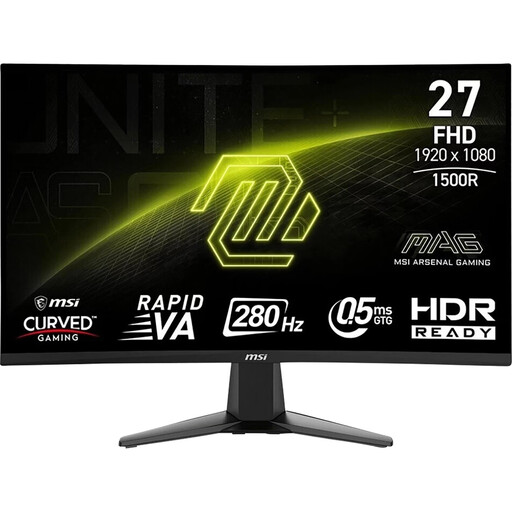
A VA option if you’re looking for a Full HD model with a headphone socket.
The product name lists 280 Hz and Adaptive Sync. The specs also include tilt adjustment and VESA 100 × 100 mm; check that the refresh rate matches your intended input and gaming device.
 No image available
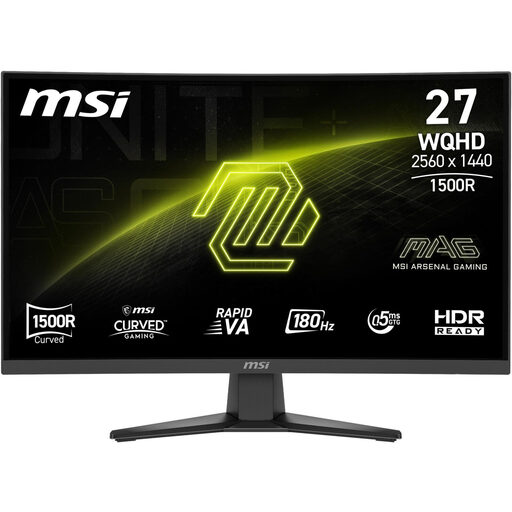
A curved VA option to consider if you’re also thinking about how a larger screen will fit in your available space.
The product specs list QHD, 1500R, 3500:1 contrast, Black Equalizer, a headphone socket and VESA 100 × 100 mm. Before buying, measure the space available, including room for the stand.
 No image available
A QHD VA option if contrast figures and a headphone socket are among your buying priorities.
The product specs list 180 Hz, 5000:1 static contrast and Adaptive Sync. They also include tilt adjustment and VESA 100 × 100 mm; check the refresh rate for the input you’ll actually use.
 No image available
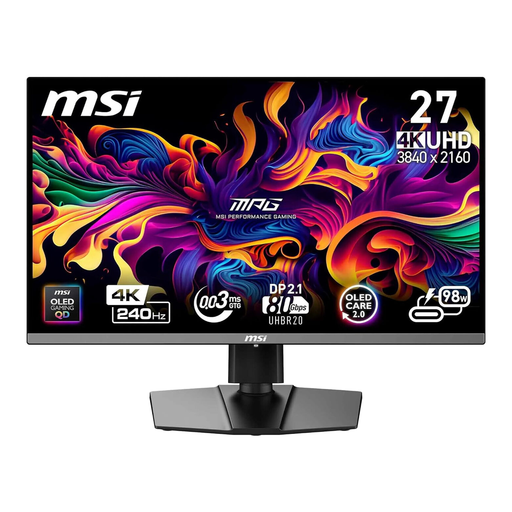
A QD-OLED option if dark gaming scenes and a headphone socket are among your requirements.
The product name lists 240 Hz, along with DisplayPort, HDMI and USB-C with PD 98 W. MSI lists OLED Care 2.0; LG describes burn-in from long periods of unchanged images as an OLED risk that cannot be ruled out entirely. Follow the care guidance for the specific model.
Not if you want to listen through headphones. Check your gaming device’s audio output and connection: LG lists a headphone socket but no speakers for the 27GS93QE-B, while ASUS lists both for the VG27AQ3A.
Match the resolution and refresh rate figures for the input you’ll use with your gaming device’s output. For the VG27AQ3A at QHD, ASUS lists up to 180 Hz over DisplayPort, but only up to 144 Hz over HDMI.
Read the care guidance and warranty terms for the specific model, particularly if you often display unchanged images for long periods. LG describes burn-in as a possible risk that cannot be ruled out entirely, even with proper use. A voluntary manufacturer’s warranty is separate from your statutory rights.
Compare the energy label figures or EPREL entries for specific models on a like-for-like basis: SDR with SDR and HDR with HDR. The European Commission lists monitors as electronic displays with energy labels; an energy class alone won’t tell you what your individual electricity costs will be.