Studio with large backups
If you regularly back up large work files, check that your server, workstation and switch all support 2.5 GbE. Product information from TP-Link Deutschland and QNAP highlights suitable 2.5 GbE models.


For a backup server in a shared studio, start by counting all the ports in use, including the uplink, then check the supported speeds along every important connection. A Gigabit switch may be sufficient if your devices use no more than Gigabit speeds and you don’t need configurable network segmentation. For 2.5 GbE, your connected devices also need compatible ports, while VLANs require a suitable managed switch and the right configuration. Neither faster ports nor VLANs replace a separate backup and recovery plan or access controls.
If you regularly back up large work files, check that your server, workstation and switch all support 2.5 GbE. Product information from TP-Link Deutschland and QNAP highlights suitable 2.5 GbE models.
If you want to keep your backup server and shared devices on separate network segments, you’ll need a suitable managed switch and a network plan to match. QNAP and TP-Link list VLAN features on selected managed models.
If your devices use Gigabit Ethernet and you mainly need extra wired connections, a basic Gigabit switch may be enough. TP-Link Deutschland lists five Gigabit RJ45 ports on the TL-SG105.
If you’re choosing a switch to connect a backup server in a shared studio, the key things to check are connection speeds, network segmentation, port count and where you’ll install it.
| What matters | What to check before buying | Who it matters most to |
|---|---|---|
| Speed to the backup server | Check the speeds of the server and workstation ports, as well as the uplink. | If I transfer large backups through the server, all the key connections need to keep up. Around 31% of consumers put the right transfer speed first. |
| Separate network segments | Check whether you need VLANs and whether the switch, uplink and other devices support them. | If shared devices and the backup server need to be assigned to separate network segments, the right configuration is essential. Around 31% of consumers prioritise network segmentation. |
| Ports, including the uplink | List the server, workstations, uplink and any planned additions. | If several devices will be connected by cable, I don’t want to overlook the uplink or a workstation when counting ports. Around 23% of consumers prioritise having the right number of ports. |
| Quiet, straightforward operation | Check the fan specifications and installation type for the specific model. | If the switch will be within earshot in the studio, quiet operation and easy set-up matter. Around 15% of consumers put these features first. |
The port speed alone doesn’t tell you the full story of the connection between your workstation and backup server.
Before choosing, note the ports on both devices and the uplink. For 2.5 GbE, all the devices and connections involved need to support that speed.
The connection to your existing network also uses a switch port.
Make a list of your server, workstations, uplink and any likely additions. This will help you decide whether five ports are enough or whether more would be useful.
Configurable network segmentation doesn’t replace access controls or a backup recovery plan.
Choose VLANs only if they’re part of your network plan and the devices involved can be configured accordingly. Manage permissions and recovery separately.
For the TL-SG1005LP, TP-Link Deutschland specifies up to 30 W per PoE+ port and 40 W in total. So the maximum output of a single port isn’t also the total power budget.
If you want to power devices such as access points or cameras over an Ethernet cable, check their requirements against the individual port limits and the total power budget of the specific model.
The documented models range from a basic Gigabit switch to unmanaged 2.5 GbE switches with five or eight ports.
QNAP lists an unmanaged five-port 2.5 GbE switch and a managed 2.5/10 GbE option.
The manufacturer describes the MS305 as an unmanaged five-port Multi-Gigabit switch.
Zyxel’s support page describes the MG-105 as an unmanaged, fanless five-port 2.5 GbE switch.
The international manufacturer datasheet for the ES210X-M2 describes a managed alternative for Multi-Gigabit connections.
The following Joybuy products are managed switches for wired studio connections, with 2.5 GbE or Gigabit-class ports.
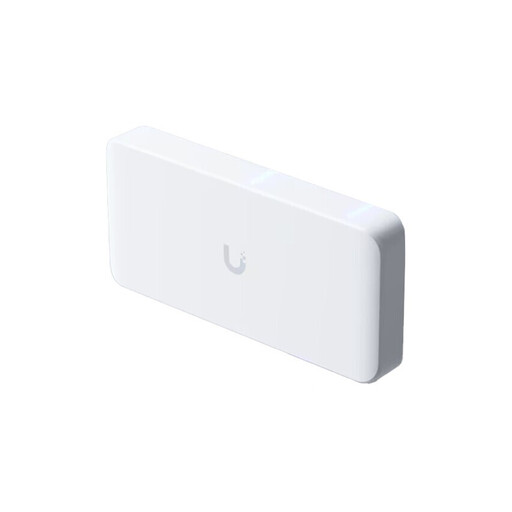 No image available
This managed model may suit a set-up with several 2.5 GbE and PoE devices. Check first that its management features support the network configuration you need.
Eight 2.5 GbE ports, PoE++ outputs and a 10 GbE uplink. The AC/DC power supply is not included and is sold separately; according to the product information, it can alternatively be powered through a compatible PoE+++ input.
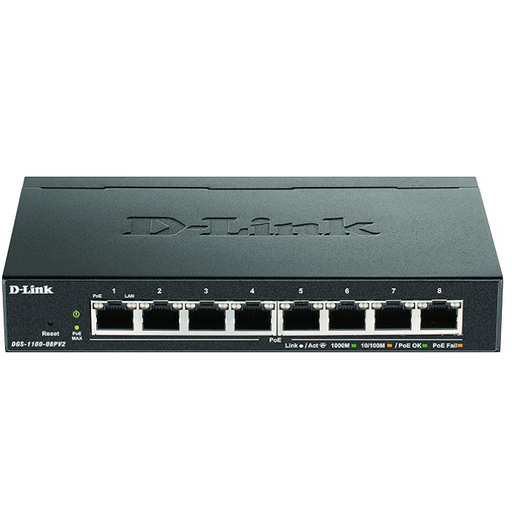 No image available
An option if eight Gigabit connections are enough and you’re considering a managed switch with PoE. For the specific variant, check that its VLAN or trunking configuration and PoE budget suit your set-up.
The product name specifies Gigabit Ethernet (10/100/1000). This port speed isn’t suitable for connections that need more than 1 GbE.
No. First check the ports on the server and workstations, as well as the entire connection path. A faster switch alone doesn’t guarantee higher backup throughput.
VLANs are useful if your network plan calls for separate segments and the devices involved, including the uplink, can be configured accordingly. Choose a suitable managed switch; VLANs alone don’t control file permissions.
No. The specific model must support PoE and meet the power requirements of the connected devices. For the TL-SG1005LP, TP-Link Deutschland lists four PoE+ ports, up to 30 W per port and a total budget of 40 W; the individual port figures can’t be added together to get the total budget.
No. The Federal Commissioner for Data Protection and Freedom of Information points to the obligation under Article 32 of the GDPR for controllers and processors to implement appropriate technical and organisational measures to ensure a level of security appropriate to the risk. A switch can be one part of this; its role depends on how it’s used.
Not simply because it’s connected to the switch. The German Federal Office for Information Security also includes recovery as part of a backup plan. So, as well as creating backups, plan how you’ll restore your data.