For a streaming box and a few other wired devices on a small desk, a compact, fanless Gigabit switch without management features is usually a good starting point. Remember to count the connection to your router: with five ports, that leaves four for your devices. Multicast IPTV, VLANs, 2.5 Gigabit devices or PoE may make specific extra features useful, but there’s no evidence that they offer an advantage for the streaming box alone.
Who is a small switch for?
Not enough LAN ports at your desk
If you want to connect a streaming box and, for example, a PC through your existing router connection, a switch can provide extra wired ports. TP-Link Germany and NETGEAR Germany describe five-port Gigabit models that fit the bill.
A workspace where space and noise matter
A compact, fanless device is worth considering if space is limited on or under your desk and you don’t want to hear a fan. These features are listed for models from TP-Link, NETGEAR and D-Link, among others.
Households with multicast-based IPTV
If your IPTV service uses multicast traffic, check whether the specific switch model supports IGMP Snooping. D-Link lists this feature for the DGS-105; simply using a streaming box doesn’t mean you need it.
What should you look for when buying?
First, count the connections you need and check how much space you have. Any extra features should suit your IPTV service or other network devices.
| What matters |
What to check when buying |
Who should consider it |
| LAN ports |
Count your streaming box, PC and other wired devices, then add a port for the router. With five ports and one router uplink, four ports remain for devices; this follows from the port specifications listed by TP-Link Germany and NETGEAR Germany. |
If I want to connect several devices to my desk, I need enough sockets left after connecting the switch to the router. Around 36% of consumers say available LAN ports are their top buying priority. |
| Space and noise |
Check the casing dimensions, port layout and space for cables and the power supply, and look for an explicitly fanless design. TP-Link lists the TL-SG105 as measuring 100 × 98 × 25 mm; these dimensions don’t automatically apply to other models. |
If the switch is right next to where I sit, a small footprint and no fan noise matter more than extra features. Around 29% of consumers prioritise a quiet, space-saving workspace. |
| IPTV with multicast |
First check whether your IPTV service uses multicast, then see if the specific model supports IGMP Snooping. D-Link lists this feature for the DGS-105, while NETGEAR lists it for the GS305E. |
If I use multicast-based IPTV, I want to know whether the switch handles the traffic appropriately, rather than assuming IGMP Snooping is needed for all streaming. Around 21% of consumers cite multicast IPTV as their top buying priority. |
| Other high-speed or PoE devices |
For 2.5 Gbit/s, check the ports on the devices involved. For PoE, make sure the standard, power requirements and total budget are suitable for the connected device. |
If I’m planning to add a faster NAS or a PoE device, I’ll check its connection and power requirements first; there’s no evidence that it offers an advantage for the streaming box alone. Around 14% of consumers prioritise upgrading their network beyond Gigabit speeds. |
Common buying mistakes
-
Counting five ports as five free connections for devices
In the setup described, the connection to the router uses one of the five ports. That leaves one fewer port for your devices.
List all your wired devices before buying and include the router uplink in your calculations.
If there aren’t enough ports, you may need to buy another switch.
-
Assuming IGMP Snooping is needed for all kinds of streaming
IGMP Snooping is for multicast traffic. Whether you need this feature depends on whether your IPTV service uses multicast.
Only make it a deciding factor once you’ve confirmed that your service needs it.
-
Assuming 2.5 Gbit/s or PoE is automatically an advantage
These features are for compatible, faster network devices or PoE-powered devices respectively; they don’t automatically benefit a streaming box.
Choose a switch based on the ports and requirements of the other devices you actually plan to use.
Key brands at a glance
TP-Link
The TL-SG105 is a good reference point for a simple desktop connection, while the TL-SG105E adds management features.
- TP-Link lists plug-and-play setup and IGMP Snooping for the TL-SG105.
- The TL-SG105E’s management features are only relevant if you need to adjust network settings. Features listed for these models don’t automatically apply to every TP-Link version.
NETGEAR
The GS305v3 is suited to a simple Gigabit setup, while the GS305E is for users who need features such as VLAN or IGMP settings.
- NETGEAR lists five Gigabit ports and a metal casing for the GS305v3.
- PoE isn’t listed for the GS305v3. You may not need the extra control options on the GS305E if you simply want to connect devices.
D-Link
The DGS-105 is worth considering for connecting several wired devices at your desk; the DGS-1005P is an alternative if you need PoE.
- D-Link lists five Gigabit ports and IGMP Snooping for the DGS-105.
- Four PoE+ ports and a total budget of 60 W are specified for the DGS-1005P, Revision B, and shouldn’t be attributed to the DGS-105.
Zyxel
The GS-100 series includes compact, unmanaged Gigabit switches for desktop use or wall mounting.
- Zyxel describes the series as fanless, with ports that have preset QoS priority.
- Check the port layout and version of the specific model; the series description doesn’t replace this check.
Joybuy products for your desk
The products below are five-port Gigabit switches for wired devices; some models also offer management or PoE features. For electrical and electronic devices sold in Germany, the Federal Network Agency lists requirements including correct CE marking, clear device identification and a German-language instruction manual for non-commercial users. Check these details on the specific product listing.
 No image available
Ubiquiti UniFi Switch Flex Mini USW-FLEX-MINI-EU
An option if you’re looking for a managed Gigabit switch for several wired devices.
5-port Gigabit Ethernet switch; powered via USB-C or 802.3af/at PoE.
View at Joybuy
 No image available
D-Link DGS-1005P/E
A good fit for a setup where you want to connect compatible PoE-powered devices as well as other wired devices.
5-port desktop Gigabit switch; the product name specifies four PoE+ ports and a 60 W PoE budget.
View at Joybuy
 No image available
TP-Link TL-SG1005D
A straightforward option if you want to connect several wired devices without management features.
5 RJ45 ports with 10/100/1000 Mbit/s; auto-negotiation and Auto-MDI/MDIX.
View at Joybuy
 No image available
TP-Link TL-SG105PE
An option if you need network management features or PoE for compatible devices.
5-port Gigabit switch; four PoE+ ports with 65 W, VLAN, QoS and IGMP Snooping; fanless metal design.
View at Joybuy
 No image available
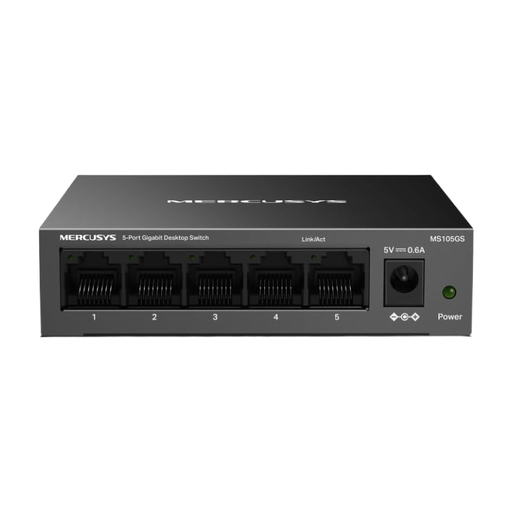
MERCUSYS MS105GS
A simple way to add connections for several wired devices if you don’t need management features.
5-port Gigabit switch; plug-and-play, fanless desktop design and metal casing.
View at Joybuy
Frequently asked questions
Is a 5-port switch enough for a streaming box and PC?
Yes, as long as enough ports remain for all your devices after connecting the switch to the router. With five ports and one router uplink, you have four ports for devices.
How do I connect a switch at my desk?
Connect an Ethernet port on the switch to your router or existing network, then connect the streaming box to another port. According to their manufacturers, unmanaged models such as the versions listed by TP-Link and NETGEAR can be used without configuration.
Do I need PoE or IGMP Snooping for a streaming box?
PoE is only relevant if you want to power a compatible device over Ethernet. IGMP Snooping is mainly worth considering if your IPTV service uses multicast; the term ‘streaming box’ alone doesn’t mean you need it.
What should I know about faults or buying online in Germany?
Your statutory rights if a product is faulty are separate from any voluntary manufacturer’s guarantee. Many online purchases also generally come with a 14-day right to cancel; the Verbraucherzentrale explains when the cancellation period starts and how long it lasts.
What labelling should a switch for the German market have?
For electrical and electronic devices sold in Germany, the Federal Network Agency lists requirements including correct CE marking, clear device identification and a German-language instruction manual for non-commercial users. Check the details for the specific version being sold.


