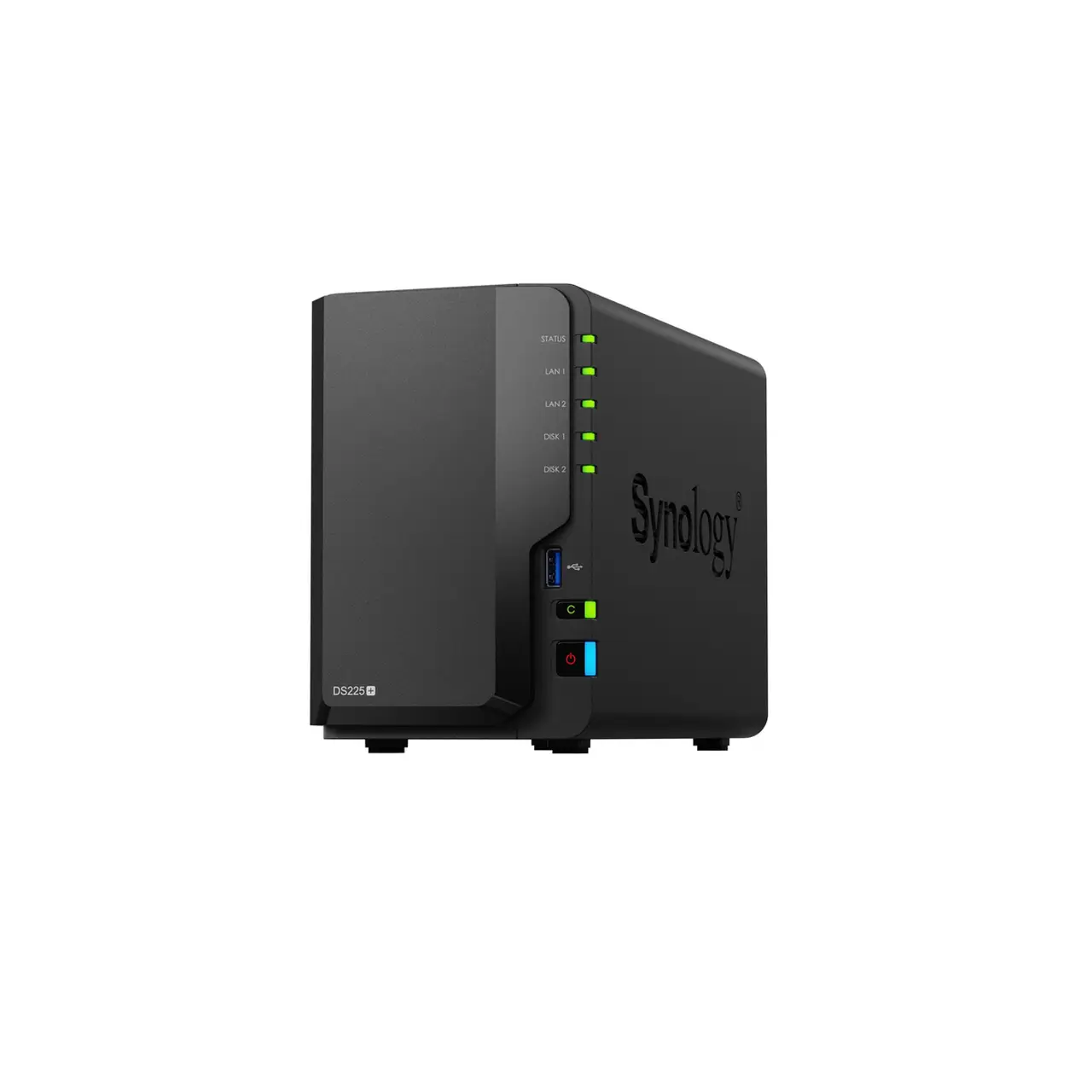
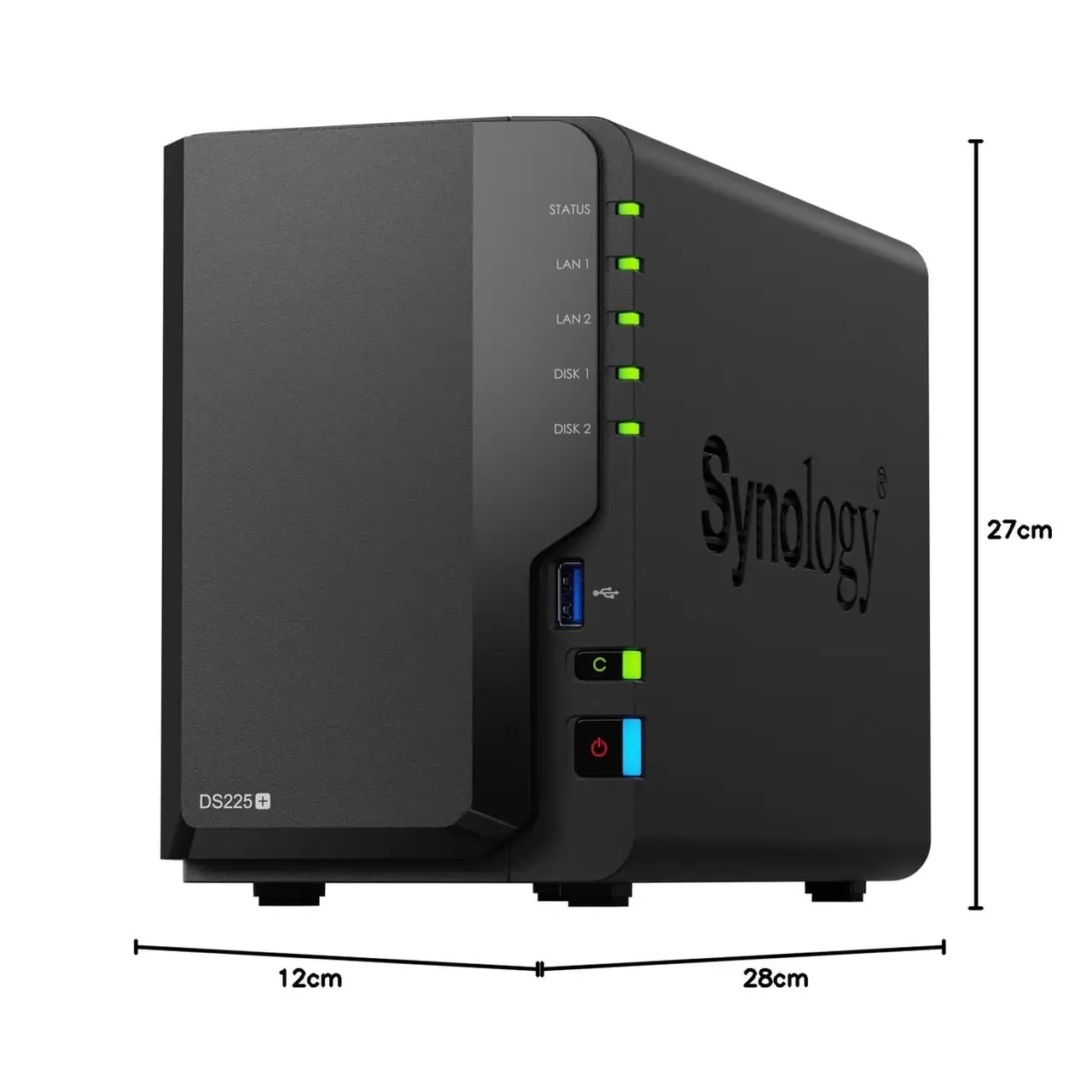
Build a network storage setup around the drives that suit your needs with the diskless Synology DS225+. Its two bays, 2.5GbE and Gigabit Ethernet offer flexible options for connecting compatible storage to your home or office network. Use RAID 0, RAID 1 or JBOD to configure the drives, and Cloud Sync to support storage management. It’s a practical choice for households, home workers and small businesses looking to centralise files or create a NAS setup they can tailor over time.
How to Choose the Right NAS
Start by deciding what you want your NAS to store and who needs access to it. The right choice depends on capacity, the number of users and the tasks you expect it to handle, such as file sharing, backups or media streaming.
Key Features to Consider
Compare these essentials with your current needs and allow room for future growth.
- Drive bays and storage capacity: Choose the number of bays based on how much data you have and how quickly it may grow; a diskless NAS requires you to buy compatible drives separately. Check the manufacturer’s drive compatibility list, and remember that RAID can improve availability but is not a substitute for a separate backup.
- Performance and network connection: Match the processor, memory and Ethernet speed to your workload: several users, large file transfers or media tasks may benefit from stronger hardware and 2.5GbE. To make use of faster networking, check that your router, switch and computer also support the relevant speed.
- Software, backup and security: Check that the NAS operating system supports the backup schedules, file sharing, snapshots and apps you need, and review how updates and remote access are managed. For important files, plan a separate backup and enable strong passwords and multi-factor authentication where available.
Build a Smarter Storage Hub for Home or Work
Quad-Core Processing Meets Flexible Networking
At the heart of the Synology DS225+ is an Intel Celeron J4125 quad-core processor, paired with 2 GB of DDR4 memory to support everyday network storage tasks. Choose a connection that suits your setup with both a 2.5GbE port and a Gigabit Ethernet port, giving you flexible options for linking the NAS to your network. Whether you’re organising shared files or bringing your storage together in one place, this desktop NAS offers a capable foundation that can adapt to the way you use your home or workplace network.
Choose Your Drives and Shape Your Storage
The two-bay design lets you select compatible 2.5-inch or 3.5-inch drives to create a storage setup that fits your needs. Configure them as RAID 0, RAID 1 or JBOD, with each option offering a different way to organise your available storage. The DS225+ is supplied diskless, so you can choose and install compatible drives as part of building your NAS. For added control over your files, AES-256-bit volume encryption is among its storage management features, while SSD TRIM support helps you make use of compatible SSDs.
Useful Connections and Tools for Everyday Management
Make the DS225+ part of a versatile storage setup with its two USB-A 3.0 ports, which support external storage and peripherals. Synology’s Cloud Sync adds a useful option for managing files across cloud services, helping bring your storage workflow together. If your needs grow, the 2 GB of DDR4 memory can be expanded to 6 GB, giving you room to tailor the system over time. Together, these practical connections and management features make it easy to build a network storage hub around the drives, devices and routines that work for you.
Synology 2-Bay NAS: Who It Suits
Home Storage Builders Choosing Their Own Drives
When you want network storage built around drives you select,
the diskless DS225+ lets you install compatible drives and
choose RAID 1 for mirrored storage or JBOD to use the drives
without mirroring, so your setup reflects how you want to
organise your files.
Small Teams Sharing Work Files
When your small team needs a central place for work files, you
can connect the DS225+ to your network and use Cloud Sync to
keep files in step with cloud storage, making shared work
easier to organise.
People Who Regularly Move Large Files
If large files are a regular part of your workflow and your
network supports 2.5GbE, you can use the DS225+’s 2.5GbE port
for a faster wired link than Gigabit Ethernet, helping
transfers fit more smoothly into your day.
People Storing Sensitive Files
If you keep sensitive files on network storage, you can enable
volume encryption to add a layer of protection for stored
files, giving you more confidence in how they are kept.
Frequently Asked Questions
What size hard drives fit the Synology DS225+?
The DS225+ has two bays for compatible 2.5-inch or 3.5-inch drives and supports RAID 0, RAID 1 or JBOD. It is a diskless desktop NAS, so you can choose the drive capacity and configure storage in Synology DiskStation Manager to suit your home or small office setup.
Does the Synology DS225+ have a 2.5GbE network port?
The DS225+ has one 2.5GbE RJ45 port and one Gigabit Ethernet RJ45 port, giving you options for a compatible faster network or a standard Gigabit router or switch. Its two USB-A 3.0 ports also support external storage and peripherals for a flexible home or office setup.
How do I safely install hard drives in the Synology DS225+?
Install or remove drives only when the DS225+ is switched off and unplugged, and keep its 92 mm fan and ventilation openings clear during use. Place the 1.30 kg desktop unit on a stable, level surface with room for airflow, helping you set up the two-bay NAS safely for everyday use.
Don't just buy, Joybuy
Discover more of your favourite brands on Joybuy with great offers.