For a targeted breeze by your armchair, choose an adjustable table fan with well-controlled speed settings. If you want air to reach other parts of the living room too, oscillation and airflow direction are more important. If there’s no socket where you want to position it, a rechargeable model may be an option, although battery life depends on the setting you use. A fan moves air but doesn’t lower the room temperature, as the German consumer advice centre explains.
Who are the different airflow options suitable for?
A breeze right by your armchair
If you usually sit in the same spot, you’ll want to adjust the airflow strength and direction to suit you, rather than sending air around the whole living room. The German consumer advice centre describes a fan as a way to provide direct airflow to an individual.
Airflow for several areas
If you want the airflow to reach different areas from a side table, oscillation and tilt are important things to consider. The models mentioned by Rowenta and Meaco feature oscillation, in some cases horizontally and vertically.
Flexible positioning without a socket
If you want to place the fan somewhere beyond the reach of a mains cable, a rechargeable model may be suitable. Meaco states that the Sefte 10 Table Pro runs for up to 40 hours on its lowest setting; this doesn’t tell you how long it will run on a higher setting.
What should you look for when buying?
Check the fan where you plan to use it. What matters is whether the airflow reaches your armchair or other areas, and whether it can run at a comfortable setting.
| Priority |
What to look for when buying |
Who is this most important to? |
| A controllable breeze where you sit |
Check that the direction and speed settings suit the distance between the fan and your armchair. |
When I’m sitting in my armchair, I want to direct the airflow where I need it and keep it at a comfortable setting. Around 31% of consumers prioritise a controllable breeze where they sit. |
| Air circulation around the room |
Compare horizontal oscillation, tilt and, where available, vertical oscillation for the intended position. |
I want the airflow to reach other areas too, and don’t mind if it isn’t constantly pointing at me while it oscillates. Around 25% of consumers prioritise air circulation beyond their seating area. |
| Operating noise by your armchair |
Consider the noise ratings for lower and higher settings separately, and take into account the setting you’ll need. |
When I’m reading or chatting next to the fan, I want to make sure the setting I need isn’t too noisy. Around 19% of consumers make comfortable operating noise their main priority. |
| Positioning without a nearby socket |
Check the distance to the nearest socket and, for rechargeable models, the battery life on the setting you plan to use. |
If there’s no socket by my armchair, I want to be able to position the fan flexibly, so I check the battery life and charging requirements. Around 13% of consumers prioritise being able to place the fan somewhere without a nearby socket. |
| Purchase and running costs |
Check the power consumption and estimate running costs based on how long you use the fan and your electricity tariff. |
If I’m going to use the fan for longer periods, I compare purchase and running costs rather than paying for features I don’t need. Around 12% of consumers put total costs first. |
Common buying mistakes
-
Confusing maximum airflow with a lower room temperature
A fan moves the air but doesn’t cool the room. The German consumer advice centre distinguishes between providing airflow for an individual and actually cooling a room.
First, consider whether you mainly want a breeze by your armchair or a lower room temperature. The German consumer advice centre recommends opening the windows only when it’s cooler outside than indoors.
-
Comparing only the lowest noise rating
The lowest setting won’t necessarily provide the airflow you want. Rowenta gives a minimum of 32 dB(A) and a maximum of 58 dB(A) for the VU2750.
Compare the noise and airflow at the same setting you’re likely to use where you sit.
-
Assuming similarly named model numbers refer to the same product
A product page on Joybuy Germany lists VU2740F0 in the title, but names VU5260 in the description. Similar names alone don’t prove that two versions are identical.
Before choosing, compare the full model number and the details of the version you want.
Key brands to consider
Rowenta
The models mentioned are conventional table fans with adjustable airflow, and differ in features such as controls and speed settings.
- Rowenta lists four speed settings and 120° oscillation for the VU2730, and five settings with the same 120° oscillation for the VU2750.
- The VU2750 comes with a remote control, according to Rowenta; no remote control is listed for the VU2730. Rowenta also offers a spare parts search by model.
- The noise ratings are manufacturer figures for specific settings, not an independent, like-for-like comparison.
Meaco
The Sefte 10 Table models are worth considering if you want horizontal and vertical airflow direction; the Table Pro also offers battery power.
- Meaco lists 12 settings and horizontal and vertical oscillation for the Sefte 10 Table.
- According to Meaco, the Sefte 10 Table Pro’s battery life of up to 40 hours applies to the lowest setting, not to stronger airflow.
Philips
The CX1030/01 table fan is a conventional option with rotation and tilt.
- For this model, Philips lists three speed settings and a maximum airflow of up to 2000 m³/h.
- The manufacturer’s 35 dB(A) rating applies to the lowest setting; it doesn’t describe the same operating conditions as the maximum airflow.
Table fans at Joybuy
The range includes adjustable table fans, models with oscillation and rechargeable table fans for flexible positioning.
 No image available
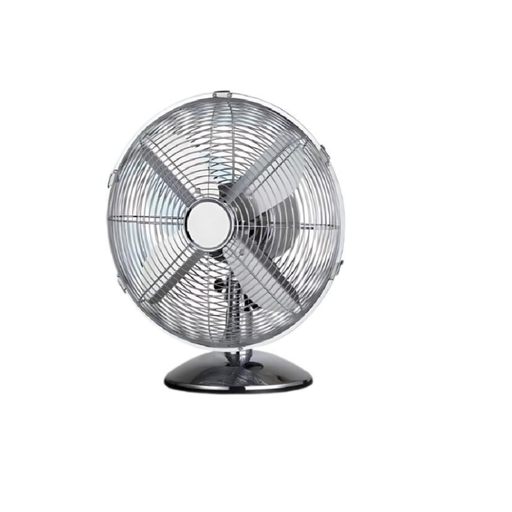
AKAI table fan, 30 cm, 35 W
If you want a targeted breeze in a regular seating spot, the manually adjustable tilt is an important feature to consider.
30 cm, 35 W, three speed settings, four aluminium blades and left/right oscillation.
The tilt is adjusted manually.
View at Joybuy
 No image available
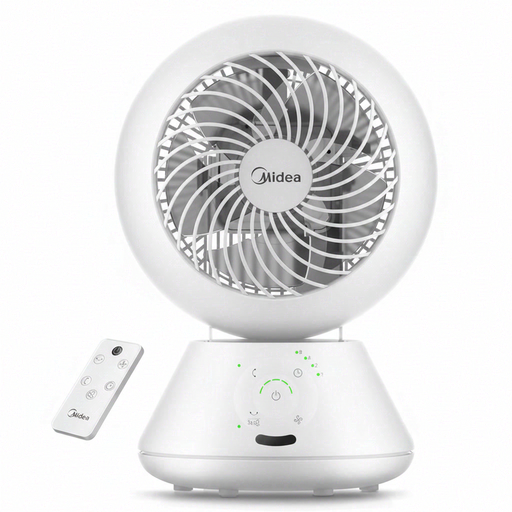
Midea MDF24JRW table and pedestal fan
If you want airflow in several directions, the listed oscillation function is worth considering.
30 W, five speed settings and remote control; the product name specifies table and pedestal use.
The product name lists this model in white.
View at Joybuy
 No image available
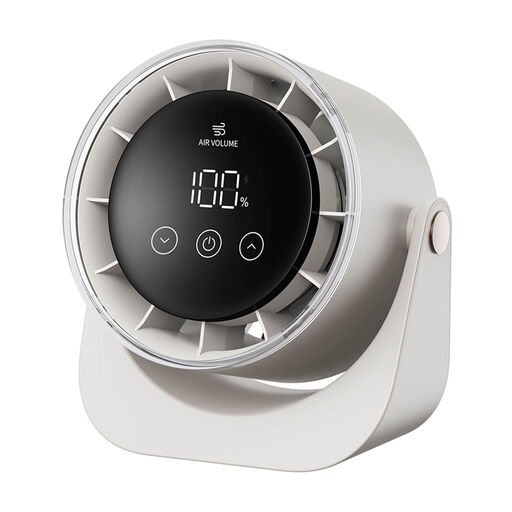
Cordless table fan with LED display
The cordless design may suit you if there’s no socket within reach where you want to position the fan.
The product name lists 100 speed settings and a 90° tilt.
The stated battery life of up to 10 hours applies to a low setting.
View at Joybuy
 No image available
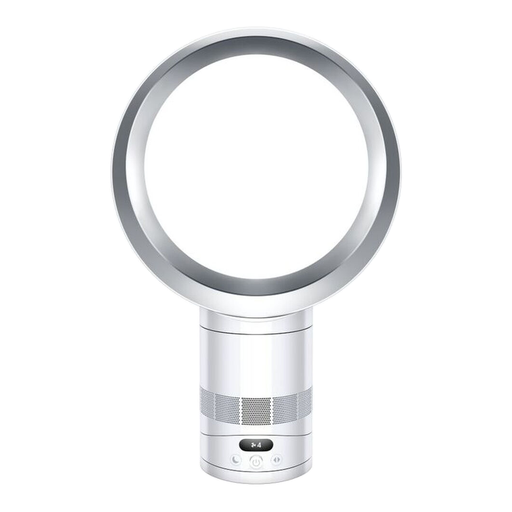
Dyson Cool™ CF1 table fan 602807-01
This model is an option if you want to adjust the direction and strength of the airflow where you sit.
View at Joybuy
 No image available
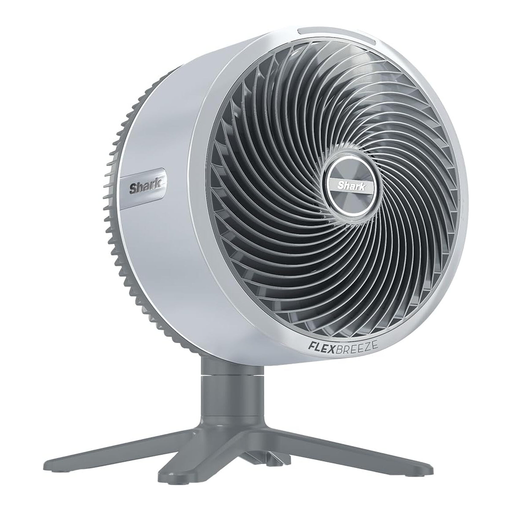
Shark FlexBreeze TableMate rechargeable table fan FA150EU
Battery power is useful if there’s no nearby socket; the product details also list mains operation.
Five speed settings, oscillation and remote control are listed in the product name.
The stated battery life of up to 24 hours applies to the lowest setting without oscillation.
View at Joybuy
Frequently asked questions
Can a table fan cool down a large living room?
No, a table fan doesn’t lower the room temperature like an air conditioner. If you mainly want airflow by your armchair, it can help you feel cooler there. The German consumer advice centre recommends opening the windows only when the air outside is cooler than the air indoors.
How should I position and clean a table fan?
Place it on a stable surface and direct the airflow towards the area you want to cool. Rowenta recommends unplugging the fan before cleaning and only opening and cleaning the grille and blades as instructed for the specific model. Let the parts dry completely before plugging the fan back in.
How can I estimate a fan’s electricity costs?
To work out your own costs, you’ll need the power consumption, how long you use the fan and your electricity tariff. With these details, you can calculate the cost for your own usage without relying on a general estimate.
What should I do if my fan has a fault?
Your statutory rights against the seller are separate from any voluntary manufacturer’s warranty. You can also check the manufacturer’s range for spare parts that fit your exact model.


