
Lieferung heute & morgen

Qualitätsgarantie

Willkommens-Angebote freischalten: KOSTENLOSE Lieferung | Bis zu 80 % RABATT | Kostenlose 30-Tage-JoyPlus-Testphase
App herunterladen
A tablet is a versatile tool for work, creativity, and entertainment. But it only unlocks its full potential with the right accessories. However, the market for tablet accessories is overwhelming and filled with products that overpromise and underdeliver. Incorrect compatibility claims or low-quality materials can quickly lead to a bad buy. This guide will help you identify the crucial criteria and make an informed choice.
Before you invest, you should be aware of the three most common problems that lead to useless products and wasted money:
To avoid these pitfalls, focus on verifiable technical specifications. Three core parameters are decisive for most accessory categories.
Protecting your device is the top priority. For an iPad case or a protective case for an Android device, the materials and craftsmanship are crucial. Pay attention to:
For a stylus for your tablet or an external keyboard, technical compatibility determines its functionality.
Your tablet's mobility depends on its power supply. For a power bank for a tablet, the following specs are critical:
Based on these objective criteria, we have curated products for different user groups.
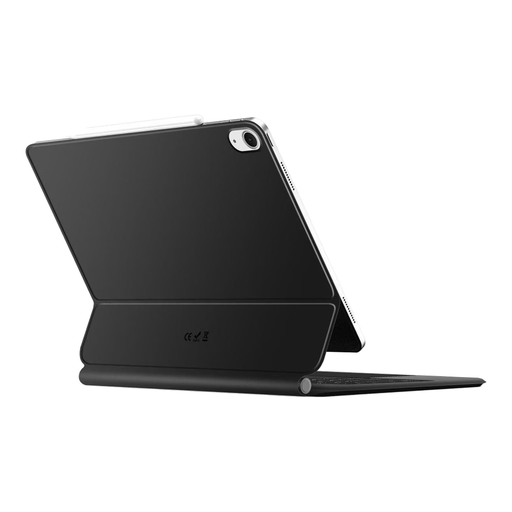
Why This Fits Their Persona: Ideal for users who use their iPad as a laptop replacement on the go. The combination of a protective case and a full-featured keyboard enables productive work on trains, in cafés, or at the office.
It sidesteps the trap of empty functional promises. With its backlighting and stable Bluetooth connection, the keyboard offers genuine productivity value rather than just being a gimmick.
Integrated, backlit keyboard; magnetic design for easy handling and a stable hold.
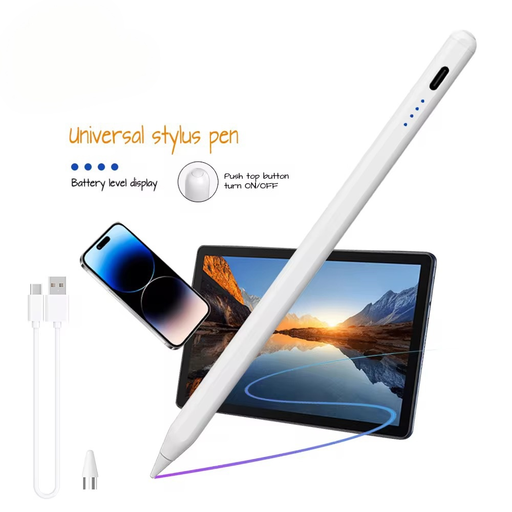
Why This Fits Their Persona: Suitable for students, designers, and note-takers who need a precise stylus for various devices. Its universal compatibility makes it flexible for taking lecture notes or sketching on different tablets.
It solves the compatibility problem. According to the manufacturer, the stylus is suitable for capacitive screens on iOS, Android, and Microsoft devices, thus avoiding the purchase of an incompatible, brand-specific pen.
Universal compatibility with capacitive screens; fast charging function and, according to the manufacturer, no input lag.
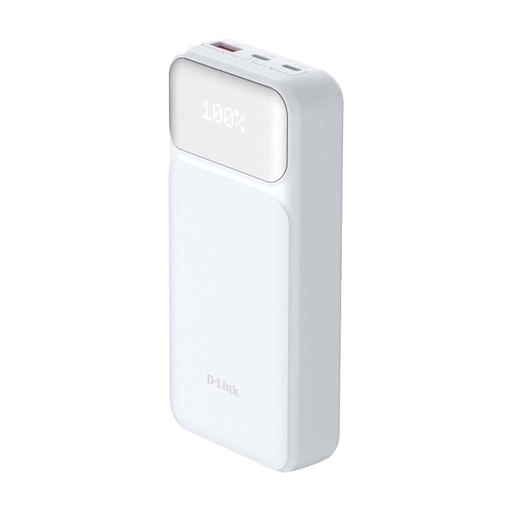
Why This Fits Their Persona: Essential for users who spend long days on the move and depend on a reliable power source for multiple devices. The high capacity and fast-charging function are ideal for business trips or long commutes.
It counters the pitfall of insufficient capacity and slow charging times. The specifications are clearly defined: 20,000 mAh capacity and 65W Power Delivery 3.0 are verifiable standards, not empty marketing promises.
High charging power of 65W (also charges laptops); simultaneous charging of up to three devices; integrated safety mechanisms.
We have compiled a complete, up-to-date list of products that meet these strict selection criteria and comply with current safety regulations.
1. How do I find out if a case or stylus is compatible with my tablet? Always check the product description for the exact model names and numbers of your device (e.g., "iPad Air 5th Generation" or "Samsung Galaxy Tab S9"). For a stylus, the supported protocol (e.g., USI 2.0) or compatibility with the operating system (iOS, Android) is crucial. When in doubt, the tablet manufacturer's website provides information on supported standards.
2. Is a tablet case with a keyboard worth it? This largely depends on your specific use case. If you frequently use your tablet for writing emails, reports, or longer texts, a case with an integrated keyboard can significantly boost productivity and make usage more comfortable. For pure media consumption or browsing, a simple, sturdy protective case is often the more practical and lightweight choice.
3. How much capacity (mAh) does a power bank need for a tablet? As a rule of thumb, a power bank with a capacity of at least 10,000 mAh is recommended for a full charge of most current tablets. If you want to charge multiple devices or also power a laptop, models with 20,000 mAh and a high power output (e.g., 65W via Power Delivery) are a future-proof investment.