For longer reading sessions without a stand, it’s worth comparing compact tablets by weight and display. If you prefer larger text or fixed-layout files, you may want to prioritise a larger screen and factor in the extra weight. Apple lists the iPad mini with A20 Pro as having an 8.5-inch display and weighing 255 g, while the iPad (A16) has an 11-inch display and weighs 477 g; these figures are for the respective Wi-Fi models. Manufacturer specifications alone can’t tell you how comfortable a device will feel to hold. For borrowed e-books, your choice also depends on how your library provides access. Check app compatibility before you buy, and note that Onleihe describes using the Silk browser rather than the Onleihe 3 app on Fire tablets.
Which tablet is right for you?
Readers who hold their tablet
If you read longer passages of a novel without putting your tablet down, weigh up the device’s weight against the amount of text visible on screen. Apple, Samsung and Lenovo publish display and weight specifications for individual variants, but these can’t tell you how comfortable a device will feel to hold.
Readers with digital library books
If you want to borrow adventure novels, first check whether your library uses Onleihe and which access method it supports. Onleihe Help says you need a valid library card and the associated password to use Onleihe 3. Not every library participates or has switched over yet.
Readers who prefer larger text
Open a book of your own or a sample page using your preferred font size, rather than relying on screen size alone as a measure of readability. Bitkom e. V. lists adjustable font sizes as one feature that can make reading e-books more comfortable.
What to look for when buying
First, compare how comfortable each tablet is to hold while reading. Then consider how your books look on screen and, if you borrow digital titles, how your library provides access.
| What matters |
What to check before buying |
Who should pay particular attention |
| Comfort when reading for longer |
Check the weight and dimensions of the exact variant, and try holding it with the case you plan to use. Read a section of a novel in your usual sitting position. |
If you’ll be holding the tablet for a long time, both its weight and having enough text on screen matter. Around 33% of consumers put ease of handling first when reading. |
| Access to borrowed novels |
Check whether your library participates and which version of Onleihe it uses. Onleihe Help says the Onleihe 3 app requires Android 10 or later with Google Play, or iOS 15.1 or later with the Apple App Store. Fire tablets use the web access via Silk described by Onleihe. |
If you want to open borrowed books directly on your tablet, the access method needs to work with your library and device. Around 25% of consumers prioritise access to library e-books. |
| Readability of your books |
Open a page from one of your own e-books in the app you plan to use, with your preferred font size. For fixed-layout files, also check whether you can read the page without constantly zooming in. |
If you need a particular font size, try it with a book of your own and choose a screen size to suit. Around 25% of consumers put how text is displayed first. |
| Reading without reliable Wi-Fi |
Download the Onleihe titles you need in advance and open them on your device without an internet connection. Bear in mind the online synchronisation described by Onleihe. |
If you want to keep reading without reliable Wi-Fi, check that your borrowed titles work offline on the specific device. Around 17% of consumers prioritise offline access. |
Common buying mistakes
-
A Fire tablet automatically works with the Onleihe 3 app
Onleihe doesn’t offer its Onleihe 3 app for Fire tablets, but it does list the Silk browser as a way to access Onleihe online. Browser access and using the app are two different things.
If you want to read borrowed books in an app, check the app store and operating system requirements before buying. For a Fire tablet, check that the browser access works with your library and the title you want to read.
You may need to read through the browser rather than use the app you expected for Onleihe.
-
A large battery guarantees offline access
Onleihe notes that downloaded content may not open reliably without an internet connection on some devices.
Download the titles you need before visiting the library and test them on your device without an internet connection. Also bear in mind the online synchronisation described by Onleihe.
-
A memory card can always replace internal storage
Xiaomi says the REDMI Pad SE 8.7 uses a memory card to store media, but not apps.
Before relying on a memory card, compare the internal storage of the exact variant with the space your apps need.
Depending on the space your apps need, you may need a variant with more internal storage.
-
A manufacturer’s warranty and your statutory rights are the same thing
The Verbraucherzentrale distinguishes between voluntary warranties and your rights against the seller if a product is faulty.
Keep your proof of purchase and model details. If there’s a fault, contact the seller first. Check any voluntary warranty separately.
Key brands at a glance
Apple
Apple offers both a compact iPad mini and a larger iPad for this comparison.
- For the Wi-Fi model, Apple lists the iPad mini with A20 Pro as having an 8.5-inch display and weighing 255 g. The Wi-Fi iPad (A16) has an 11-inch display and weighs 477 g.
- These manufacturer specifications don’t tell you how comfortable either device will feel to hold or how easy it will be to read at your usual reading spot.
Samsung
The Galaxy Tab A11 is a compact Android option. The specifications here refer to the German Wi-Fi version, SM-X130NZAAEUB.
- Samsung describes this version as an 8.7-inch tablet.
- Don’t assume specifications for other colours, mobile network versions or the Galaxy Tab A11+ apply to this model without checking.
Lenovo
The Tab One in configuration ZAF00255SE is a compact Android option to consider if you read while holding your tablet.
- For this configuration, Lenovo lists an 8.7-inch display, a weight of around 320 g, 4 GB RAM and 64 GB storage.
- The battery life advertised by the manufacturer is based on YouTube streaming, not a test of reading a novel.
Xiaomi
The REDMI Pad SE 8.7 without 4G is a compact LCD alternative. Check the storage variant and how your own books look on screen.
- Xiaomi lists an 8.7-inch display and a maximum weight of 373 g, based on its own laboratory data.
- According to Xiaomi, a memory card can store media, but not apps. Display certifications don’t tell you whether the device will be comfortable for you to read on.
Tablets and e-readers at Joybuy
This selection includes compact devices to compare for reading while holding your tablet, larger screens that show more of the page, and an E Ink tablet. Before buying, check which size and display best suit your reading spot and the books you read.
 Image unavailable
GOODTEL G11, 11-inch 2-in-1 tablet, 16 GB RAM (8+8 virtual), 256 GB, with EVA case
For readers who want to compare a larger display and need Google Play for their apps. Check compatibility with the specific configuration.
The product title lists an 11-inch display with 2176 × 1600 pixels, 16 GB RAM (8+8 virtual) and 256 GB storage. The product description mentions Google Play and an EVA protective case.
View at Joybuy
 Image unavailable
UXD Android tablet, 13.4 inches, 20 GB RAM (8+12 virtual), 256 GB
For readers who prefer a larger display and would also like to use a keyboard, mouse or stylus.
The product title lists Android 16, a 13.4-inch display with 1920 × 1200 pixels and 20 GB RAM (8+12 virtual). A keyboard, mouse and stylus are listed alongside the 256 GB of storage.
View at Joybuy
 Image unavailable
iFLYTEK AINOTE 2, 10.65-inch E Ink tablet
For readers looking for an E Ink display who would also like to use their device for handwritten notes.
The product information lists a 10.65-inch E Ink display and a stylus. The display has no front light, so bear the lighting at your reading spot in mind.
View at Joybuy
 Image unavailable
ALLDOCUBE iPlay 70 mini Ultra, 8.8 inches, 12 GB + 256 GB, Android 14
For readers who want to compare a more compact size for one-handed use. Check the display with your usual font size.
The product title lists an 8.8-inch display, Android 14, 12 GB + 256 GB and a Snapdragon 7+ Gen 3. The product title says that a power adapter is not included.
View at Joybuy
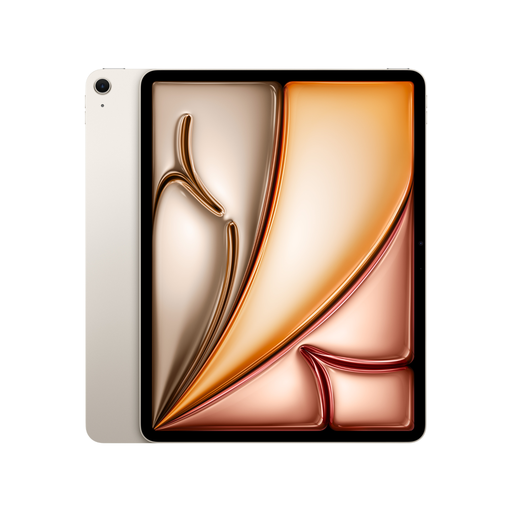 Image unavailable
Apple 13-inch iPad Air (M4, 2026), Wi-Fi, 128 GB, Starlight
For readers who value a larger display more than a particularly light device for long reading sessions without a stand.
The product title lists a 13-inch iPad Air with M4, Wi-Fi and 128 GB. If you’ll be reading for a long time while holding it, bear in mind its stated weight of 616 g.
View at Joybuy
Frequently asked questions
Do I need a library card to read borrowed adventure novels digitally?
To use Onleihe, you need a valid card from a participating library and the associated password. Also check that your library participates and has switched to Onleihe 3.
Can I install the Onleihe 3 app on any Android or Fire tablet?
No. Onleihe lists Android 10 or later with Google Play, or iOS 15.1 or later with the Apple App Store, as requirements for the app. It doesn’t offer an Onleihe 3 app for Fire tablets, but describes access to Onleihe online through Silk.
How can I get a borrowed novel ready to read without Wi-Fi?
Download the title in the app you plan to use and test that it opens without an internet connection. Onleihe warns that offline issues can vary by device and recommends, as a temporary measure, opening the app online briefly about every two days. This doesn’t guarantee that every title will work offline on every device.
What are my rights when buying online in Germany if I change my mind or find a fault?
For typical online consumer purchases, the Verbraucherzentrale describes a 14-day right to cancel in most cases. If a product is faulty, the seller is generally the first point of contact. Statutory consumer rights are separate from a voluntary manufacturer’s warranty.


