Readers of large circuit diagrams
You want to see as much of a manual page, including its diagrams, as possible at once. So, check how an actual PDF page looks on the tablet you’re considering.


If you want to read full manual pages and circuit diagrams, a tablet of around 10 to 11 inches is likely to be a better fit. For short passages and travelling light, a compact model may be more practical, although you may need to zoom in more often. Save the PDFs you need locally before your trip and check how easy they are to read using an actual page: screen size and resolution alone won’t tell you whether the smallest labels in your manual are legible.
You want to see as much of a manual page, including its diagrams, as possible at once. So, check how an actual PDF page looks on the tablet you’re considering.
You want to open manuals even when the hotel Wi-Fi is unreliable. Make sure the files are saved locally and easy to find on your device.
You usually look up individual sections and don’t mind zooming in more often in exchange for a more compact tablet.
A good fit if: You mainly look up short passages while travelling and prefer a smaller format.
The trade-off: There’s less screen space for full pages and circuit diagrams, so you may need to zoom in more often.
A good fit if: You want to view manual pages and illustrations at a table.
The trade-off: A larger tablet takes up more room in your luggage. It’s still worth checking how your specific PDF page looks.
| What to consider | What to look for | Who will find this especially important? |
|---|---|---|
| Full pages and diagrams | Open a typical PDF page and compare the page view, zoom and smallest label you need to read. | If I want to see circuit diagrams and small legends as clearly as possible, I test my actual manual. Around 36% of consumers put being able to read full pages first. |
| Offline access | Save PDFs locally and open them without a network connection; try searching the text in your own document if needed. | If I don’t want to rely on the hotel Wi-Fi, I want the files I need to be on my device before I travel. Around 29% of consumers prioritise offline access to manuals. |
| Size for travelling | Check the dimensions and weight of the exact version, including the case you plan to use, if applicable. | If I look up individual sections and take my tablet with me regularly, a handy size matters more to me than seeing a whole page at once. Around 21% of consumers prioritise portability. |
| Purchase and accessories | Check what’s included and whether you actually need a memory card, case or stylus for the exact version. | If I’m buying the tablet mainly for PDFs, I only want to pay for accessories I really need. Around 14% of consumers prioritise the purchase price and any necessary extra costs. |
A file in a cloud folder may not be saved on your tablet. You may not be able to access it without a connection.
Save the PDF you need locally before you leave and try opening it without a network connection.
A larger screen doesn’t automatically mean small labels or a particular circuit diagram will be easy to read on your PDF page. Resolution and the document itself matter too.
Check a representative page from your manual on the device you plan to use, including its smallest important label.
What’s included and which accessories you need depend on the exact version. Samsung states that the microSD card for the Galaxy Tab A11 is sold separately. Apple lists stylus compatibility for the iPad (A16), but this doesn’t confirm that a stylus is included. Additional accessories may mean extra costs.
Before buying, check what’s included and whether accessories are compatible with the exact model.
Samsung offers a compact option with the Galaxy Tab A11 and an 11-inch version with the Galaxy Tab A11+.
The iPad (A16) combines a screen of around 11 inches with the Files app and PDF annotation in supported apps.
The 10.1-inch Lenovo Tab is an option for readers who want more screen space than a compact tablet offers.
The Redmi Pad 2 is another 11-inch option for viewing larger manual pages.
This Joybuy selection includes tablets for reading manuals and PDFs. Several models are listed with 11-inch or 13.4-inch displays.
 No image available
The 11-inch format is an option if you want to view PDF pages on a larger screen.
Listed in the product name: 11 inches, 2,176 × 1,600 pixels, 16 GB RAM (8+8 virtual), 256 GB storage and an EVA case.
 No image available
The large display listed may appeal to readers who want to view PDF pages at a table.
Listed in the product name: 13.4 inches, 1,920 × 1,200 pixels, 128 GB storage, plus a keyboard, mouse and stylus in the package.
 No image available
The large display listed may appeal to readers who want to view PDF pages at a table.
Listed in the product name: 13.4 inches, 1,920 × 1,200 pixels, 256 GB storage, plus a keyboard, mouse and stylus in the package.
 No image available
The 11-inch format listed in the product name is for readers who want to view manual pages on a larger screen.
Listed in the product name: 128 GB storage, 3 GB RAM plus 13 GB virtual RAM, 90 Hz and 8,000 mAh.
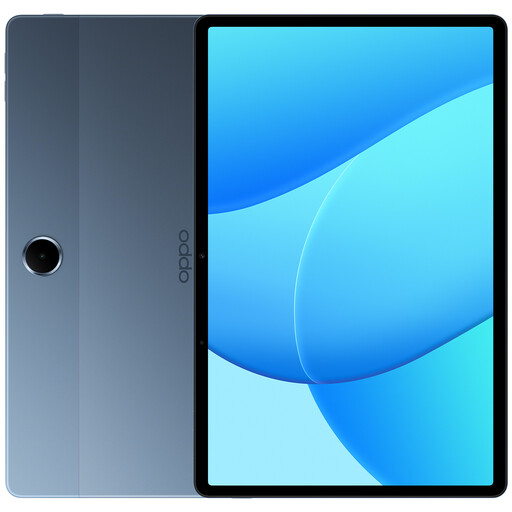 No image available
The LTE connectivity listed in the product name may be useful if you want to use a mobile network while travelling.
Listed in the product name: 128 GB storage and 6 GB RAM. Consider whether you really need a connection on the go to access your PDFs.
Save the PDFs you need locally before your trip and try opening them without a network connection. On an iPad, you can check the “On My iPad” location in the Files app; on Galaxy devices, you’ll find downloads in “My Files”. Seeing a file in a cloud folder doesn’t necessarily mean it’s available locally.
This depends on the device, app and document. Files by Google lets you search within an open PDF on supported Android devices; Apple describes PDF annotation in supported iPad apps. Try these features with your manual, as a scanned page doesn’t necessarily contain searchable text.
You don’t need a mobile connection to read PDFs you’ve saved locally beforehand. If you need to access new documents while travelling, check which connections are available. Germany’s Federal Office for Information Security recommends avoiding access to confidential data over public Wi-Fi wherever possible. If you have no alternative, it advises using a VPN if possible.
Online purchases generally come with a right to cancel, usually within 14 days of receiving the goods, although exceptions may apply to your specific contract. If goods are faulty, you have statutory rights against the seller. These are separate from any voluntary manufacturer’s guarantee. The Verbraucherzentrale explains these rights and the conditions that apply.
Check the product labelling and accompanying documents for the specific device. For products it oversees, the German Federal Network Agency lists CE marking, traceability and a declaration of conformity among the points to check. A CE mark is not a test of how easy a manual is to read.