Readers who hold their device in one hand
If you read longer passages in bed, weigh up the size and weight against the tablet’s extra features.


First, check whether you can read the specific book club edition in your preferred app, then compare the tablet’s weight and screen size. A smaller tablet may be more comfortable to hold for longer while you’re in bed. A larger screen gives you more room for PDFs with fixed page layouts, while an e-reader is also worth considering if you mainly read reflowable text. The Onleihe help pages explain the relevant app and format requirements.
If you read longer passages in bed, weigh up the size and weight against the tablet’s extra features.
If you need a particular edition from a library or bookshop, check that the title, account and reading app are compatible before choosing a device.
If you want to highlight passages or make notes, the tools available will depend on the app, device and book format.
| Priority | What to check when buying | Who is this important to? |
|---|---|---|
| Size and weight | Check the weight of the exact device model and factor in any case you plan to use. | If I’m reading in bed for a long time, I want a device that’s comfortable to hold. Around 26% of consumers prioritise ease of handling. |
| Access to the book | Search for the edition and title in your preferred service, and check the app, operating system and, where relevant, your library card. | If I need a particular edition for book club, the first thing that matters to me is whether I can get it through my preferred reading or borrowing service. Around 26% of consumers put access to books first. |
| Reading experience in the evening | Try the font and display settings with your own title, and check whether the book supports adjustments. | If I read in the evening, I want to be able to adjust the font and display to suit my preferences. Around 21% of consumers prioritise the reading experience. |
| Highlighting and note-taking | Check whether the app you plan to use supports highlights and notes with the specific book format. | If I want to keep track of passages for our discussion, I need note-taking features that work with my edition. Around 11% of consumers put this option first. |
| Overall cost | Consider the device, the book you need, library terms and, where relevant, a case or stylus separately. | If I’m weighing up the cost of the device and reading material, I want to include any essential accessories and access requirements. Around 16% of consumers prioritise overall cost. |
According to the Onleihe help pages, EPUB text adjusts to the screen size. PDFs, on the other hand, retain their fixed line and page breaks, which can make them less comfortable to read on smaller devices.
Before choosing a device, check the format of your book club edition and view a page using your preferred font size.
The Onleihe help pages distinguish between Fire tablets and e-readers: there is no Onleihe 3 app for Fire tablets, although you can access it online using the Silk browser.
Decide how you want to borrow and read the edition, then check that this option works before choosing a device.
The iPad mini with A17 Pro and the announced A20 Pro model are different devices. The weight or display specifications of one generation do not automatically apply to the other.
Check the full model generation and variant against the relevant manufacturer specifications.
Participation requirements, borrowing limits and loan periods can vary by library or Onleihe network.
Search for the specific title and check your library’s terms well ahead of your next book club meeting.
The Galaxy Tab A11 is a compact Android option for readers looking for an 8.7-inch device with compatible Android apps.
The iPad mini with A17 Pro is a compact option for readers who want to use their reading app and, where relevant, take notes on iPadOS.
The REDMI Pad SE 8.7 is a compact tablet option, provided your chosen reading app works on the version you select.
tolino e-readers can be an alternative if you mainly read reflowable text and want to use Onleihe.
The following Joybuy products include compact and larger Android tablets, as well as iPads. Before you buy, check that your specific reading app and book edition work on the model you’re considering.
 No image available
The product details describe an Android tablet that can store e-books; check that it’s compatible with your reading app.
8 GB RAM, 256 GB ROM.
 No image available
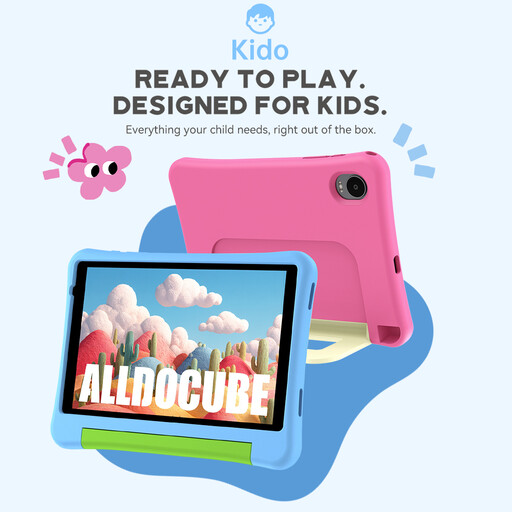
The product name describes this as a children's tablet; check whether the reading apps and settings you plan to use are suitable for your book club needs.
8 inches, Android 15, 3 GB + 32 GB; according to the product name, no power adapter included.
 No image available
If you’re considering an Android tablet for e-books, check in advance that your preferred reading app works with the specific device variant.
8.8 inches, 12 GB + 256 GB, Android 14, Qualcomm Snapdragon 7+ Gen3, 7,300 mAh; according to the product name, no power adapter included.
 No image available
The 11-inch screen gives you more space than compact models, but remember to consider how easy it is to hold when reading in bed for longer periods.
11 inches, Wi-Fi, 6 GB RAM, 128 GB.
 No image available
If you want to use a reading app on your iPad, check its system requirements and whether your specific book club edition is available.
11 inches, Wi-Fi, 2 TB, Nano-Texture Glass.
No, the app isn’t available on every tablet. The Onleihe help pages list Android 10 or later and Apple devices running iOS 15.1 or later as requirements for Onleihe 3. There is no Onleihe 3 app for Fire tablets, but you can access it online using the Silk browser. Before buying, check the requirements for the specific app and device variant you plan to use.
According to the Onleihe help pages, EPUB text adjusts to the screen size, while PDFs retain fixed line and page breaks. If you often read PDFs or need a larger font, check the specific page on the display you plan to use before choosing a smaller format.
Search for the exact title in your library’s catalogue and check whether it belongs to the relevant Onleihe service. According to the Onleihe help pages, you need a valid card from a participating library. Membership terms, loan periods and reservations vary by library or network.
That depends on the app, book and device. tolino says its iPad app supports highlights and notes in e-books and PDFs when used with Apple Pencil. Check whether the feature works with your specific edition and whether you want to use the accessory mentioned.