If you mainly read reflowable e-books and often read with your tablet in hand, a compact tablet of around 8.7 inches is a good place to start. For scanned pages, illustrations and taking notes at a table, a larger screen is likely to suit you better. Lenovo lists the Tab One at 8.7 inches, as does Samsung for the Galaxy Tab A11. Before you buy, check your library platform’s requirements, the file you want to read and, where relevant, stylus and app compatibility. The divibib GmbH Onleihe help page notes that downloads in Onleihe 3 do not work reliably offline on every device.
Which tablet is right for you?
Readers using library e-books
If you want to read borrowed stories on a tablet, first check which platform your library uses and what its app requires. The divibib GmbH Onleihe help page distinguishes between Onleihe 2.0 and Onleihe 3. For the standard Onleihe 3 app, it lists Android 10 or iOS 15.1, as well as access to the relevant app store.
Readers of historical book scans
For digitised collected works with a fixed page layout, consider how much of each page you can see on screen and how often you need to zoom in. The Munich Digitisation Centre at the Bavarian State Library makes almost all its digitised works available as PDFs, either in full or in part. Try viewing a page from your collection before you decide.
Readers who take notes
If you want to highlight passages or make notes, check the features of your file and app as well as stylus compatibility. Samsung advertises the Galaxy Tab S10 FE as including an S Pen. Apple lists compatible Pencil models for the iPad (A16), but they are not included in the tablet contents listed.
What should you look for when buying?
| Buying priority |
What to check before buying |
Who it matters most to |
| Access to library titles |
Check your library’s platform and the title you want. For the standard Onleihe 3 app, the divibib GmbH Onleihe help page lists Android 10 or iOS 15.1, along with access to the relevant app store. Onleihe 2.0 and Onleihe 3 have different requirements. |
If I want to read borrowed stories, my first priority is making sure the platform and app work. Around 31% of consumers would put library access first. |
| Reading scanned pages |
Open a typical page from your collection on the screen sizes you’re considering. Compare the text, margins and how often you need to zoom. The Munich Digitisation Centre makes almost all its digitised works available as PDFs, either in full or in part. |
If I’m reading a collected work with a fixed page layout, I don’t want to keep zooming in. Around 31% of consumers would make how scans look the most important buying consideration. |
| Comfort while reading |
Compare the weight of the exact model and take any case you plan to use into account. Also consider whether you’ll mainly read with the tablet in your hand or at a table. |
If I’m carrying my tablet between the shelves and a table, and often hold it while reading, I’d rather have a compact design than the largest possible view of a page. Around 25% of consumers would prioritise portability. |
| Notes and stylus |
Check which stylus works with the exact model and whether it’s included. Also make sure your reading app lets you annotate the file you’ll be using. |
If I want to mark passages by hand, the stylus and app need to work with my file. Around 13% of consumers would make annotation support their most important buying consideration. |
Common misconceptions
-
A large screen guarantees that book scans will be easy to read
Screen size alone doesn’t determine how easy a particular scan is to read. Scan quality, text size and PDF display also play a part.
Open a representative page from your collection on the screen sizes you’re considering and see how much you need to zoom in.
-
App compatibility means reliable offline access
The divibib GmbH Onleihe help page notes that downloaded media in Onleihe 3 currently doesn’t work reliably offline on every device.
After downloading, try the specific title in aeroplane mode. If needed, plan to connect to the internet regularly to sync.
-
Stylus support means a stylus is included and you can annotate files
Compatibility, what’s in the box and annotation features depend on the exact tablet model, file and app you use. Apple lists compatible Pencil models for the iPad (A16), but no Pencil is included in the tablet contents listed. Samsung advertises the Galaxy Tab S10 FE as including an S Pen.
Check what comes with the exact model and try adding a note to a sample file in the app you plan to use.
With the iPad (A16), buying a compatible stylus separately may add to the cost.
Key brands at a glance
Samsung
The Galaxy Tab range covers everything from a compact reader to a larger model with a stylus.
- Samsung lists the Galaxy Tab A11 at 8.7 inches with a resolution of 1,340 × 800 pixels. The Galaxy Tab S10 FE is listed at 10.9 inches and includes an S Pen.
- The S10 FE’s screen and stylus features don’t apply to the A11. Check how your own book scans look on the model you’re considering.
Apple
The iPad (A16) is an option if you’d like a larger view of the page and may want to use a compatible Pencil.
- Apple lists the iPad (A16) at 11 inches, with a resolution of 2,360 × 1,640 pixels and a weight of 477 g for the Wi-Fi model.
- The compatible Pencil models aren’t included with the tablet, according to the listed contents. Also check whether your file and app allow annotations.
Lenovo
The Tab One is a compact option if portability matters most when reading and travelling with your tablet.
- Lenovo lists the Tab One at around 320 g, with an 8.7-inch screen.
- The smaller screen may mean more zooming when you’re reading scanned book pages. Lenovo’s advertised battery life for YouTube streaming doesn’t indicate how long you can read for.
Xiaomi
The Redmi Pad SE 8.7 is another compact LCD option to compare with other tablets of this size.
- Xiaomi lists an 8.7-inch screen with a resolution of 1,340 × 800 pixels. According to its own lab data, the maximum weight is 373 g.
- Xiaomi notes that configurations may vary by region and that external storage is intended for media, not apps.
Joybuy products for viewing pages on a larger screen
These Joybuy models are for readers who want to view book pages on a larger screen at a table.
 No image available
Samsung Galaxy Tab A11+ X230, 11-inch, Wi-Fi, 6GB RAM, 128GB
The 11-inch screen is worth considering if you want to view book pages on a larger display at a table.
The product name lists Wi-Fi, 6GB RAM, 128GB and Grey.
Joybuy
 No image available
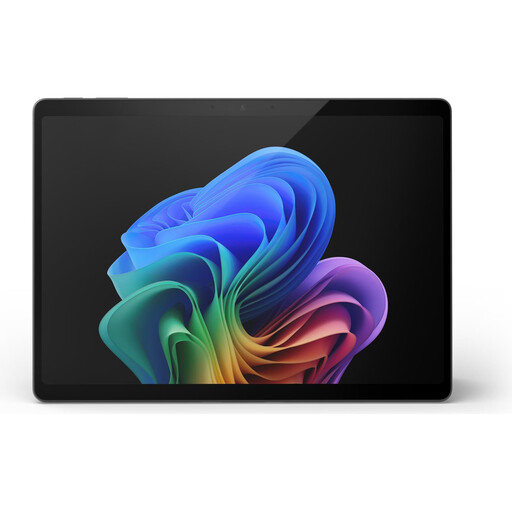
Microsoft Surface Pro 11, 13-inch, Snapdragon X Elite, 16GB, 512GB
The 13-inch screen is an option if you want to view digitised pages on a large display.
The product name lists Snapdragon X Elite, 16GB and 512GB.
Joybuy
 No image available
Microsoft Surface Pro 12, Snapdragon Plus, 24GB, 1TB
The 12-inch screen mentioned in the product name is worth considering if you want to view book pages on a larger touchscreen.
The product name lists Snapdragon Plus, 24GB, 1TB and Platinum.
Joybuy
 No image available
GOODTEL G11, Android 15, 11-inch, 256GB
The 11-inch screen is an option for viewing book pages at a table.
The product name lists Android 15, 16GB RAM (8+8 virtual) and 256GB ROM.
Joybuy
 No image available
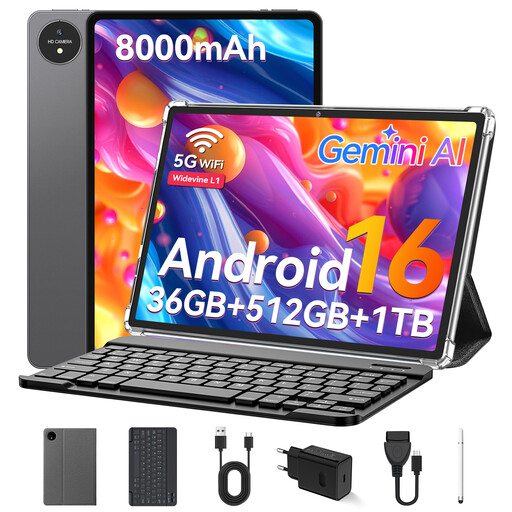
VANWIN YC1095T615M70, 11-inch touchscreen tablet
The 11-inch screen is worth considering if you’re looking for a larger display for book pages.
The product name lists 32 GB RAM, 512 GB ROM and a keyboard.
Joybuy
Frequently asked questions
Can I borrow books from my library on any Android tablet or iPad?
No. Compatibility depends on your library platform and its app. For the standard Onleihe 3 app, the divibib GmbH Onleihe help page lists Android 10 or iOS 15.1, as well as access to the relevant app store. Check whether your library uses Onleihe 2.0 or 3, and whether the title you want is available.
Can I carry on reading a borrowed title without my library’s Wi-Fi?
If you’re using Onleihe 3, don’t rely on offline access without testing it first. The divibib GmbH Onleihe help page notes that downloaded media currently doesn’t work reliably offline on every device. Try the specific title in aeroplane mode beforehand.
How can I get digitised historical collected works onto my tablet?
The Munich Digitisation Centre at the Bavarian State Library makes almost all digitised works available as PDFs, either in full or in part. Check which files are available for the work you want and read the accompanying terms of use.
Does a suitable tablet come with a stylus?
It depends on the model. Samsung advertises the Galaxy Tab S10 FE as including an S Pen. Apple lists compatible Pencil models for the iPad (A16), but no Pencil is included in the tablet contents listed. Also check whether your file and app allow annotations.
What are my rights when buying a tablet online in Germany?
For a typical online purchase by a consumer, you generally have a 14-day right to cancel. Exceptions apply, and you should check when the cancellation period starts, as explained by the European Union’s Your Europe service. If the tablet is faulty, your statutory rights are against the seller and are separate from any voluntary guarantee, as explained by the Verbraucherzentrale consumer advice service.


