Readers of technical PDFs
If you often check tables, drawings or diagrams in manuals, try an original file on the screen before deciding on a size.


If you often read tables or diagrams in their full-page layout, start by comparing tablets with larger screens. For running text and a small bag, a compact model may fit your everyday needs better. Save a typical manual locally in advance and test zoom, search and annotations: screen specifications and battery capacity don’t guarantee that your particular PDF will be easy to read or indicate how long the tablet will last in a café.
If you often check tables, drawings or diagrams in manuals, try an original file on the screen before deciding on a size.
If you take your tablet with you regularly and don’t mind zooming in more often, a more compact format may suit your priorities.
If you want to open manuals without relying on café Wi-Fi and annotate key sections, check file storage, your PDF app and stylus compatibility separately.
A good fit if: You want to view tables or diagrams in their full-page layout as often as possible.
The trade-off: The screen area and the space it takes up when you carry it need to suit your everyday routine; Xiaomi lists the REDMI Pad 2 as weighing 510 g.
A good fit if: A handy device for the journey to the café is a priority, and you can enlarge parts of a PDF when needed.
The trade-off: Samsung lists the Galaxy Tab A11 as having an 8.7-inch screen with 1.340 × 800 pixels; test detailed original files on the specific model.
A good fit if: You prefer iPadOS and plan to make handwritten notes as well as read.
The trade-off: Apple lists compatible Pencil models; the 1st-generation Apple Pencil requires a USB-C adapter for pairing and charging.
| Priority | What to check when buying | Who this matters to |
|---|---|---|
| Detailed PDF pages | Open one of your own manuals and check a page with small print as well as a diagram. Apple lists the iPad (A16) as having 2.360 × 1.640 pixels and 500 nits; Xiaomi lists the REDMI Pad 2 as having 2.560 × 1.600 pixels and a typical brightness of 500 cd/m². These are manufacturers’ specifications, not a comparative test of PDF readability. | When I read tables and diagrams in their full-page layout, I want to make out as much as possible before zooming in. Consumers who prioritise detailed pages make up around 33 %. |
| Portability | Compare the weight and dimensions of the specific variant, and see how often you need to zoom in on your PDF. Samsung lists the Galaxy Tab A11 as having an 8.7-inch diagonal screen; Apple gives the Wi-Fi version of the iPad (A16) a weight of 477 g, while Xiaomi lists the REDMI Pad 2 at 510 g. | When I often carry my device in a small bag, a portable format matters more to me than a large page view. Consumers whose main priority is compactness make up around 27 %. |
| Offline access | Save an original PDF to the device and open it before visiting the café, with no network connection. Adobe’s mobile guide distinguishes between files on the device and files opened from email or cloud storage. | When I don’t want to rely on a connection in the café, I want the manuals I need to be available locally in advance. Consumers whose main priority is offline access make up around 27 %. |
| Annotations and notes | Test annotations on a copy of the PDF and check the features of your chosen app, as well as the stylus compatibility and what’s included. Adobe describes mobile PDF annotations, while Apple lists the supported Pencil models. | When I want to make handwritten notes on key sections, the PDF app and stylus I plan to use need to suit my workflow. Consumers who prioritise annotations make up around 13 %. |
Font sizes and page layouts vary from one PDF to another. Resolution and brightness figures are no substitute for trying your own file.
Before you decide, open a typical table and diagram in the original PDF at the screen size you’re considering.
A file opened from the cloud or an email isn’t the same as a locally saved copy.
Save the manual to the device and test opening it without a network connection.
Compatibility and what’s in the box depend on the model and variant.
Compare the box contents for the specific variant with your existing charger and the stylus you plan to use.
You may need to buy a compatible stylus, adapter or charger separately. Xiaomi says that the REDMI Pad 2 doesn’t come with a charger; Apple says a USB-C adapter is needed to pair and charge the 1st-generation Apple Pencil with the iPad (A16).
The iPad (A16) is an option for readers who prefer iPadOS and may want to use a compatible stylus.
The Galaxy Tab A11 and Galaxy Tab A11+ offer different screen sizes across these models, making them useful for comparing portability and PDF viewing area.
The REDMI Pad 2 is an 11-inch option for readers who want to compare the resolution, storage and box contents of the specific variant.
The Tab M11 ZADA0134SE configuration comes with a Pen, making it a relevant option to compare if you’re also considering taking notes.
This product selection includes tablets for reading PDFs on the go, including variants with larger screens and models that may suit handwritten notes.
 No image available
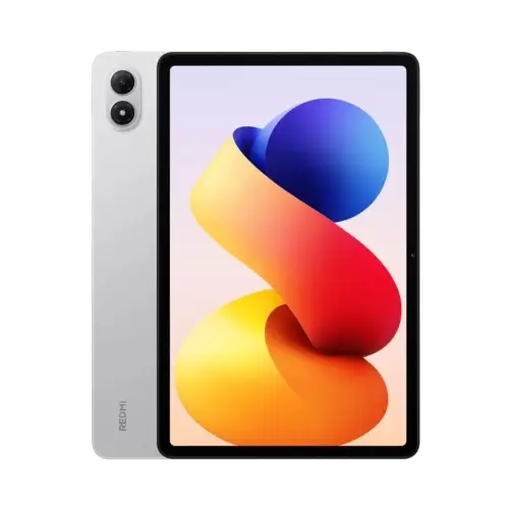
For manuals with tables or diagrams, you can check how your original PDF looks on this 11-inch model.
The product name lists 6 GB RAM and 128 GB storage. According to the product description, the device is protected against dust and splashes to IP52; don’t expose it to conditions beyond this protection rating.
 No image available
If you want to save manuals on the tablet in advance, compare the storage on this specific variant with your needs.
The product name lists 8 GB RAM and 256 GB storage.
 No image available
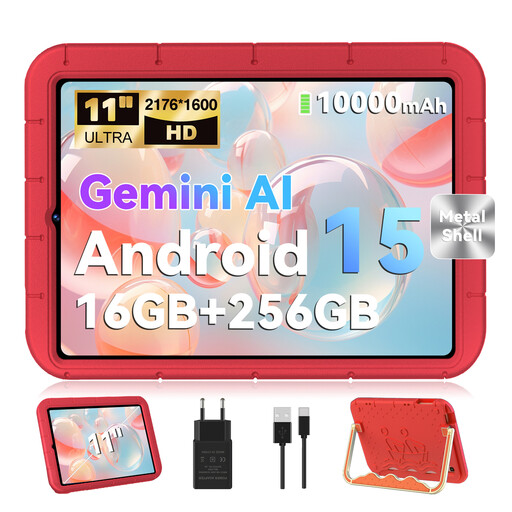
If you want to try reading technical pages on a larger screen, compare how your own PDF looks on this model.
The product name lists an 11-inch screen with 2.176 × 1.600 pixels and 256 GB storage; the RAM specification is 16 GB (8 GB + 8 GB virtual).
 No image available
If you plan to make handwritten annotations as you read, check that the stylus you intend to use and your PDF app suit your workflow.
The product name lists a 12.7-inch 2K display and a T-Pen with 4.096 pressure levels.
 No image available
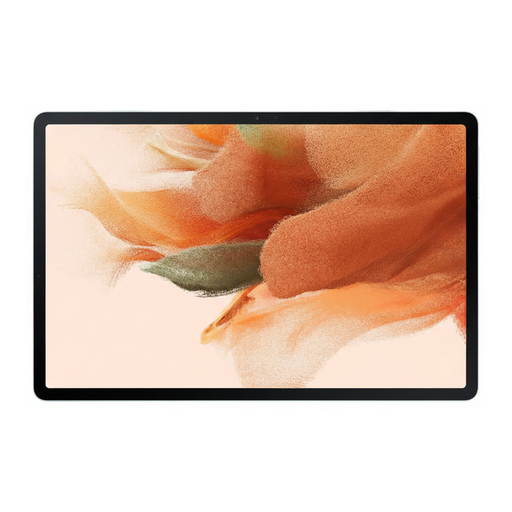
If you want to read manuals and make notes on key sections, check that the stylus and PDF app are compatible with this variant.
The product name lists 64 GB storage and Wi-Fi. If you’ll be carrying it often, you should also consider the weight of the specific version.
Not necessarily, if you save the PDFs you need to the device beforehand. Test opening them without a connection; if you need to download new manuals online each time, internet access will be part of your choice.
Save a PDF you need to the device in advance and try opening it without a network connection. Adobe’s mobile guide distinguishes between local files and files opened from email or cloud storage. So check where the file is actually stored, rather than relying only on an entry in your recently used files list.
If you often want to view full-page layouts without zooming in too much, start by testing a model with a larger screen and your own PDF file. For a more compact size to carry, a smaller tablet may work well if you’re happy to enlarge sections when needed.
The German Federal Office for Information Security (BSI) advises caution when using unfamiliar Wi-Fi networks and recommends against accessing confidential data without protection. If access is necessary, the BSI lists encrypted connections such as HTTPS or a VPN as ways to protect your data.
Check what’s included with the specific variant and whether you’ll need any accessories for the stylus you want to use. Xiaomi says that the REDMI Pad 2 doesn’t come with a charger; Apple says a USB-C adapter is needed to pair and charge a 1st-generation Apple Pencil with the iPad (A16). You can’t infer a general extra cost from this.