What should you look for when buying?
First, check what your specific game needs. Then choose a screen size and connection that suit how you’ll use the tablet in your hotel room.
Google Play Help points out that apps may not be compatible with every device. Check the specific app and the features it needs, rather than assuming that a tablet’s performance means it will be compatible or work offline.
| What matters |
What to check before buying |
Who will value this most? |
| App and offline play |
Check app compatibility, and whether you can sign in and start playing without an internet connection. |
If I’m counting on a particular card game, I want to test that it installs and starts offline before I travel. Around 29% of consumers would put app compatibility and offline play at the top of their list. |
| Easy-to-see cards |
Compare the screen size and how the app looks on screen; a larger display needs more space. |
When I’m sitting at the table, I want to be able to see the cards and buttons clearly from where I’m seated. Around 23% of consumers would prioritise screen readability. |
| Connection for online games |
Check whether the app needs to be online, and compare Wi-Fi-only models with mobile data options and plans. |
If my game needs an internet connection, I don’t want to rely solely on the hotel Wi-Fi. Around 18% of consumers would prioritise internet access for online games. |
| Portability and battery life |
Compare the weight and dimensions; battery capacity in mAh is not the same as measured playing time. |
For travelling, I want a tablet that’s easy to carry and suits how I plan to use it. Around 18% of consumers would prioritise portability and battery life equally. |
| Total cost |
Check how the app is paid for and whether you’ll need a mobile data plan. |
Before deciding, I also want to consider any potential app purchases or connection costs. Around 12% of consumers would put the total cost of playing first. |
Tablets for card games at Joybuy
This selection includes Wi-Fi tablets for playing card games in a hotel room, with both larger and more compact screens. Check the requirements and offline features of your specific app, whatever tablet model you choose.
 No image available
HONOR Combo Bundle: HONOR 400 Lite 8+256 GB Velvet Black + Pad 10 256 GB Wi-Fi, Grey
The bundle includes an HONOR Pad 10 with a 12.1-inch display, making it a larger screen for viewing cards together.
The title lists 256 GB storage and Wi-Fi for the tablet; the bundle also includes an HONOR 400 Lite.
View at Joybuy
 No image available
HONOR Pad 10 + Watch X5i Bundle, 256 GB Wi-Fi, Grey
The 12.1-inch tablet gives you a larger screen for viewing cards together. Check in advance that the app you want runs on the device.
The title lists 256 GB storage, Wi-Fi and a 2.5K display with a 120 Hz refresh rate. The bundle includes a Watch X5i.
View at Joybuy
 No image available
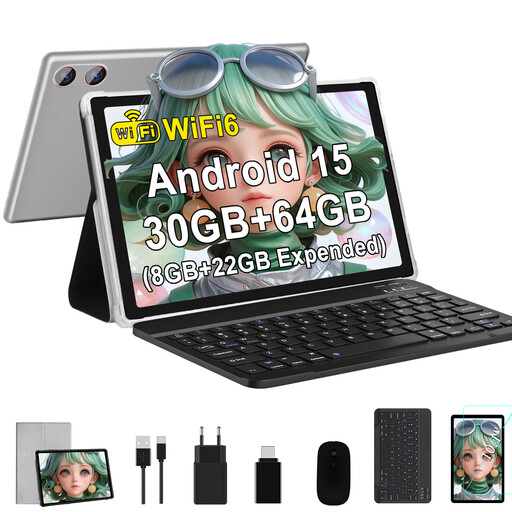
GOODTEL G9, Android 15, 10.1-inch, 64 GB
The 10.1-inch display is a more compact option for travelling. Check how your specific card game app looks on screen and whether it’s compatible.
The title lists Android 15, Wi-Fi 6, 64 GB storage and the option to expand storage with a TF card. The stated RAM is 30 GB (8 GB + 22 GB virtual).
View at Joybuy
 No image available
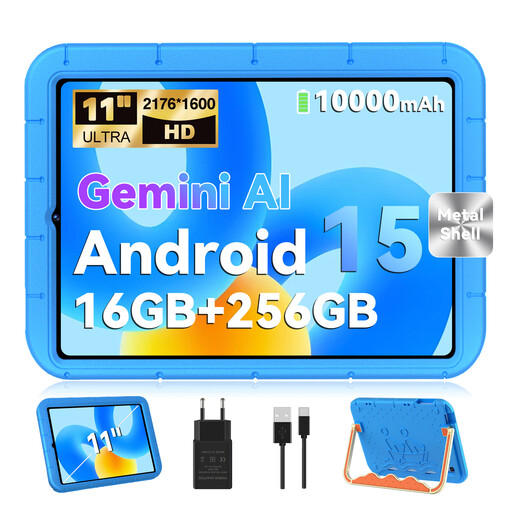
GOODTEL G11, Android 15, 11-inch, 256 GB, with EVA case
With its 11-inch display, this Wi-Fi tablet sits in the mid-size range of this selection. Check that the app you want is suitable before you travel.
The title lists a 2176 × 1600-pixel display, 256 GB storage and a 10,000 mAh battery. RAM is listed as 16 GB (8 GB + 8 GB virtual); the title also mentions a keyboard and mouse.
View at Joybuy
 No image available
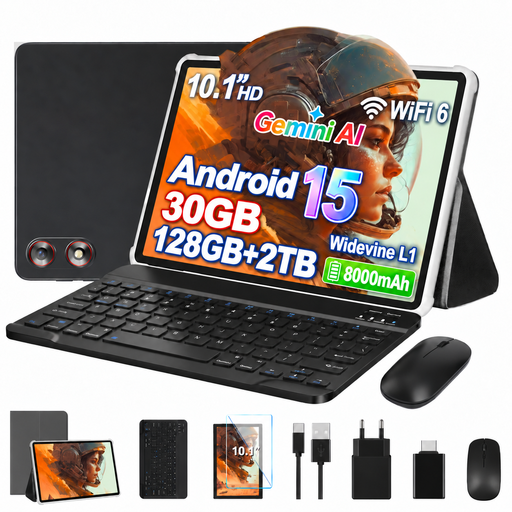
GOODTEL G10, Android 15, 10.1-inch, 128 GB
The 10.1-inch display is a more compact choice for travelling. Whether your game app is suitable depends on its requirements.
The title lists Android 15, Wi-Fi 6, 128 GB storage and an 8,000 mAh battery. A keyboard and mouse are also mentioned in the title.
View at Joybuy
Frequently asked questions
Can I play card games without hotel Wi-Fi?
It depends on the specific game and its features. Google Play gives built-in Solitaire as an example of an offline game. Download and test the app you want before travelling, with your device disconnected from the internet.
How should I get my tablet ready for a game at the hotel?
Check that the app is compatible, install and update the game, and test that it starts offline if needed. For unfamiliar Wi-Fi, the German Federal Office for Information Security advises against accessing confidential data over the network wherever possible. If you have no alternative, it recommends using a VPN where possible.
Should I choose a Wi-Fi or mobile data model?
A Wi-Fi model may be suitable if your game works offline or the hotel Wi-Fi is good enough. If the app needs a connection while you’re playing and you don’t want to rely on the hotel Wi-Fi, compare a mobile data model with a suitable data plan. You’ll still need to check that the app is compatible.
What should I look out for if children are playing?
Check the age rating and whether the specific game has purchasing or communication features. The USK highlights these features for games that have received new ratings; the term “card game” alone doesn’t tell you what age rating applies.
Do the same rules apply to poker or other card games involving real money?
No. Games involving real money should be treated differently from ordinary card games with no real-money stakes. The Joint Gambling Authority of the German States publishes an official whitelist of permitted gambling operators. Check the specific service rather than assuming it’s legal based on the app’s name.


