Read every page carefully
If you want to review clauses and attachments at the table, try a typical PDF on the actual display size. Apple, Lenovo and reMarkable list different screen sizes for the models discussed here.


A versatile iPad or Android tablet is a good choice for contract PDFs at the kitchen table if you want to use a range of apps and file features as well as read documents. A specialist paper tablet is more suitable if handwritten notes on PDFs are your main priority and its import and export options fit your workflow. Try the devices with a typical contract file and the stylus you need. A handwritten mark-up does not automatically replace the qualified electronic signature required under § 126a BGB to meet a statutory written form requirement.
If you want to review clauses and attachments at the table, try a typical PDF on the actual display size. Apple, Lenovo and reMarkable list different screen sizes for the models discussed here.
If you want to highlight passages and add queries directly to the document, check stylus compatibility, what’s included in the box and how to export your file. Apple explains PDF features in Preview, while Samsung covers PDF export from Notes.
If you want to keep the original, annotated copy and approved version separate, check where files are stored, access permissions and whether backups can be restored. The Verbraucherzentrale explains how backing up your data can help protect files from being lost.
A good fit if: you want to work on contract PDFs and use other tablet apps too.
The trade-off: Stylus compatibility, PDF apps and export options vary by model, so test them with your own file.
A good fit if: you mainly want to read and handwrite on imported PDFs.
The trade-off: The reMarkable Paper Pro runs a specialist operating system rather than iPadOS or Android, so check that it supports the apps and sharing options you need.
| What matters to you | What to check before buying | Who is this especially important for? |
|---|---|---|
| Readability and screen space | Open a typical contract page and attachment, then check the text size, zoom and space available around the device. | If you want to read whole pages and attachments at the table without constantly zooming in, finding the right view is your top priority; around 36% of consumers prioritise readability. |
| Handwritten notes | Check stylus compatibility, what’s included in the box, and how to import and export an annotated sample PDF. | If you want to highlight passages and add queries directly to the document, you’ll need a compatible stylus and a suitable export option; around 29% of consumers put annotations first. |
| Saving and sharing files | Test saving under a new name, PDF export, storage location, access permissions and file recovery. | If you want to keep the original and annotated version separate and find them again later, file management is key. Around 21% of consumers make it their main priority. |
| Accessories you need | Check stylus compatibility and what’s included with the specific version; only consider other accessories if you need them. | If you mainly read, you may not want to pay for a stylus bundle you won’t use; around 14% of consumers pay particular attention to the accessories their workflow requires. |
Apple lists support for Apple Pencil (USB-C) with the iPad (A16), but the Pencil isn’t included in the box contents. With Lenovo, the stylus included depends on the specific configuration.
Check what’s included and the exact version before you buy, rather than relying on stylus compatibility alone.
For buyers who want to work on contract PDFs with a versatile iPad and use a compatible Pencil when needed.
For an Android workflow with handwritten notes and PDF export from Samsung Notes.
For buyers looking for a larger display for viewing documents or a configuration specifically identified as including a Pen.
For buyers who mainly want to read and handwrite notes on contract PDFs.
The following Joybuy tablets offer a range of screen sizes for viewing contract pages. Some product versions list a stylus or other accessories in the product name.
 No image available
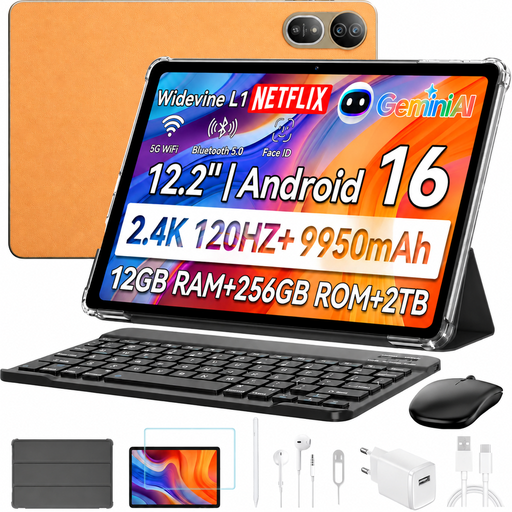
The stated screen size may be useful for viewing contract pages at the table, provided you have enough space.
Listed in the product name: 12.2", 2.4K, 120Hz, 12GB RAM + 256GB ROM. A keyboard, stylus and mouse are listed as included.
 No image available
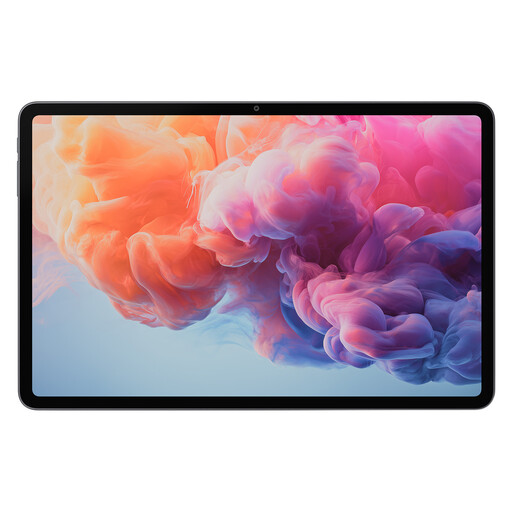
The screen size listed in the product name gives you an idea of how contract pages might look; check the text size and zoom with your own PDF.
Listed in the product name: 12.1 Inch, MTK G100, 8GB+128GB and 10000mAh.
 No image available
The stated screen size may make contract pages easier to read, as long as you have enough room on the table for the device.
Listed in the product name: 13.4" 2K, T-Pen with 4096 pressure levels, Helio G99 and 256GB. Check that the specific version suits your stylus and PDF workflow.
 No image available
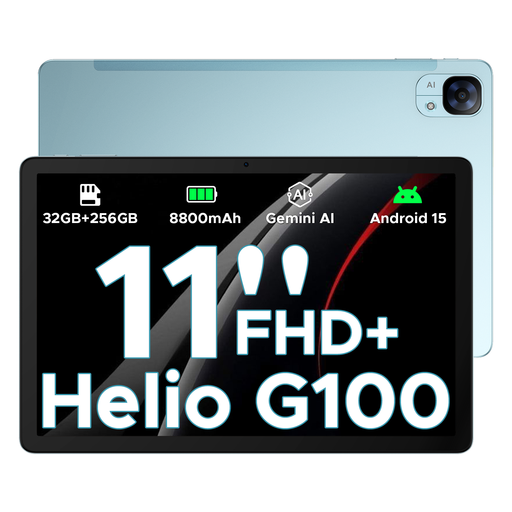
The 11-Inch display is one possible size for viewing contract pages at the table; try it with a typical page and an attachment.
Listed in the product name: 11 Inch FHD+ and 90 Hz. If you want to write notes by hand, check stylus compatibility and what’s included with the specific version.
 No image available
The screen size listed in the product name may be useful for viewing documents at the table; check readability with your contract file.
Listed in the product name: 12.1-Inch version with WiFi, 256GB and Grey. If you want to write notes by hand, check stylus compatibility and the bundle for the specific version.
Open a typical contract page and attachment, then test zooming, highlighting, saving a copy and exporting it. Apple documents PDF features in Preview, Samsung covers PDF export from Notes, and reMarkable supports PDF import and export. Try the workflow with your own file.
Keep the original separate from the annotated copy and back up the files you need somewhere you can restore them from. The Verbraucherzentrale explains how backing up your data can help if the original files are lost or damaged.
Check what’s included with the specific version: Apple doesn’t list a Pencil for the iPad (A16), Samsung says the Galaxy Tab S10 FE includes an S Pen, and Lenovo identifies certain configurations as including a Pen. The model range alone won’t always tell you what’s in the box.
No. A drawn signature does not automatically meet a statutory electronic form requirement. Under § 126a BGB (Federal Ministry of Justice and Federal Office of Justice, Laws Online), the person making the declaration must add their name and apply a qualified electronic signature to the electronic document if electronic form is to replace the statutory written form. For a contract, each party must sign an identical document electronically in this way. The form required for your specific contract depends on the contract.