For lengthy contract pages, a clear, easy-to-read PDF view is essential. If you want to annotate documents directly, you’ll also need a stylus that’s compatible with your tablet and an app that supports your saving and export workflow. Larger screens give you more room to view documents, but take up more space and can be heavier to carry. If you’re handling confidential files, you should also plan where they’ll be stored and how you’ll access them over a network. A signature drawn on a PDF does not automatically count as a qualified electronic signature.
Who reviews contracts on a tablet?
Careful contract readers
If you need to read long PDF pages or compare clauses, you’ll want a display that’s comfortable to read. Apple and Lenovo publish the display sizes of the models mentioned here; you should also check how your chosen PDF app displays pages.
Frequent PDF annotators
For handwritten notes and highlights, you’ll need a stylus that works with your model, as well as a reliable way to save and export your work. Apple describes annotation features in supported apps, while Samsung documents similar tools in Samsung Notes.
People working on the move with confidential files
If your contract files contain confidential or personal information, decide in advance where they’ll be stored and how you’ll access them while you’re out and about. Germany’s Federal Office for Information Security advises on handling confidential data over public Wi-Fi; a tablet model alone cannot keep this data secure.
What should you look for when choosing one?
| Criteria |
What to check before buying |
Who it matters most to |
| Clear PDF viewing |
Check the display size and whether your PDF app offers the page view or split-screen view you need. |
If I’m reading long pages or want to compare clauses side by side, a clear, easy-to-use view is my top priority. Around 31 % of consumers rank reading space as their most important purchase priority. |
| Stylus and PDF features |
Check stylus compatibility, what’s included, and whether you can import, save and export a sample annotated PDF. |
If I want to add notes directly to a contract, the stylus and app need to suit my workflow. Around 25 % of consumers put handwritten annotations first. |
| Confidential files |
Check the storage location, device lock, software update support and access over the library’s Wi-Fi against your own requirements. Germany’s Federal Office for Information Security recommends avoiding public Wi-Fi wherever possible when accessing confidential data. |
If my contract contains confidential information, I want to know in advance where the file is stored and how I can access it securely. Around 19 % of consumers prioritise protecting their contract files. |
| Portability and charging |
Check the weight of your chosen model and accessories, as well as the charging options available. Don’t assume that a battery capacity figure guarantees a particular amount of use. |
If I regularly take my tablet with me, it needs to fit into my everyday routine with all its accessories. Around 13 % of consumers put portability first. |
| Accessories and after-sales support |
Consider the tablet, any stylus you need, a power adapter if required and the software you’ll use with your chosen model. Distinguish between your statutory rights and any voluntary guarantee. |
If I want to plan my overall costs and know what to do if something goes wrong, there’s more to consider than just the device. Around 12 % of consumers prioritise total costs and after-sales support. |
Which mistakes should you avoid?
-
Assuming every model comes with a stylus or power adapter
What’s included can vary by model. Samsung says the Galaxy Tab S10 FE comes with an S Pen, while Huawei notes that a stylus for the MatePad 11.5 S 2026 may need to be purchased separately. Xiaomi says the Pad 8 does not come with a power adapter.
Check the contents of the exact model you’ve chosen before budgeting for accessories.
Depending on the model, you may need to buy a compatible stylus or power adapter separately.
-
Confusing a PDF annotation with a qualified electronic signature
A drawing or annotation feature does not prove that a legally required electronic form has been met. Section 126a of the German Civil Code (BGB) sets out the requirements for electronic form to replace the statutory written form.
Check which form is required for your specific contract. If electronic form is intended to replace the statutory written form, make sure you meet the requirements of Section 126a BGB.
-
Choosing a larger display without considering portability
Apple lists the Wi-Fi models of the iPad Air as weighing 616 g for the 13-inch version and 464 g for the 11-inch version; accessories add to the weight.
Compare the PDF view you need with the weight of the complete setup you plan to carry.
-
Treating battery capacity as a guaranteed runtime
Xiaomi describes the Pad 8’s 9.200 mAh as its typical capacity. This figure doesn’t tell you how long the tablet will last when reviewing contracts, nor can it be used to compare it with other tablets.
Plan your charging needs around how you use the tablet, and check whether a power adapter is included.
Which brands are worth considering for reviewing contracts?
Apple
The iPad Air is available in 11- and 13-inch sizes. Apple lists both as compatible with Apple Pencil Pro and Apple Pencil (USB-C).
- Apple describes annotation and form-filling features in supported apps.
- Check that your PDF app supports the workflow you want and whether the stylus is included with your chosen model.
Samsung
The Galaxy Tab S10 FE is a smaller-screen option, and Samsung says it comes with an S Pen.
- Samsung Notes includes documented annotation tools.
- Check that your chosen app offers the PDF view and export options you need. The documented features don’t guarantee that every contract will work smoothly from start to finish.
Huawei
Huawei positions the MatePad 11.5 S 2026 with its PaperMatte display as an option for buyers who are particularly concerned about reflections.
- Huawei promotes reduced surface reflections.
- The reflection claim comes from the manufacturer and is not an independent comparison. Huawei says the stylus is not included as standard.
Lenovo
The Tab P12 is a large-format option for working at a desk.
- Lenovo lists a configuration with 8 GB RAM, 256 GB storage and a pen.
- The published configuration lists Android 13 or later; check software update support for the length of time you plan to use it.
Xiaomi
The Pad 8 is a portable Android option with an 11.2-inch display and support for the Focus Pen Pro.
- Xiaomi lists a weight of 485 g and a 3:2 display.
- The stated typical battery capacity doesn’t indicate runtime when working with PDFs; the specifications say that a power adapter is not included.
Joybuy product selection
This selection includes tablets for reading lengthy contract pages and making handwritten notes at a library desk, with both larger and more compact formats.
 No image available
Microsoft Surface Pro 11 for Business, 13″ OLED, Core Ultra 7 266V, 16 GB/512 GB SSD, Windows 11 Pro (EP2-20248)
The 13-inch format is worth considering if you want a larger view of lengthy contract pages. Bear in mind the stated device weight of 0,872 kg when carrying it around.
Listed configuration: OLED, 2-in-1, 16 GB RAM and 512 GB SSD.
View at Joybuy
 No image available
13.4-inch Android 16 tablet, FHD+, 24 GB RAM (8+16 GB virtual), 256 GB, with keyboard, mouse, passive stylus and stand case
The large stated screen size and the accessories listed in the product title make this suitable for reviewing documents at a desk. Check that your PDF app supports your workflow before buying.
Listed specifications include FHD+, 24 GB RAM (8+16 GB virtual), 256 GB storage, keyboard, mouse, passive stylus and case with stand.
View at Joybuy
 No image available
Apple iPad Air 11″ (M4, 2026), Wi-Fi, 128 GB, Blue
The 11-inch version is a more compact option for reading on the move. Apple lists Apple Pencil Pro and Apple Pencil (USB-C) as compatible; the stylus is not included in the contents listed.
Listed configuration: M4, Wi-Fi and 128 GB storage.
View at Joybuy
 No image available
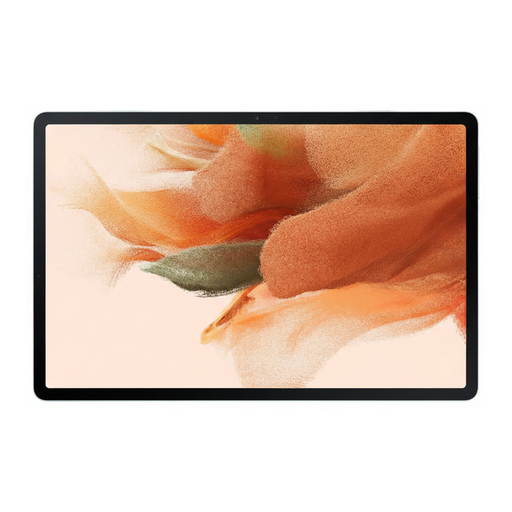
Samsung Galaxy Tab S7 FE, 64 GB, Wi-Fi, Green
This model is worth considering if you’re looking for a Galaxy tablet for making handwritten notes at a desk. Check the stylus compatibility and what’s included with this exact model.
Listed configuration: 64 GB storage, Wi-Fi, Green.
View at Joybuy
 No image available
TECLAST ArtPad Pro, 12.7″ 2K, 20 GB RAM (8+12 GB virtual), 256 GB, with stylus, protective case and English Bluetooth keyboard (2025 Edition)
The 12.7-inch format and the stylus listed in the product title are useful for reading and annotating documents at a desk. Check whether the English Bluetooth keyboard suits the way you plan to use it.
Listed specifications include 2K, 256 GB storage, 20 GB RAM (8+12 GB virtual), stylus, protective case and English Bluetooth keyboard.
View at Joybuy
Frequently asked questions
Do I need to buy a stylus to review a contract on a tablet?
Not for reading. If you want to add handwritten notes, check what’s included with the exact model you’re buying: Samsung says the Galaxy Tab S10 FE comes with an S Pen, while Huawei notes that a stylus for the MatePad 11.5 S 2026 may need to be purchased separately.
How do I prepare a PDF for use in the library?
Before you go, check that your app opens the file, saves annotations and exports the finished document in the format you need. Apple’s iPad user guide describes annotation features in supported apps, but that doesn’t mean every PDF app works in the same way. If the file is confidential, decide in advance where it can be stored.
Should I access confidential contracts over the library’s Wi-Fi?
Germany’s Federal Office for Information Security recommends avoiding public Wi-Fi wherever possible when accessing confidential data. If you have no alternative, it recommends using a VPN where possible. Also check whether any other requirements apply to your contract or work.
Is a signature drawn on a PDF with a stylus always legally valid?
No, not in every case. If electronic form is intended to replace the statutory written form, Section 126a BGB requires a qualified electronic signature and the name of the signatory. You’ll need to check separately which form your specific contract requires; a tablet’s annotation feature does not prove that a qualified signature has been used.
Who can help if my new tablet is faulty?
For a consumer purchase, your statutory rights are against the seller; a guarantee is a separate, voluntary service. Germany’s consumer advice centre states that newly purchased goods are covered by a two-year statutory warranty.


