Reading feedback on the go
You mainly review feedback and only send brief replies, so a handy screen and a course portal that works well are important.


Choose a tablet based on whether you’ll mainly be reading feedback, adding handwritten comments or typing longer replies. If you need a stylus and keyboard, check they work with your course app and are included with the specific model you’re buying. A larger screen also needs more room on the table. Check your institution’s rules, and try to avoid accessing confidential information over someone else’s Wi-Fi.
You mainly review feedback and only send brief replies, so a handy screen and a course portal that works well are important.
You mark up feedback or documents by hand, so you need a stylus that works with the app you use.
You write longer replies or compare documents, so you’ll want to pay particular attention to the keyboard, screen size and how much room you have at the table.
First decide whether you’ll mainly be reading, adding handwritten comments or typing longer replies. Then check that your course app works and what’s included with the exact model you’re considering.
| Consideration | What to check before buying | Who is it important to? |
|---|---|---|
| Readability and portability | Check the screen size, device weight and how your course portal displays. The manufacturer’s brightness figures won’t tell you how the screen looks in the lighting conditions of a café. | If I mainly read feedback and only send brief replies, I need a portable device that makes the portal easy to read. Around 31% of consumers put readability and portability first. |
| Input and annotation | Try a typical feedback task in your course app, and check the stylus, keyboard, layout and what’s included with the exact model. | If I mark things by hand or write longer texts, I want to know whether the app supports the input method I need. Around 25% of consumers prioritise writing and annotating. |
| Access and data protection | Check that your portal and apps are compatible, find out what your institution allows and, if needed, look for a mobile data option. Try to avoid accessing confidential information over someone else’s Wi-Fi. | If feedback might include confidential information, I want to know how to access it securely and in line with the rules. Around 25% of consumers put secure access first. |
| Accessories and what’s included | Check whether the offer for the exact model includes the stylus, keyboard and charging accessories you need, and whether they work together. | If I need a complete work setup, I want to know in advance what else I’ll need for my workflow. Around 19% of consumers pay particular attention to having all the equipment they need. |
A tablet may be compatible with a stylus without one being included in the specific offer. And even if a stylus is included, that doesn’t mean your course app supports the input you need.
Before buying, check the exact model, what’s included and how the stylus works with your app.
Germany’s Federal Office for Information Security warns against accessing confidential data over someone else’s Wi-Fi. The consumer advice centre also highlights ways to stay safe on public networks.
Check your institution’s access rules and, wherever possible, avoid using someone else’s Wi-Fi for confidential information.
On a Joybuy product page for the Galaxy Tab S10 FE, the model details in the heading and technical specifications don’t match. The Joybuy page lists SM-X210NDBAEUB in the details, but X520 in the heading.
If the details conflict, check the full model number with the manufacturer and seller before deciding which variant to buy.
The iPad (A16) is an iPadOS option for mainly reading and sending short replies, provided the course apps you need are available for it.
The Galaxy Tab S10 FE is an Android option for frequent handwritten annotations.
Lenovo offers specific Idea Tab configurations that include a Pen, as well as a 5G version.
The Pad 7 is an Android option for which Xiaomi also documents a compatible German-language keyboard.
HONOR says the Pad 10 has a 12.1-inch screen for working with lots of documents, provided there’s enough room at the table.
These Joybuy tablets are selected for reading and responding to course feedback at a café table. For each model, check that your course portal works and that it includes the input features you need.
 No image available
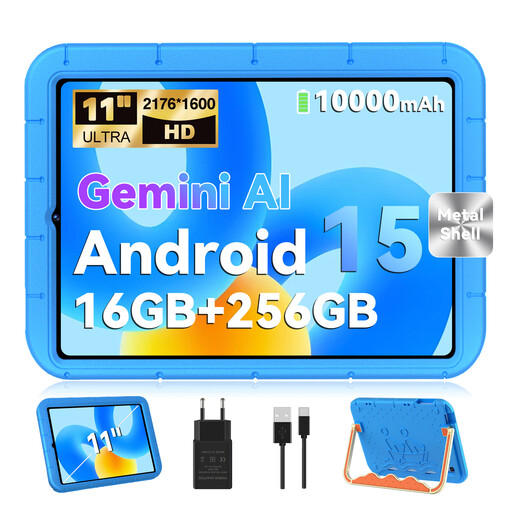
The listed 11-inch size is worth considering for reading at a table. Check that your course portal works with Android 15.
The product name lists a UHD screen with 2176 × 1600 pixels, 16 GB RAM including 8 GB of virtual RAM, and 256 GB storage.
An EVA protective case is listed in the product name; check what’s included with the specific model.
 No image available
The product description presents it as an Android tablet for work and productivity. Check that your course portal is compatible.
The product title lists 8 GB RAM and 256 GB storage.
 No image available
The product description says it’s designed for learning and work. Check that your course app is available for iPadOS.
This model is listed with an 11-inch screen and a weight of 464 g. The description says it supports Apple Pencil Pro and Apple Pencil (USB-C).
Check separately whether a compatible Pencil is included with the specific offer.
 No image available
The listed mobile connectivity may be useful for accessing your portal on the go. Check network coverage, your data plan and your course app.
The product title lists an 11-inch screen with 90 Hz, 8 GB RAM and 128 GB storage.
The title also lists Android 15 and Dual-SIM 4G LTE.
 No image available
The product description says it’s designed for learning and everyday use. Check that your course portal works on this model.
The product title lists a 90 Hz FullView display, 4 GB RAM, 128 GB storage and Android 14.
Only if you want to mark things by hand and your app supports stylus input. Samsung Germany says the Galaxy Tab S10 FE includes an S Pen. Apple Germany lists compatible Pencil models for the iPad (A16), but doesn’t include a Pencil in the stated tablet contents.
Before you go, sign in to the course portal you actually use and try a typical feedback task with your chosen input method. For public Wi-Fi, the consumer advice centre recommends measures including using encrypted websites and turning off active file or folder sharing. Germany’s Federal Office for Information Security advises against accessing confidential data over someone else’s Wi-Fi wherever possible.
It depends on the specific model and offer. Apple Germany lists a USB-C cable as included with the iPad (A16); Xiaomi Germany says that the Pad 7 doesn’t include a power adapter. Also check that the stylus and keyboard are compatible with the exact model.
Your statutory rights apply to claims against the seller, while a guarantee is an optional extra with its own terms and conditions. The consumer advice centre explains the difference. Which rights apply in a particular case depends on the circumstances.
Having a tablet doesn’t automatically mean you’re allowed to do so. If feedback contains personal data and you’re processing it on behalf of an institution, you must follow its authorisation and data protection rules. Germany’s Federal Commissioner for Data Protection and Freedom of Information explains that the GDPR applies to the processing of personal data. Whether you’re permitted to do this depends on your role and your institution’s rules.