People annotating feedback
If you mark up feedback in PDFs and add handwritten notes in the margins, your tablet, stylus and document app need to work well together.


For annotating PDFs by hand, your tablet, stylus and app need to work well together. Samsung says the Galaxy Tab S10 FE comes with an S Pen, while Apple lists compatible Pencil models for the iPad (A16) but doesn’t include a Pencil in the tablet’s box. If you mainly read and reply, what matters most is whether your specific course portal works on the device. Also weigh up screen space, portability and any accessories you’ll need.
If you mark up feedback in PDFs and add handwritten notes in the margins, your tablet, stylus and document app need to work well together.
If you mainly read and respond to feedback in a browser or a required app, make sure that workflow works on your chosen operating system.
If you move between library desks, you’ll want a document view that’s easy for you to read and a device that’s manageable to carry. Screen size alone won’t tell you how easy a device is to take with you.
First, check that your course portal and the apps you need work on the device. Then decide whether you need a stylus, and compare screen space, ease of use and what’s actually included in the box.
| What you need | What to look for when buying | Who should pay particular attention? |
|---|---|---|
| Annotating PDFs by hand | Check that the tablet, stylus and app are compatible, and what’s included; try one of your own sample PDFs. | If I want to mark up feedback directly in the document, the stylus and app need to suit my workflow. Around 31% of consumers put handwritten notes first. |
| Using course portals and apps | Sign in with your own account and test document viewing and feedback features on the device you plan to use. | If I need a specific university portal or a required app, I want to try out its features on my chosen device before buying. Around 25% of consumers prioritise access to portals and apps. |
| Screen space and portability | View a typical feedback document on the device, then compare the dimensions and weight of the exact model. | If I often move between library desks, I want the screen to be comfortable for reading my documents without the size and weight becoming a nuisance to carry. Around 25% of consumers focus particularly on reading on the move. |
| Device and accessories | Check what’s included with the exact model, and budget only for the stylus or keyboard you actually need. | If I need accessories as well as the tablet, I want to know what’s really included before choosing. Around 19% of consumers focus on the total cost of the device and any necessary accessories. |
Apple lists compatible Pencil models for the iPad (A16), but the tablet’s box contents include only the iPad and a USB-C charging cable. Samsung says the Galaxy Tab S10 FE comes with an S Pen.
For the exact model, compare stylus compatibility with what’s actually included.
Knowing the operating system alone doesn’t confirm that your portal, the app you need or the feedback-editing features will work.
Before choosing a device, try the browser or app workflow you plan to use for the tasks you need to do.
A Joybuy listing named Galaxy Tab S10 FE gives a different model number, SM-X210NDBAEUB, in its technical details. A similar product name alone doesn’t prove that it’s the version you’re looking for.
Compare the full model number and key specifications with the manufacturer’s details before assuming two versions are the same.
The Galaxy Tab S10 FE could be a good option for handwritten PDF annotations, provided the app you use supports your workflow.
The iPad (A16) is worth considering if your workflow works with iPadOS and you choose the right stylus.
The Tab P12 could be worth considering if you’d like a larger view of your documents.
The Pad 7 is another Android option for document-focused use.
These models are suited to reading and writing text-based replies at a library desk. Before buying, check that your specific course portal works on the device you’re considering.
 No image available
For reading feedback and writing text-based replies; check that you can access your course portal on the specific device. 11-inch display, Wi-Fi, 6 GB RAM and 128 GB of storage.
 No image available
For reading feedback and writing text-based replies, provided your course portal works on the device you choose. 13-inch display, Snapdragon X Plus, 16 GB RAM and 512 GB SSD.
 No image available
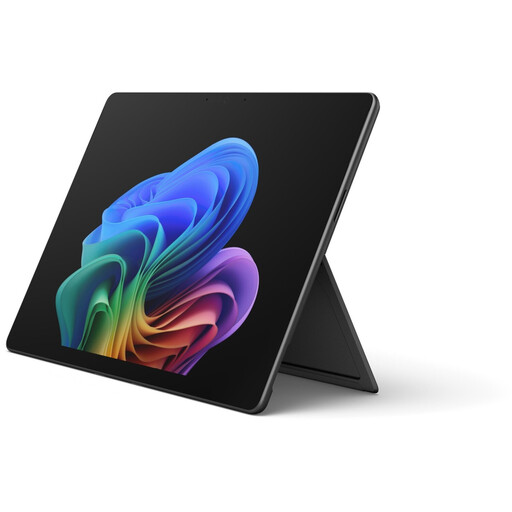
For reading feedback and writing text-based replies; test the course portal access you plan to use before buying. Core Ultra 5, 16 GB RAM and 512 GB of storage.
 No image available
For reading feedback and writing text-based replies, if your course portal works on the device. Snapdragon Plus, 24 GB RAM and 1 TB of storage.
 No image available
For reading feedback and writing text-based replies, provided your course portal works with Windows 11 Pro. 13-inch OLED, Core Ultra 7 266V, 16 GB RAM and 512 GB SSD.
Use the course portal you plan to work with and a permitted sample document to test signing in, viewing and editing. If you need a particular app, check that it’s available on your chosen device before buying.
Follow your library’s access instructions. The Federal Commissioner for Data Protection and Freedom of Information notes that public hotspots often don’t use Wi-Fi encryption, and recommends additional safeguards in this context. A VPN is not a blanket legal requirement.
When you buy from a business seller in the EU, you generally have statutory rights for at least two years from the date you receive the goods. An additional manufacturer’s guarantee doesn’t replace these rights; claims under statutory rights should be made to the seller.
When buying online from a business seller, consumers generally have a 14-day right to cancel, although exceptions and the specific terms of the contract should be taken into account. The Council of the European Union distinguishes this right from claims relating to faulty goods.
Not every device described as a tablet automatically falls within the rules. According to the European Commission, EU requirements have applied to covered slate tablets since 20 June 2025; tablet computers with an operating system more typical of a PC are excluded. The date the device is placed on the market also matters, so check how the specific device is classified.