Reviewing feedback on the go
If you read feedback between appointments and can’t be sure of finding somewhere to charge, first check whether the files or portal pages you need are available offline.


Start by choosing a tablet that suits the type of feedback you need to review, then check whether your course portal makes the content you need available offline. A large battery won’t make an online-only form available offline. For handwritten notes on PDFs, check that the stylus is compatible and included; for longer reviews, screen size and a keyboard matter. If you need a Windows application, check its compatibility separately.
If you read feedback between appointments and can’t be sure of finding somewhere to charge, first check whether the files or portal pages you need are available offline.
For handwritten annotations, you’ll need a stylus that works with your tablet and a PDF workflow that supports your files.
For longer texts or tables, a larger screen, a keyboard or a specific desktop application could make all the difference.
A good fit if: you read short feedback on the go and regularly add handwritten comments. Samsung lists the Galaxy Tab S10 FE as having a 10.9-inch screen, weighing 497 g for the Wi-Fi version and including an S Pen.
Consider: A smaller screen gives you less room to view tables side by side. The stated battery capacity doesn’t tell you how long the tablet will last while you’re reviewing feedback.
A good fit if: you compare longer comments or tables on a larger screen. Lenovo lists the Idea Tab Pro as having a 12.7-inch screen; Xiaomi lists the REDMI Pad 2 Pro as having a 12.1-inch screen.
Consider: Larger devices take up more space. Check whether the stylus, keyboard and charging accessories are included with the specific configuration. Xiaomi says that the REDMI Pad 2 Pro doesn’t come with a power adapter.
A good fit if: your workflow works with iPad apps or PDFs stored locally. Apple lists support for Apple Pencil Pro and Apple Pencil (USB-C); you can annotate PDFs in the Books app.
Consider: A compatible Pencil isn’t automatically included, and PDF features don’t mean your course portal will work offline.
A good fit if: you need a specific Windows application for your review or a workflow that’s been tested on Windows.
Consider: Check that the specific application works on the device you choose. Microsoft lists up to 15.5 hours of video playback for a Surface Pro; this isn’t a battery-life estimate for reviewing course feedback. The Slim Pen and keyboard are sold separately.
| What you need | What to check before buying | Who is this especially important to? |
|---|---|---|
| Working without a plug socket | Don’t compare battery capacity with battery life: Samsung lists 8,000 mAh for the Tab S10 FE, while Xiaomi lists 12,000 mAh for the REDMI Pad 2 Pro. Microsoft’s claim of up to 15.5 hours is for video playback. Also check how you can charge the device before you head out. | If I read feedback between appointments without access to a plug socket, I need enough power for my particular workflow. Around 26% of consumers put battery life first. |
| Opening feedback offline | MoodleDocs explains that institutions can disable offline mode or course downloads. Check whether the page you need or a file saved in advance will be available offline, and how it will sync later. | If I need to open feedback without an internet connection, my workflow depends on whether the portal or saved files are available offline. Around 26% of consumers prioritise offline access. |
| Annotating feedback | Check the file format, app, stylus compatibility and what’s included. Samsung lists an S Pen as included with the Tab S10 FE; Apple lists compatible Pencil models for the iPad Air. | If I want to mark up comments in PDFs or add handwritten notes, the input method needs to work with my device and file format. Around 21% of consumers put annotations first. |
| Protecting personal feedback | Check your institution’s requirements for devices, storage and sharing. The BSI notes that encryption options vary by operating system and version; centralised device management may also be relevant. | If feedback can be linked to individuals, I want to know what safeguards my institution requires. Around 16% of consumers prioritise data protection. |
| Longer reviews or specialist software | Test the specific application and export process. If you’ll be typing for extended periods, check whether the keyboard you need is included with your chosen configuration; Microsoft sells the Surface keyboard separately. | If I need to enter lots of text or use a specific Windows application, the device must support my workflow. Around 11% of consumers focus on software or longer reviews. |
mAh measures battery capacity. Microsoft’s figure in hours refers to video playback; it doesn’t describe the same kind of use as reviewing feedback.
Only compare battery life figures when the test activity is specified, and leave some charge in reserve for your actual use.
MoodleDocs explains that an institution can disable offline mode or downloads. You’ll need to reconnect later to sync; on iOS, the Moodle app must be open in the foreground for this to happen.
Test the specific feedback page and how it syncs before buying or heading to your appointment.
What’s in the box varies: Samsung lists an S Pen as included with the Tab S10 FE, Microsoft sells the Surface keyboard and Slim Pen separately, and Xiaomi says the REDMI Pad 2 Pro doesn’t come with a power adapter.
Check the specific version and work out which accessories you actually need for writing and charging.
Depending on the combination you choose, you may need to buy a stylus, keyboard or power adapter separately.
The Galaxy Tab S10 FE is a more compact Android option for handwritten notes.
The 11-inch iPad Air with M4 is worth considering if your PDF and app workflow works on iPadOS.
The Idea Tab Pro offers a larger Android workspace for more extensive comments.
The REDMI Pad 2 Pro is a larger Android option.
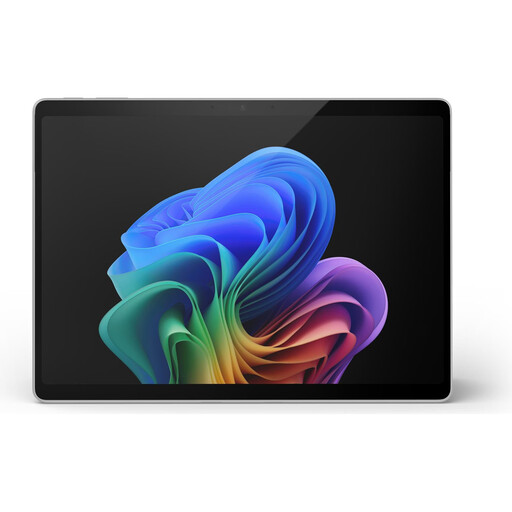
The Surface Pro 12-inch, 2nd Edition is a Windows option if you need a Windows-based workflow.
This selection of Joybuy products includes Windows and Android tablets, as well as iPads for working on the go, adding annotations and carrying out longer reviews.
 No image available
Could suit you if you need a Windows environment and a touchscreen for longer reviews.
The product details list Windows 11 Pro, 16 GB RAM and a 512 GB SSD. The stated battery life of up to 14 hours isn’t a test of how long it lasts while reviewing feedback; the product details don’t list a keyboard as included.
 No image available
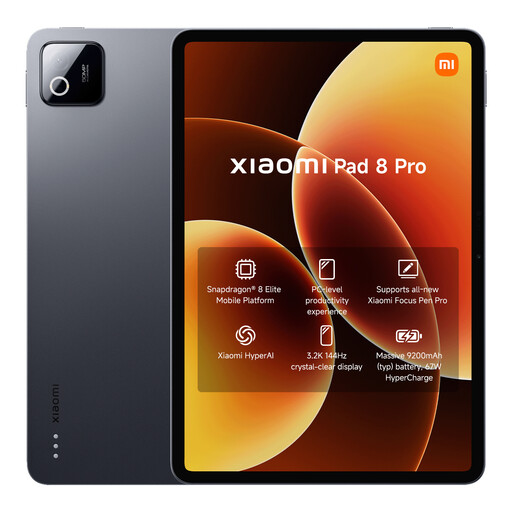
Could be an option for documents stored locally and an Android-based workflow.
Joybuy’s product details list 12 GB RAM, 512 GB storage and a battery capacity of 9,200 mAh. Battery capacity isn’t a measure of how long it will last while reviewing feedback.
 No image available
Could be worth considering for handwritten annotations on a larger screen; check that it works with your app and file format.
The product details list a 13.4-inch 2K display, a T-Pen, 256 GB storage, Android 15 and 4G LTE. The stated battery capacity of 10,000 mAh doesn’t indicate how long it will last while reviewing feedback.
 No image available
Could suit you if your feedback and PDF workflow works with iPadOS.
Joybuy’s product details list 2 TB storage and a weight of around 444 g for the Wi-Fi version. Up to 10 hours of web browsing or video playback isn’t a measure of battery life while reviewing feedback; check which stylus is compatible and whether it’s included.
 No image available
Could be an option for longer reviews and handwritten notes if the English keyboard suits the way you work.
The product details list a 12.7-inch 2K display, a T-Pen, a case and an English Bluetooth keyboard. Memory is listed as 20 GB RAM (8 GB + 12 GB virtual) and 256 GB storage; the 10,000 mAh battery capacity isn’t a measured battery-life figure for reviewing feedback.
It depends on the portal and how it’s configured. MoodleDocs describes offline features, but also settings that allow an institution to disable offline mode or course downloads. Check the feedback page you need and try downloading it before you rely on it.
Save any documents you need in advance, then test that you can view and annotate them without an internet connection. If you use Moodle for content created offline, open the app once you’re reconnected to sync it; on iOS, the app must be open in the foreground.
It depends on the version you choose. Samsung lists an S Pen as included with the Galaxy Tab S10 FE; Microsoft sells the keyboard and Slim Pen for the Surface Pro 12-inch, 2nd Edition separately. Xiaomi says the REDMI Pad 2 Pro doesn’t come with a power adapter.
Check with the organisation responsible for the feedback, as general guidance doesn’t give blanket permission or impose a blanket ban. The European Data Protection Board outlines the requirement to put appropriate technical and organisational safeguards in place; the BSI recommends using a screen lock. Ask about the rules for personal devices, local storage and sharing.