Joybuy products for writing on the go
The Joybuy products shown here are Android tablets whose product names mention a keyboard. Before choosing one, check that the specific keyboard and the app you plan to use work with your template.
 No image available
MEBERRY M8 10.1-inch tablet, 128 GB, with keyboard, mouse and case
This could be a good option for longer texts if you’re looking for an Android set with a physical keyboard.
The product name lists a 10.1-inch HD IPS display, 128 GB of storage, and a keyboard, mouse and case.
View at Joybuy
 No image available
13.4-inch Android tablet with keyboard, 256 GB
This could be a good option if you’re looking for a larger Android tablet with a keyboard for editing documents.
The product name lists an FHD+ display, 256 GB of storage, and a keyboard, mouse, stylus, case and stand.
View at Joybuy
 No image available
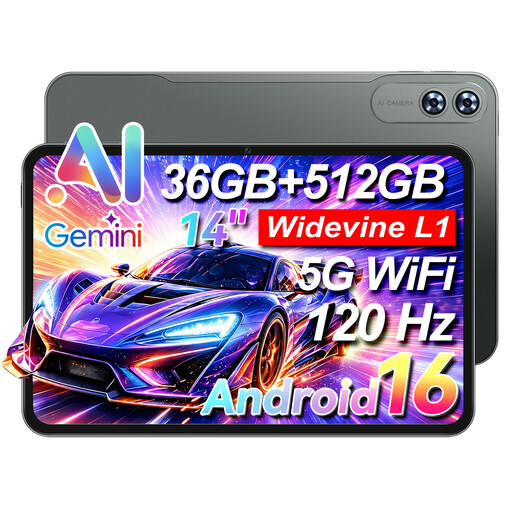
VANWIN HDC133T616W70 14-inch tablet, 512 GB, with keyboard
This could be a good option if you’re looking for a tablet with a keyboard and LTE, and the larger device fits your train seat.
The product name lists a 14-inch touchscreen, 512 GB of storage and 4G LTE.
View at Joybuy
 No image available
Xiaomi Pad 7 with keyboard, 8 GB RAM, 128 GB
This could be a good option if you’re looking for an Android tablet with a keyboard and the combination on offer works with your template.
The product name lists a 3.2K display with a 144 Hz refresh rate, 8 GB RAM and 128 GB of storage.
View at Joybuy
 No image available
TECLAST ArtPad Pro 12.7-inch, 2K, 256 GB, with Bluetooth keyboard
This could be a good option if you’re looking for a larger Android tablet with a keyboard and are happy to use the English keyboard layout mentioned in the product name.
The product name lists a 12.7-inch 2K display, 256 GB of storage, Android 15 and a Bluetooth keyboard with an English layout. A stylus and protective case are also listed.
View at Joybuy
Frequently asked questions
Does my tablet need to be online all the time on the train?
No, as long as your writing app and the file you need are available offline. Microsoft recommends downloading and opening the mobile Office documents you want before working offline; Google explains how to make individual Docs files available offline on Android. You’ll need a connection again to send your application later.
How should I prepare to write and submit my cover letter?
Before you travel, test a copy of your template in the app you plan to use: try editing it without an internet connection, then check the exported file. Google lists DOCX editing and PDF export among the features of Docs on Android; check the features you need separately for other apps.
Are the keyboard and charging accessories included automatically?
No, what’s included depends on the specific version. Apple lists the tablet and a USB-C charging cable with the iPad (A16) reviewed here, and sells the compatible keyboard separately; by contrast, the Lenovo Gen 2 bundle reviewed here lists a Keyboard Pack. Check the details of the offer you choose.
What rights do I have when shopping online privately in Germany?
In Germany, goods ordered online generally come with a 14-day right to cancel, starting from the day you receive them; exceptions apply. This is separate from your statutory consumer rights against the seller: the European Union says goods bought in the EU are covered for at least two years from receipt. A voluntary manufacturer’s guarantee does not replace these statutory rights.


